 7:01
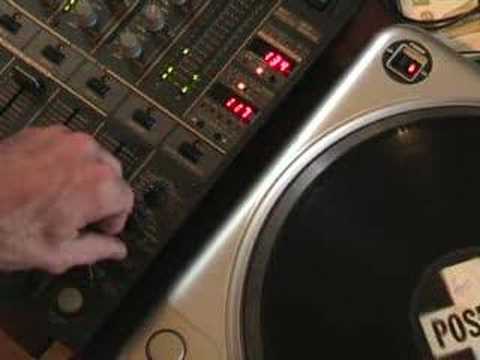
A look at the Echo feature on the Pioneer DJM-600 mixer.
Contents of the video
0:00 In this video we're looking at something called echo
Alright folks, Jonathan here. This is another video regarding the DJM600 mixer and the effects we've got on this particular guy here. In this video we're looking at something called echo. Now a lot of people out there know what echo is. There's a few people who maybe don't so I'll try and explain. Now let's say you're in a wide open space and all of a sudden you go oi or hello or something like that. Well quite often you will hear the sound coming back at you. In other words you'll go oi and you'll hear oi back at you. Now that is an echo. Now let's say all of a sudden we were able to have a wall, a huge wall, say about two or three hundred metres away. You go oi! The sound leaves your mouth, hits that wall, comes back at you. That's the echo. But let's say we were able to move that wall further away. Now what would happen in the first instance, let's say for example the sound coming back at your ears took one second. By moving that wall further away it will take longer to come back at you. So it may take one and a half seconds,
Two seconds, three seconds. But of course the opposite applies. If we bring that wall closer to us, then the echo will be shorter. Half a second, quarter, etc. Now utilising a couple of knobbly bits on this guy here, we can extend or decrease that particular echo. Now what I'll do, I'll pause and we'll also give you a demonstration on how you can actually use the echo on this guy. And it's quite cool. Hold tight. Right, the track we're using is Expressive Sound and it's entitled Real Vibration in brackets with love and it's on Positiva. Right, now then. OK, what we've got here is, if you've seen the other videos, we've actually got the channel selector number 3, so we're on channel 3 here. We've got the time. Now what this does, this will actually increase or decrease the echo. In other words, by moving this, it's almost the equivalent of that wall I was talking about earlier on.
Going further away from you or closer to you, this little lighty-up buttony thing here, when it's pressed and it flashes, that means that the actual effect being utilised is going to be working. When it's not flashing, that means it's not working. And this dial here will basically choose which effect you want to actually use. And at the moment we're going to be using the echo right now then. What we'll do now is we'll put the needle on the record like that and we'll press the button And we'll see what happens. We'll put it to minimum. Of course, you haven't got anything at all. Set it to maximum. Now what we've got there is we've actually got a phasing effect. Now the echo, believe it or not, is...
2:40 Just listen to the sound
What's happening though is the beat starting here and what's happening is in here it's sampling that beat and then it's almost hitting that wall coming back on itself but because the wall is virtually non-existent you've got the sounds overlapping each other. In other words, the wall is so close the sounds are almost on top of each other. Now watch what happens when we start moving the time and we go from 1, 2, 3, 4, 5, 6, 7. Just listen to the sound.
Okay, right now I'm going to show you something here. First of all, I want you to listen to the actual tone and key of this particular track when we've got this set at 1. Okay, have a listen first. What I'm going to do now, I'm going to set it to number 5. Now just listen to that sound and then listen to it when we're at number 5. Now I want you to listen when we go to 10. Now we're going to go to 15.
4:23 Itself, beat
Now what's actually happening is we're almost keeping the same tone, key feel, but we're changing it very, very slightly. Now also what you can do with this particular feature called the echo, we can actually have the beat come back on itself in perfect time. With the, well when I say come back on itself, logically you have the beat here, then what happens is the actual beat will be sampled, the echo will hit the wall, come back on itself perfectly in time. So what we'll do, I've near enough worked this one out, I think we have to go to about 444 on here, so we'll just try and find it, hold on, about there, and we'll give it a go. I mean we can get quite a lot of echo on this.
My goodness, right, okay so how can we use this? Now first of all if we go back to zero or number one and then what we're going to do now is I'm going to start the actual track. Excuse me a second. Right, I'm going to start the track. Right, listen to it like that. Now we're going to go to five. We'll get to the melody. Now we'll go to ten. Fifteen. Now to twenty.
I hope that's given you a general sort of idea, okay? There is a lot more to this than meets the eye. And again, it's all about having a bit of fun and experimenting. Alright, thanks for watching. This is another video and in this video we're looking at the echo feature on the DJM600. And as usual, folks, practice and enjoy.
This transcript was produced automatically from the audio of the video and may contain mistakes.





