13:17
Beginner DJ Lesson on Using Loops to Help with Beat Mixing
Contents of the video
0:00 It's time for one of these again, a mixing lesson for a beginner
Right, ladies and gentlemen, it's time for one of these again, a mixing lesson for a beginner. Now you may have seen quite a few lessons where people are mixing loops and it's a great way to start but I've thought about this and there's actually an easier way how to learn how to beatmatch by mixing loops but in a slightly different way. So first of all what you need to do is This is quite important, is get the genre that you like, of course, whether it be house, hip-hop, techno, trance, electro. Try and stay clear of old school funk. Disco, rare groove. Good reason for that is because generally tracks like that are made with real people, real instruments, so it's a lot more difficult to get that precise loop because it's made by people, not by a drum machine. So just for this demonstration...
I'm using a track by Trickstar, it's called Flick Switch, it's the original mix. So generally when you make a loop, if it's at the beginning of the track, no point pressing the in, you just press of course the out. So what I'm going to do, I'm going to press the out on the right hand side after two bars. So I've got it ready and here we go 1 2 3 4 1 2 1
1:38 I'm going to do exactly the same thing on the other side
Now there's my loop. Now of course I'm hoping for the best and when I say that, I've put the track through rekordbox, I have quantize engaged. Now I'm going to do exactly the same thing on the other side. Same track, same loop, two bars. So here we go. One, two, three, four. There you go. Now again, I'm relying now... On the software and how good it is. Okay, so generally when you're mixing loops, you're going from one to the other, back and forwards, back and forwards. And again, for the complete novice, if you've got the left hand side playing, of course you'd cue in the right hand side, you'd have your headphones on, you'd be listening to the right hand side, you would press play at the beginning of the one in a bar, whether it be the first or second.
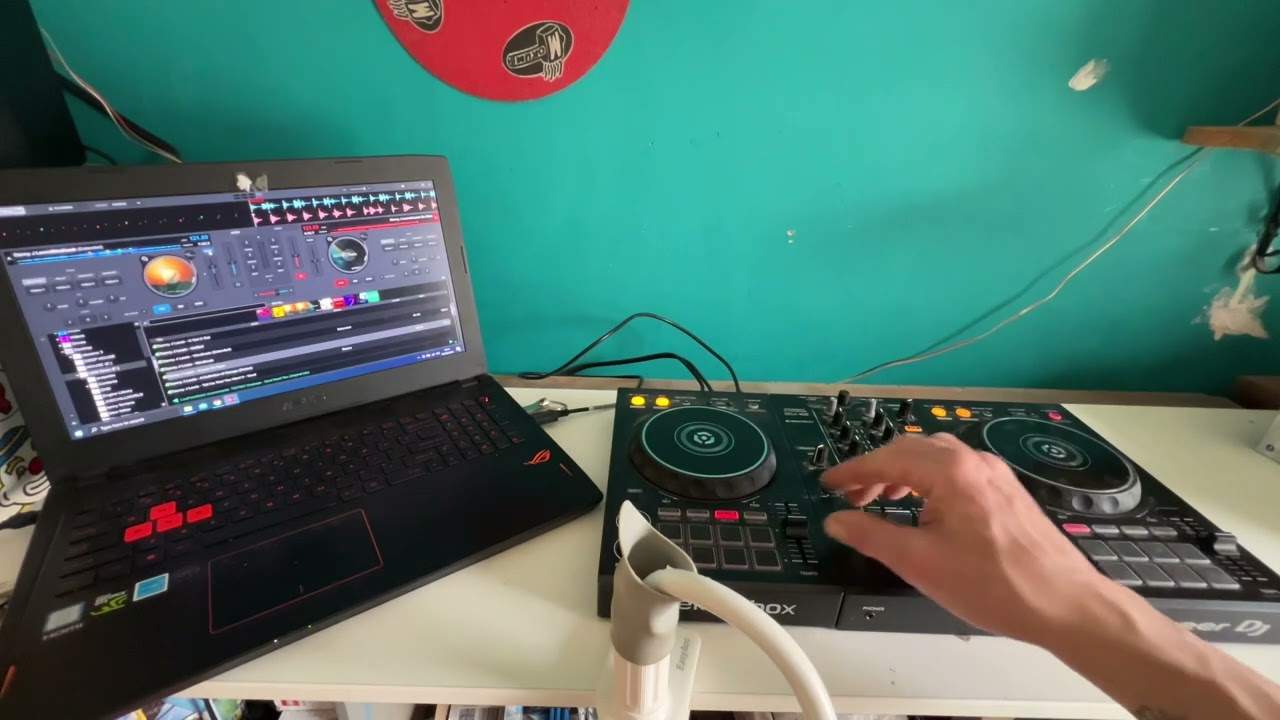
Slowly bring it in, bring the first track out and then repeat the process. But we're going to do something slightly different here. Now for this demonstration I have both tracks at exactly the same BPM to begin with but what I'm going to do which is slightly different on the left hand side I am going to remove the bass so let's have a listen to the left hand side there on the right hand side I'm going to remove the mid and the top, the high. Let's have a listen. Okay, now we've got a definite defined bass on the right hand side and a definite defined mid and high on the left hand side. Now for some of you, you may be getting this already, but if you're a complete beginner, basically what I'm doing now is I've got the complete track
But I have the mid and high on one side and the bass on the other side. Now this is where your ears start to come into play. You can either use your headphones or without the headphones. So what I'm going to do, I'm going to get the sock and I'm going to put the sock over the pitch. I'm going to move the left hand side down and the right hand side down. Now even though I've moved them at roughly the same position, it's very likely one is slightly faster than the other. So I'm going to put the two volumes up and again with a demonstration like this and when you're practicing at home it doesn't have to be loud at all. In fact... The quieter the better because you're able to hear more. If it's too loud, two things are going to happen. One, you won't be able to concentrate and the other one, like me, after 40 years of loud music, you'll get tinnitus. Not a good idea. Right, what I'm going to do now is I'm going to press play at the same time and let's have a listen. Right, I've noticed two things. Firstly, they are definitely off beat. Secondly, that the loop isn't a precise loop
5:37 The idea now for me to do is have a listen
After the first two bars, even though it's offbeat, I can hear it going slightly offbeat even more. So for let's say the intermediate DJ, this is a good way of practicing because not only have you got to get it in beat, you've got to also compensate for the fact that the loops aren't exactly in time. So you've got to first compensate for the fact they're not in beat. Secondly, compensate for the fact that the loops aren't even in beat. So, the idea now for me to do is have a listen. I'm going to move the pitch on the right-hand side. You could also move the pitch on the left-hand side either way. I'm not using headphones. I'm just listening to the monitor. And the objective is to use the pitch and fine-tune that beat so it stays in time. But again, the key here, if we listen... In fact, I'm going to do the other way around.
The bass on the left hand side and the mid and top on the right hand side. So now, the reason this is slightly easier than mixing loops is because now you're more concentrating on one part of, let's say, the overall structure of sound which is mid and high. You're not listening to the bass, mid and high. You're just listening to the mid and high. Have a listen. Okay, so I'm going to press play on both of them at the same time. I'm going to put my hand on the right-hand side pitch. Hopefully you can see that. Hold on, let me just... In fact, I need to move the camera there. That's a little bit better. There we go. You can see my hand now and I'm now going to press play on both of them and I'm going to manually move the pitch until hopefully I get it in time.
Now, two things I'm going to have to do. One is get it in time. Secondly, compensate for the fact that the loops aren't perfect. Here we go. So hopefully that's it. We'll have a look at the screen 22.9, 22.7 on the right hand side. So I've off very slightly. So a couple of things I can do is I can use the jog wheel, nudge it forward or bring the pitch forward. Now again, you can do this By actually looking at the BPM as a reference, but that's too easy. It's much better to train your ears to not listen, sorry, not look at the BPM and use your ears instead of the screen. Again, I can't bang on about this enough. Too many people now are just concentrating on the laptop and they're missing not so much the soul of beatmatching, but you've got an internal clock, it's called your heart.
8:30 In fact, it's in time
And why don't you try and use that? So, I mean, yeah. In fact, it's in time. Maybe I was wrong about the overall loop being out of time as well. So we all make mistakes. I'm not going to edit this video. Okay, so we got that in time. Let's try it again. I'm going to bring the pitch down. In fact, let's bring the pitch up on that side and bring the pitch up on the other side. Now, completely diff... Different positions. So we can just repeat the process again, again and again. It's a bit like, as I said before, wax on, wax off. Remember Karate Kid? It's about just constantly doing it again and again and again. It's that term that you should know, you should have learned many years ago. If you haven't, you'll learn it today. It's called muscle memory. Here we go again. That's really close anyway. I'm going to leave that a second. So basically as well...
If it sounds as though it's in beat for quite a while, but seems to go off over a long period of time, that means the BPM is very close. If it stays in beat for a short amount of time, but goes off quite quickly, that means the BPM aren't very close. So imagine like I said with the two cars. One's 45, one's 45 and a half. They're travelling at the same, or they're travelling what appears to be the same speed, but sure enough, the one going slightly faster over time will cover more distance. And it's no different to beatmatching. Let's just have a quick look, see where we are. 129.2, 129.2. Alright, let's slow it down again on the right, slow it down on the left, and let's try again.
10:50 I think this one's slightly too slow
I think this one's slightly too slow. Let's have a look. 123.4, 123.2. Okay? So I know now this has to go faster. Let's move the jog wheel, jog it up so it's in beat, but then I have to move the pitch towards me very slightly. If I don't move the pitch towards me very slightly after jogging it forward, it will just... Go back to its original speed and it will slowly go further and further offbeat. Minuscule moves there, let's have a look. 123.4, 123.6, gone too far on this side. Believe me, I moved the pitch on the right but a very small amount. 123.4 on the left, 123.5 on the right. Okay, nearly finished with this demonstration. Another thing to remember as well is the actual percentage of BPM you have on the pitch. So on this here, we can change the tempo from plus or minus 4, 8, 10, 16, 15 and wide, something like that. So again, for a beginner...
Always stick to a lower percentage because you have more movement on the pitch. If you're finding it absolutely impossible to mix, it could be because you're on what's known as the wide feature which is 100% or 50%. Having said that, if you want to really test your brain, I mean test to the extreme, then by all means go at a higher percentage which is more difficult. So to begin with try, I think yeah it's 8 and 10. 8 is good, 10 is pretty good. If you want to test your skills, go to 16. Try and keep away from 50 or 100 because that's really more for effects. All right, I hope that's a help. Don't forget, leave a comment, let me know what you think. Thank you for watching, practice and enjoy.
This transcript was produced automatically from the audio of the video and may contain mistakes.