 4:45
A look at the KAM KCM450mk2 DJ mixer
Contents of the video
0:00 This particular mixer
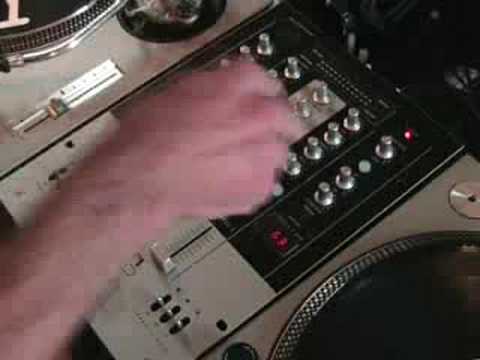
Alright folks, quick look at this particular mixer here. It's from a company called Cam and it's known as the KCM450 Mark II. It is a DJ mixer. This unit here, good crossfade and also it's got an effects unit as well. Now what I'll do first of all in this video is, or the first part of the video, just give you a basic outline of what the mixer can do. Then I'm going to pause the camera, take the camera off the stand and give you a close look. Look in the description to the side of the video and you'll see the name of the track I'm going to be using. Okay, two channels. Down here we've got channel kills for low, mid and high, which is the equivalent of bass, middle and treble up here. What we can do, if I flick these down, what happens is they'll flick straight back up into the centre position. When they're in the centre position, that means we will have all the frequencies. We'll have low, we'll have mid and we'll have high. Flick down.
1:22 Channel 1 and channel 2
We can take out those frequencies for a split second, push up and that will keep that frequency off. You can see the light shining as well. So we can do any of these at any time. If we put them all up, we'll have no frequencies, we'll have no sound at all. In the middle, we've got all the sound flicked down, we can just reduce or get rid of that particular frequency for a second, up, and that frequency will disappear until we bring it back down. Channel 1 and channel 2. On the right hand side we've got line, which is basically CD player, MP3 player. Flick it over, we've got phono or auxiliary. Phono is a vinyl turntable, auxiliary again is a CD player. At the back of this channel here, we've got a switch. When we switch that over to phono, we'll have a phono vinyl turntable. Switch it to auxiliary, you can use a CD player. Okay, we've got effects on this guy as well.
This dial here is for bass, this dial here is for mid, this one is for treble, this one is for gain. At the top here we've got the effects function. We can go from pan, trans, echo, delay, flanger, filter, phaser or pitch shift. Parameters, in other words what that does, that will change the amount of effect we've got. In other words, we can have a very short effect or a long effect. The depth What that will do, it's almost like a volume control for that effect. If the depth is set to minimum we won't hear the effect. If it's set to maximum we'll get a full overall effect or a full effect over the music that's playing. What I'm going to do now is play the track and I'll give you a general idea of what sounds to expect from different effects. So let's start the track. What we've got now is echo.
2:49 This piece of kit
Now if you haven't listened, I'm going to change the parameter. It's set to maximum. Have a listen when I set it to minimum. The effect is maximum, minimum. Let's echo. We'll try delay. Flanger. A basic look at this piece of kit. There are your kill switches, your crossfade and you can set curve on your fader and curve on the crossfade as well. Curve here for this fader. Curve for your crossfade, curve for this fader here. That one there is the depth, parameter, effect function, again, gain, mid and bass for this channel, exactly the same over here. Master control, we've got cue, phones level, click cue. Basic look at this piece of kit here. Practice and enjoy.
This transcript was produced automatically from the audio of the video and may contain mistakes.





