 3:29
A look at the Sampler on the Pioneer DJM-600 mixer
Contents of the video
0:00 You can do during the course
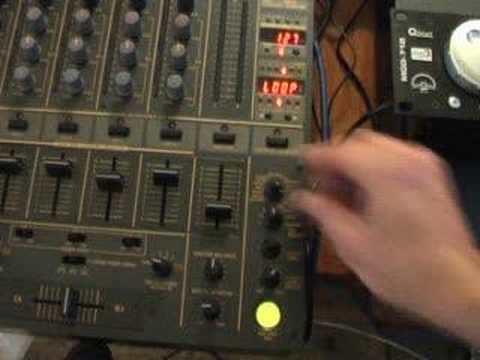
Alright folks, Jonathan here. A video request for you on the DJM600 mixer and in this video we're going to be looking at the effect here, the record effect. Basically you can actually record part of the music and you can loop it, you can sample it etc. I'll show you what you can do during the course of the video. First of all what you need to do is you need to set this area here where you have all your effects to rec. REC, which is short for record. The next dial down you need to set it to the channel you want to actually record. We're on channel 4, the music is played through this channel, channel 4. You have perimeter time here and level depth. I've set the level depth at 12 o'clock. You can now see that that button is now shining red. That means we're ready to go. We'll play the actual music. The music you're listening to is noises in the background.
1:20 Down is loop
It's Black Liquid, a track entitled For The Heads and it's the Jordan Riviera remix. So what we'll do, we'll kick off the music. Here we go. And on beat and in time, I'm now going to press that button. One, two, three, four. And, like so. Right, now what we've done now, we've actually sampled that music. What we need to do now, we can do quite a few things. We can go to single and then if we press that button now, that's now shining green, like so. The thing is with single, is it will only play the sample you have recorded once and it will only play it while you've actually got your finger on that button. So you can either do this or also here the next one down is loop. So by setting this dial here where we have the effects to loop and pressing that button it will loop that sample continually. We'll stop that. Also we've got stretch. If we press the button now you can hear it
2:04 Watch as I move the actual level depth
Here you can see we've got 1 over 1. If we then reduce and increase, have a listen to the sound. OK, now as you can listen, the sample wasn't perfectly looped but again it's about practice. But of course with the level depth what we can do then is we can still play the music and then we can set this to single and now have a listen. Watch as I move the actual level depth. Nothing at all there.
Okay, a little insight here into something which is the sampler and it's on the DJM600 mixer. Okay, thanks for watching, practice and enjoy.
This transcript was produced automatically from the audio of the video and may contain mistakes.





