 4:19
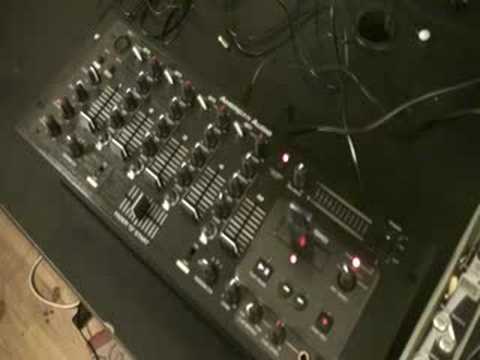
American Audio Q Record DJ Mixer. It will record your set!
Contents of the video
0:00 Basic video for you, demonstration stroke tutorial on this guy here
Alright folks, basic video for you, demonstration stroke tutorial on this guy here. It's from a company called American Audio. It's known as a 19 inch rack mount mixer but this guy is known as the Cue Record. Now a lot of the modern day 19 inch rack mount mixers from American Audio are not dissimilar. The functionality here is near enough exactly the same. Where it gets slightly different is this area here. I want to show you that. That is known That will enable us to start recording the track and also to stop recording. Now this here, REC Select is short for Record Select. CH1, CH2, CH3, CH4 and Master. CH is short for Channel. Channel 1, Channel 2, Channel 3, Channel 4 and Master. That guy there is a USB port.
Switches at the top, three modes. Left hand side, centre is USB and right hand side exactly the same, all on the top. The only difference with channel 1 and channel 2 as opposed to channel 3 and channel 4, on channel 1 and channel 2 we can have a vinyl turntable as well. Channel 3 and channel 4 we can just use the USB. All we can use may be your iPod, maybe a CD player, etc. Okay, what I'm going to do now is I'm going to put that in the USB port like that. Right, for demonstration purposes, the track I'm going to be using is by The Audio Bullies, a track entitled Flickery Vision and it's out on the 22nd of September 2008. Now first of all, I've got the CD player plugged into channel 3. I've got it over to line 3, I've got the master volume up and let's have a quick listen. Here we go. Okay now I'm always getting loads of people asking me how can I record my set? How can I record a certain track? Well you can with this. Okay, now what I'm going to do now, again I've got that set over there to line 3, I'm now going to move the record select to channel 3. Pan out a little bit. What I'm going to do now is press record.
2:54 Stop record, sorry, and then I'm going to press play
Stop record, sorry, and then I'm going to press play. So we'll press that, press play. What's happening now is I'm now recording this track. Stop recording whenever I want to by just pressing stop record again. Okay, now bearing in mind this is a demonstration so you may have to set levels etc. Now, what I've got is I've got that track recorded on there now. If I need to listen to that, what I need to do is flick the switch into the centre position which is USB and press play, pause, here we go. Now that at the moment is only on channel 3. Now, like I said earlier, every channel has got USB in the centre position so I can... Take that track that I recorded from line 3, channel 3, and put that track on channel 1, 2 or 4 if I wanted. Let's press pause, move it to channel 4, click to USB and there you go. Down, channel 2, down, channel 1, there you go. Alright, a quick insight and demonstration onto this guy here. It's from a company called American Audio and it's known as The Cue Record. Practice and enjoy.
This transcript was produced automatically from the audio of the video and may contain mistakes.





