 7:00
Beyond Acoustic SU-200R Audio Recorder for Band Club or DJ
Contents of the video
0:00 Video number one on the SU-200R
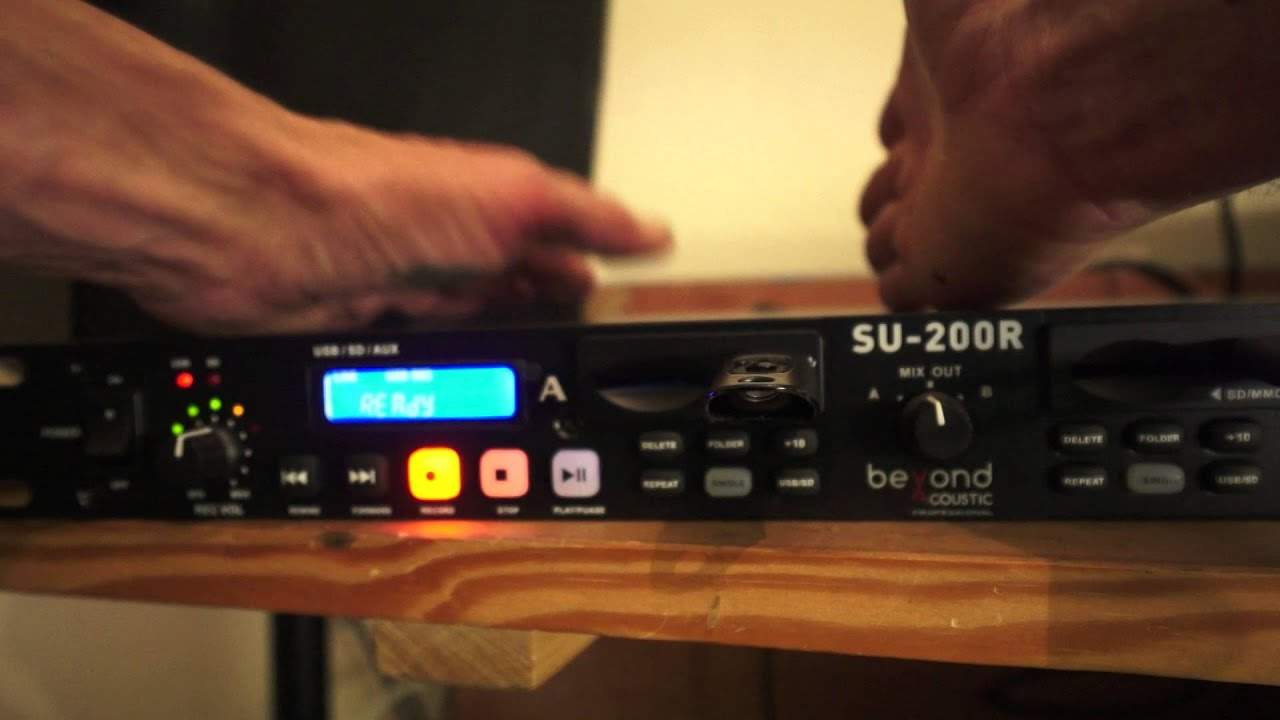
Alright guys, this is short video. Video number one on the SU-200R. It's from a company called Beyond Acoustics. It will record your DJ set. Alternatively, maybe you're in a band, it will record your set. There you go. Okay, video number one is a very basic overview on what it does. How to plug it in and what you can do. Now first of all, it is what's known in the trade, I'm just going to unloosen the camera, as a 19-inch rack mount unit. That means that the length of the SU200R is 19 inches long so it will fit into your box standard road ready case. It's also known in the trade as 1U high which is one unit, that's the height. Okay, so what is it all about? It will record your set. Now this is how simple it is. If you don't want to take your laptop, you've got a very expensive laptop, you want to record your set, then this could be for you. Now what I have done, I've gone from my mixer, by the way in the background that noise is just a one bar loop of a track, so that's immaterial. Let's just show you the readout here.
1:44 They won't flash at the same level
On the LEDs. Now what I have done for this demonstration, I've gone from the booth out of my mixer and then into the input on the left-hand side of the SU200R. And the reason I've done that is because I can set the level on the booth output. If I turn the booth output down, of course we can see the LEDs on the left-hand side of the screen. They're gone. That's it, no LEDs flashing. As I move the dial on the booth output up we start to see green, green to amber then amber to red and the green, amber, red is exactly the same pretty much as your LEDs. They won't flash at the same level. What they will do though is they will tell you if you're putting too much signal into the SU-200R so what I'm going to do I'm going to move my booth
Down very slightly. Ideally, you want it tapping into the amber. Now this is the difference. You want it tapping into the amber. You don't want the amber on and then it tapping into the red. Red is dead. So what I'm going to do, I'm gonna have that set so it's just on the odd occasion tapping it into the amber. Now the SU-200R will record on a thumb drive also an SD card as well. Not only that I'll tell you a little bit, a tiny bit of exciting kind of stuff about this piece of kit which is very interesting and also like ah it'll make you think I like that which I do about it. All right so it is pretty much as simple as once you're set up you have gone from your audio source to the input and I've gone to the input of the left hand side now let's just
Take that on board for the moment. I've gone into the input left-hand side. Let's leave it at that for a second. What I do then is I've pressed record. You can see on the screen we have ready. I'm going to press record again and now we have got 00000 and it's counting up. That's telling me that it has now started to record on the thumb drive. Alternatively, if I had an SD card in there, of course it would record on the SD card. Let's say the band set, you can pause by just pressing record again and now that's paused. If I want to continue recording, I just press record again and it will carry on recording but if you're a DJ of course and you want a nice smooth set, the last thing you want to do is start chopping up your bloody set. Right, when you've finished recording, what do you do? You press stop. That is it.
4:28 As simply as possible what I've
Record end. I mean, that is not rocket science. Now, I've got quite a few files on that USB stick, so it's going to take a little bit of time to find the file number, but it will do so. So once it's done that, it's pretty much ready to continue recording. But here's one trick that the SU-200 has got that is quite great actually. What you can do is on, and again I will show this in a future video, just zoom out a little bit. On the back of this piece of kit we have an input, an output, an input and an output because we've got two identical screens. So to give you a quick insight and explain as simply as possible what I've done is I've gone from my mixer to the input on the left hand side I've then gone from the output with the RCA that comes in the box to the input on the right hand side. Now what that means potentially, if I wanted to, I could record on two USB or two SD cards at exactly the same time. So for example, if you don't want to go to a gig and take your expensive laptop or Apple Mac or whatever you've got or orange or banana with you, I don't know.
Yeah, alright, maybe not that funny. You don't want to take that, then something like this, you take it along with you, you can record your set and then you've got your set on a thumb drive. What you do with that, of course, is entirely up to you. But it means that you have your set there in real time and you don't have to use silly programs on your laptop and start compressing files and zipping and unzipping and goodness knows what. It's there. It is as simple as that, alright? This is video number one on the SU-200R, 19 inch rack mount. It's from a company called Beyond Acoustic. I will be doing another couple of videos on this in the near future just to give you a small look at it in its entirety. The only thing that is different from the right hand side to the left hand side is on the right hand side we have the power on off button and then on right side
On the left hand side, oh dear I'm dyslexic that doesn't yeah my driving was a nightmare when i passed my test second time but i won't tell you what happened the first time the driving instructor wasn't very happy well the doctor said he'd be fine but anyway so on the left hand side we have power on off on the right hand side we have a headphone jack quarter inch jack input with a volume control so you can monitor Right, I hope that's been a help. Check out the link in the description to Beyond Acoustic. Practice and enjoy. Thank you very much.
This transcript was produced automatically from the audio of the video and may contain mistakes.





