 7:47
CHAUVET DJ COREbar4 review by Ellaskins the DJ Tutor
Contents of the video
0:00 Maybe in a nightclub to highlight the walls, then listen up
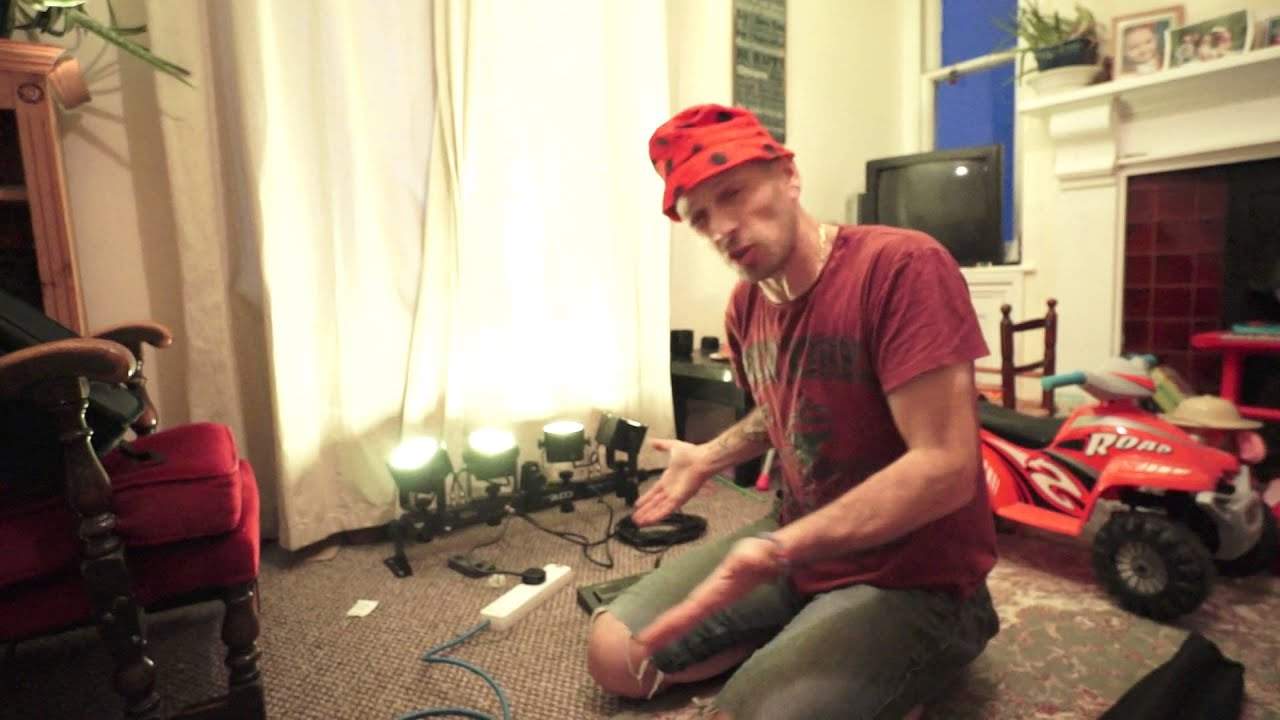
Alright guys, got a light here from a company called Chauvet and it's known as the Core Bar 4. Now first of all, if you're a DJ and you're looking for up-lighting then check it out. Maybe you're in a band and you want some band lighting or alternatively maybe you're even just, I don't know, a single artist. Maybe you play the guitar or you're a vocalist and you just need that extra bit of lighting. Maybe in a nightclub to highlight the walls, then listen up. What Chauvet have done is they've taken the original concept from like millions of years ago about having power cans and they've decided to make them small, petite, take less power, less heat, more user-friendly and better looking. Now first of all what do you get with the Core Bar 4? You get a bag with your tripod in.
I'm not going to open that up. If you're not familiar with a tripod, it's a tripod, a stand and you can attach the Core Bar 4 to the top of that. So if you want to, you can have it head height and you can have it facing down, across or sideways, it doesn't matter. Also what you can do as well is you can position the Core Bar 4 on the ground. And in with the pack, you've got two what I'll call classes like legs that you can fit them on either side and then you can position this quite nicely on the ground. But again, you need to always be wary about where you do put it on the ground. Make sure it's not in the way of anyone. It can't trip anyone up. Use your better judgment. Also, you get a rather nice bag and this area here is for the foot switch which I will show you shortly.
That is for your power cable, and of course in there is where you put your core bar 4, and I've always got those guys with me as well. They're safety chains. In the UK, any time you put any lighting above head height, or for that matter, elevated, you always have to have one of these. Alright, so there it is. It's RGB, red, green and blue, and you can plug this in pretty much anywhere you want to. DMX Master Slave Sound to Light. Also it comes with a footswitch. So let's say you just buy one, you haven't got a DMX controller and you just want to let it do its thing. Do Sound to Light. If you've got two, you can let them both do Sound to Light but if you haven't got them plugged in they're all going to be flashing all over the place. Probably a very good idea to buy yourself just a straightforward DMX cable.
2:40 Whatever the master does, the slave will follow
Also known as an XLR cable, male to female, and go out of the master into the slave. So whatever the master does, the slave will follow. But if you want to, check out the footswitch. Now you may think, yeah but it's a footswitch, it means it's buttons and it's going to be really intricate, and it's not. In fact, it does take the light very quickly to new heights, even without you having to go out and buy a DMX controller. So what I've done, I've plugged the foot switch in. We have preset, sound on and blackout. Let's first of all just press preset and then sound on and then blackout. I'm going to press them all once and see what happens. That's preset. Well actually I pressed that a couple of times. Do apologise. Let's press sound on and let's press back out. The light's gone off as you would expect. Blackout. I'm going to press blackout again. Back on.
Right, what I'm going to do now is I'm going to press preset, but I'm going to keep my hand, of course you would use your foot, on preset. So press down. Now did you see that dim slightly? So now we can go through the colours and press down and it dims. That's cool. I'm now going to press sound on and keep my hand on sound on. Press down. Now we get a strobe effect. Within one press, you've got a strobe. Press it again and away we go. Now I'm going to press down on blackout but not press down and then take my hand off or of course your foot. I'm going to press down and keep pressing down. Press down. Don't know if you saw there, it faded out. So the last one, the red one here. So if I press down on blackout again, it fades up. So let's just do sound on again.
4:45 It's probably better if we do presets
I'm going to preset. It's probably better if we do presets. So what I'm going to do now is press down on blackout, but keep my fingers on the button. So we slowly have a fade down. So blackout isn't just off and on. Blackout is off or fade down or on or fade up. So again, let's just press blackout very quickly. On. Press black out, but keep my hand on it. And we have a nice gentle fade out. And now let's do exactly the same. Press and keep my hand on. And we have a nice fade up. Okay. All right. You're over there. The lights are over there. What I'm going to do now is unplug them and we'll have a closer look. So my first thing is I'm just going to unplug it from the mains and I'm going to unscrew
The foot switch and take away the power. Okay, so here we go. This is the Core Bar 4. Now, one of the main features that is fantastic is it looks good. It looks chunky. It looks very well made. It doesn't look plasticky. And believe me, it does not look, I promise you, it does not look as though it's going to fall apart within five minutes. What you can do, which I like, is you can move the lights, each light around 360, so you can position this wherever you want to. You don't just have to have four lights on one wall. If you've only got one, you can have four lights, one on each wall, but again it's dependent on where you position the head to begin with. OK, you'll see that centre point there, that is for your T-bar.
So have it like that, and then it's facing down, but of course the lights don't have to point down, they can point up. If you have it like that, of course the lights can point down if you want them to, but of course it's better to have them pointing up. RGB, red, green and blue. So you will get red, you will get green and you will get blue, but at the same time if you use the appropriate or... I'm pretty sure you can use any DMX controller, but check. You can get colour mixing, so the choice is yours. And the colours are very warm, they're not intense, they're not like a lot of the LED lights where you can see a blue spot, you can see a red spot. These, the colours are warm, they're inviting, OK? So there it is, it's from Chauvet, it's the Corbar 4. I will put information in the description.
And I will put a link to some Facebook pictures that I uploaded a while ago. Practice and enjoy. Thank you very much.
This transcript was produced automatically from the audio of the video and may contain mistakes.





