 9:17
CUBASE 5 From Steinberg Media video 1
Contents of the video
0:01 Exactly what that is in
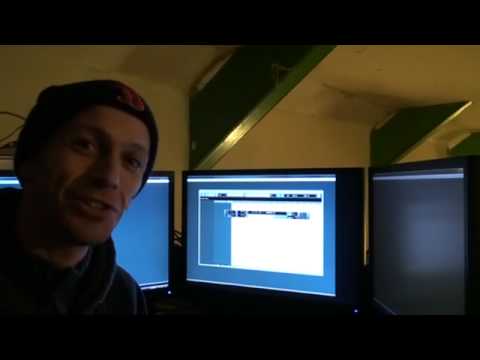
Alright guys, now behind me I've got a few screens and there's that in the centre. I will explain exactly what that is in a second. Now first of all let's go back in time a little bit. Loads of people are always asking me to make my own music etc but I've never really had the time, not meaning to contradict myself. Hopefully I will be able to do that over a certain amount of time and it's got a lot to do with this white box here. But first of all, let's try and get the record straight here in a roundabout way. Now again, what we've got to somehow remember here is that the people who watch my particular videos could be mad producers who've been making music for like 6,000 years. They could be DJs who are really professional and fantastic working in all the top clubs. There could be bedroom DJs. There could be even people who don't even know what a DJ is. So on that basis, I need to explain something. First of all, a lot of people are asking me about...
Making mix CDs and let's look at it on its very basic. Now let's imagine you have bought from a shop five CDs that other artists have made. In other words, you have artist 12345 and they've made CD 12345, it's their music. Now let's say all of a sudden you found a wicked set in those CDs and you make a mix and you put that mix onto your PC and you put it onto a CD and you sell it. Well you're actually breaking the law because what you're doing is you're making money from someone else's music. So you can't do that. Now I don't know where the legal side is with reference to giving that CD away, please tell me underneath here. I'm not going to say you can or you can't do it but you are definitely not allowed to sell that CD and make money for yourself. But what you can do is you can make your own music
Burn that onto a CD and sell it. You're legally entitled to because it's your own music. But how do you do it? I mean, how do you make your own music? All right, you can get a keyboard and get a microphone and start... No one's really going to buy that, are they? So what you can do, you can get certain programs that will enable you to make your own music. Now this one here is from Steinberg. It's called Cubase 5. Now again, I think I said it wrong because I'm... Cut this twice and I've made cock up, so I just thought I'd better do it correct and stuff. So basically what we're looking at here is we're looking at some software that will enable you to make your own music. Now without, like I said, trying to contradict myself, I did say in previous videos, and I may have said in the beginning of this one, I can't... Anyway, never mind, is that people are always asking me, why don't you do it yourself Jonathan? I've always said well I haven't really got time to do it because there is such a lot involved.
But what I will be doing over a vast amount of time is slowly getting used to this guy and trying to do my own sort of productions now that by far they'll be good. Simply because, you know, it's a bit like going from a beginner DJ up to a pro DJ working in a nightclub. A beginner DJ can possibly play some tracks. The pro DJ on the other hand will be able to manipulate the tracks so wonderfully it'll be a seamless mix, theoretically. Me on this, on the other hand, I may be going all over the place. And someone who is used to this kind of program will be able to just click the mouse, close their eyes, play the keyboard and half an hour later they've got a wicked beginnings of a new track. So right, Cubase 5. Now the box first of all was rather heavy and I was thinking there's got to be a lot in here. But you know what? There is actually a lot in here.
3:53 The key activation guide
The key activation guide. Now what they've done very cleverly is there's this little USB key and you've basically got to have that with you and that almost is the key to your program. If you haven't got it, you're stuffed. Also you get your activation codes. Now this is the fun bit, alright? This is the getting started manual. Now look, that's just the getting started one, alright? This is what I call the destruction manual, the instruction, but it's the actual operation manual. Now do you see why I'm going to be doing this over a period of time? There. And then of course logically you get the software. Now, OK, what can we do with something like this? What's it all about? Well, years ago, before we had the likes of programs like this...
If you went into a recording studio, not so much the DJ aspect, but let's say a band. You'd have guitar, you'd have bass, you'd have drums, you'd have vocals. And what you'd have, I may be correct here, I'm not sure, but you'd have a tape about an inch wide like so. And on it you'd have right at the top, that's where maybe they'd record the drums, you'd have the guitar underneath etc. And then the person who is at the desk would be able to mix. He also covers guitar, bass and drums. All of that goes into a mixer and then the person mixing the sound will increase or decrease each volume with reference to the drums and guitar, bass etc. But it wasn't just like drums in one channel. You would have had snare, hi-hat, bass drum, tom, floor tom, cymbals etc.
And then, like I said, guitar, keyboards. And what the guy at the desk would be able to do, he or she would be able to make sure the levels were correct. And then in turn, each one of those channels would go to a thin line on this strip of tape, in other words. I mean, if you remember the old school tapes, they were quite thin. Well, the tapes in studios were something like that. And then eventually it would be mixed down. So, what is this? Well, basically what we've got here, if I just get rid of the centre point here. And again, now I'm being, maybe I'm being a little bit ignorant here and people who are used to Cubase will go, that's wrong, that's wrong. What I'm going to try and do is break it down to its very, very basics. So if I just bring the camera like that and just go a little bit closer, like so.
6:43 At the moment, all right, this could be completely the wrong screen
At the moment, all right, this could be completely the wrong screen. All right, so I'm going to explain it. Now let's imagine we could have lines across here. Now theoretically and not on this particular area, like I said, it's a very basic idea. What we could do, now remember I said if we imagine this as the tape, we could, let's say, have, I could have a bass line up here. I could have maybe, for example, a kick drum here. I could have a snare here, etc., etc. And this could be like the timeline, so as we move along we have a dum-dum-dum. So in other words, to a certain degree, that is how the likes of this program works. But the difference is there's no tape, you're in control of mixing and the tape in a sense is almost like a hard drive.
You can also use samples. You can sample anything and bung it into this. Now a lot of people think a bass drum has got to be like so, but it doesn't have to be. You can actually get a high sound and just reduce it so it's a lot lower and then put it on. Programs like this basically, in a sense, it's almost like the only thing stopping you is your imagination. Seriously. Alright, so when I say video number one, put it this way, if this was say video number one on Cubase and I had to go to the end of the videos and for example it would be number whatever. And in other words, what I'm trying to say here, this is video number one, and as soon as I'd gone through everything I could go through with reference to Cubase 5, I would probably be on video five million because there are so many little facets. In fact, I reckon there's possibly not many people out there who know the entire program and what to do about everything because even the best person in the world is probably learning all the time. So, in a sense...
I am a complete and utter novice where this is concerned. Now, if you know anything about Cubase or for that matter any other program like this, and you've done videos on it, then stick them underneath here. Let's see yours and let's try and work things out here. So as ever, practice and enjoy. And if you want any info on this guy here, I'll put a lickable clink in the description. Thank you.
This transcript was produced automatically from the audio of the video and may contain mistakes.





