 4:11
Demo of Sony Super Steady Shot HDR-SR11 camera
Contents of the video
0:00 High definition
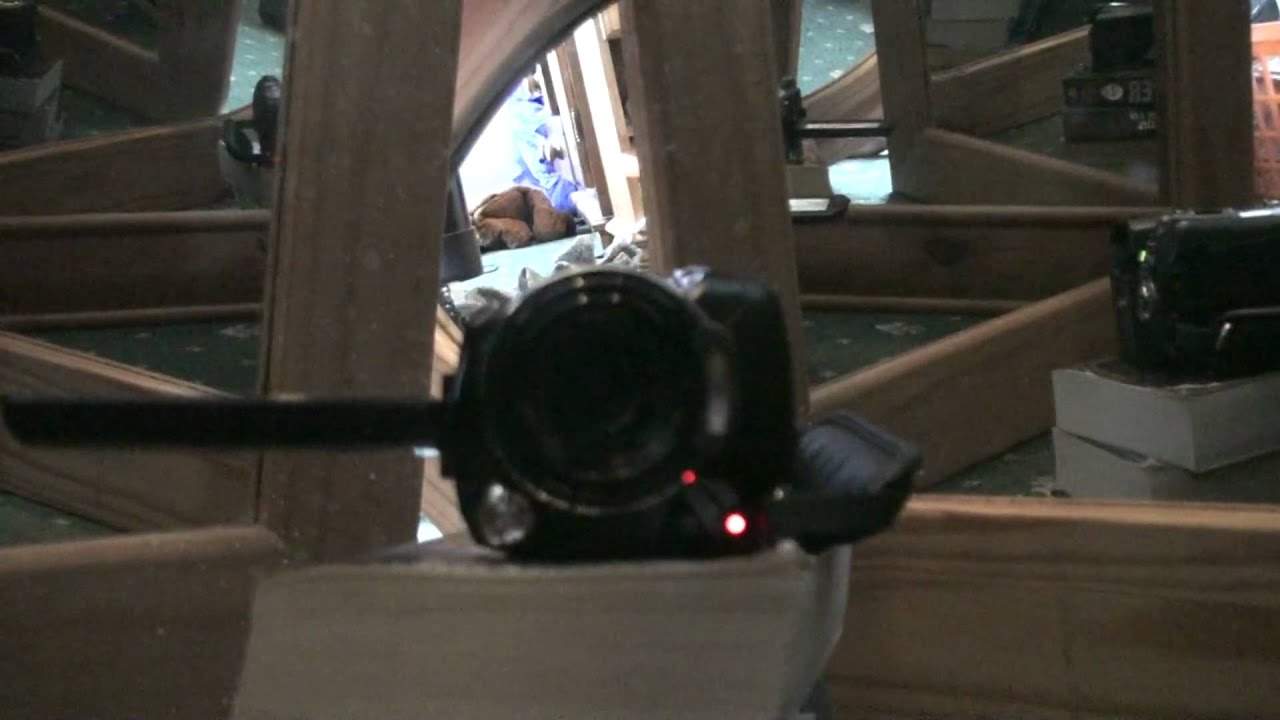
Right folks, I always get asked to do demos on the video cameras I use but it's really difficult because nine times out of ten when you're using the video camera you can't really do a demo on it because people can't see the actual camera unless of course you've got a mirror. But then again you can only see the front of it so I've got a bit of an idea for you. Watch this. In there we have apart from a book or well a few books We've got quite a few mirrors so if I put the camera in there you can get a general idea of what you're looking at. There you go, so you can see the side of it there and you can see the other side of it there. Alright, first of all what we're dealing with here is a 60 gigabyte hard drive camera. It's from a company called Sony and it's known as the HDR-SR11. Now this particular unit
1:24 Are always asking me how to get go
I mean, what I like about it, you know, you can get standard definition quality or you can get HD, high definition. And whether you do or don't know YouTube now, you can upload high definition videos. Now this guy can do 13 hours of recording. So if we go back in time a little bit, you can still get them now, the small DV cameras. You know, you can only get maybe half an hour, 60 minutes or 90 minutes, but this guy can do 13 hours. Alright, the one thing I will recommend is the battery itself will last a certain amount of time but it's like anything really. If you're on the road and you're not around a power source, it's advisable to get another battery just in case. Now if I move it a bit like that, you can see the side there. Now in here, if we have a look to make sure, there is basically where you'll plug it into your PC.
2:35 Exactly level
Now here, if I open that up, what we've got there is we can plug in, apart from other items, we can plug in the microphone and we can plug in headphones. Now people are always asking me how to get good quality audio. Well, here's what you need. You basically need a small mini jack to RCA cable. You'll go from your mixer, from your booth output into the mic input there. Then all you need to do... He's placed the camera over your mixer with a booth output all the way down to zero. Start playing a track and then record yourself slowly bringing the booth output up until eventually you say at about 12 o'clock, then you play back. What you've just recorded and you will hear the volume slowly increasing and at the point at which it's good quality, you'll see exactly the level at which you've set that booth output and bingo, you know exactly how to set the level. Right now this guy here is 10.2 megapixels as well and it is a camera as well as a video camera. Now excuse my um well excuse
What I'm about to say here now, just in case I get the right or wrong pronunciation, the lens is Carl Zeiss, which you do find these lenses on 99.9% of the pro quality cameras as well. Alright, so there you go. A small little bit of an insight here. Very simple to use and if I just point at the back here, once you've got it set up, it's literally a case of turning the thing on and there's a little red button at the back. You press that and bingo, you get to record. It is as simple as that. Also, if I turn it now, if you have a look there, it's touchscreen here as well. Now, I can't do anything at the moment logically because I'm recording. But, you know, you can edit, you can maybe delete certain files, etc. on the fly. So in other words, you haven't got to wait till you get home and do it on the PC. You can do it on here as well. Alright, so this is video number one on this guy here. I will be doing more in the future and what I will do is I'll put a link in the description that will take you to this particular camera. Practice and enjoy. I'm going to stop it now.
This transcript was produced automatically from the audio of the video and may contain mistakes.





