 6:31
Denon DN-HS5500 So how can you play two toons from it??
Contents of the video
0:00 A load of people have asked for more demos on this guy here
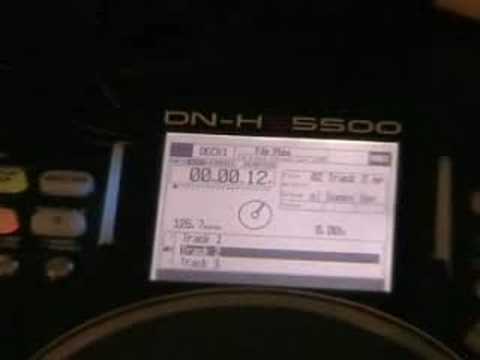
Alright folks, a load of people have asked for more demos on this guy here. It's from a company called Denon and it's known as the DNHS5500. Now I don't know if you're watching or following the 10 minute mix competition, but the person that came second in the September 2008 competition had two of these. They had one that side, mixer in the middle, by the way the mixer is the Pioneer DJM400, and then they had another one that side. So that's your sort of stereotypical setup, you know, one music source, Mixer, another music source over there. But for the people who know, fair enough, the people who don't I'll explain. This guy here is two music sources.
In other words this will play two separate entities. Now you're probably wondering how the hell does it do it? Well alright basically if you think about it if that was a basic CD player you'd have an output going into that channel and then you would have another CD player over there Traktor That is the parameters dial. So this really, we can flick through tracks. We can flick, if I go back up here now, if I click back up and back up again on the screen, if we have a closer look at the screen, and hopefully it won't get blurred. Alright, what I'm doing now, I'm turning the parameters dial. We can see artist, album, title, genre, year, etc. So, if you can try and follow me now.
What I'm going to do is I'm going to scroll up to album and I'm going to click down now on the parameters. Click down and we've got there CD Pool Dance September 2008. So that's the album I want to look into. So I'm going to click down again and now I've got the tracks so I can scroll up and down through the tracks. So I'm now going to go to track 2. Click down. Okay, I'll zoom out.
4:51 There, so you can get a general idea
A little bit, because I want to show you this area here. Right, what we've got now is a layer. So if I press that, can you see the blue lights stop shining there? And we're over to this side. Well basically what that means is now, if we look at the centre point there, we're back to the original screen we started with. All should be revealed very shortly, so I'm going to do exactly the same thing now. I'm going to go to album, press down. CD Paul, Dance September 2008, disc one, press down and this time I'm going to go to number three and press down. Okay so let's just move over back here and go to layer again. So can you see it's back to number two. Alright what I'm going to do is I'm now going to press down here like so. Now if I zoom out that
All of this is cued up ready on here, so let's have a listen. Now watch what happens if I put the volume down here on that side. Absolutely nothing, but watch what happens now if I press a layer. We're now on to disc, sorry not disc, track three on the same album, but we're on the other side now over there. Now have a listen. Okay, so how do you mix them both together? Alright, so we'll go back over here, And we'll press play. Volume up. Right, volume up. I'm going to press layer and now I'm ready to start the other track which is track three. Track two by the way is Jason Fats' A Track Entitled Can't Stop and track three is The Sugar Babes' Track Entitled Girls. So what I'll do, I'll just move this out a bit like about sort of...
There, so you can get a general idea. I haven't got any headphones on, it's just a bit of a demonstration really. Here for you and a bit of a demo on how you can play two separate music sources from this guy. Now at the moment, this unit is set up for USB at the back or flash drive or maybe a hard drive, an external hard drive. But, I haven't seen them yet but in the front here you can put a hard drive in there and you can put A CD tray as well. Bit of an insight into this guy here. I will do more tutorials over a period of time. The company's called Denon, I beg your pardon, and it's known as the DN-KS5500. Practice and enjoy. Thank you very much.
This transcript was produced automatically from the audio of the video and may contain mistakes.





