 3:58
DJ Mikey Mike Gives us a demo of some great softwear for DMX lighting at the MBLV10 show
Contents of the video
0:00 First of all, could you tell us what the program is called?
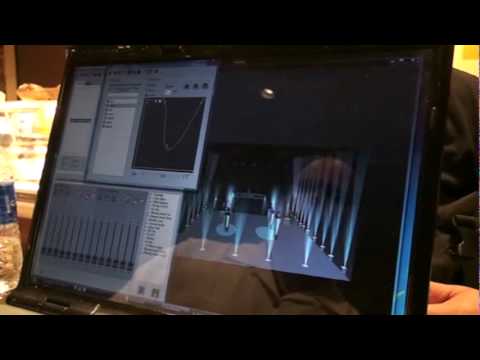
Right guys, here with DJ Mikey Mike at the Mobile Beat Show Las Vegas 2010 and he has got quite an interesting lighting program to tell us or show us. First of all, could you tell us what the program is called? Well this particular software right here is called Sweetlight and it's a DMX interface that you can control your lighting software or your lighting programs. Right now we just created a quick little uplighting scene with a pan and fade, so it works really well. We did this in about, what, two minutes? Eight and a half? It's user-friendly that you can do it on the fly or whatever you want to do. Can you, sort of, in about one or two minutes, can you show me exactly what you can do? Because I saw up here...
1:13 We're going to have a purple effect
How you could change the parameters and change the lighting techniques and everything. Exactly, so we have a room here built real quick. All we have to do is go to select our car cans, and then we're going to generate a quick show using the generator. So we open up our generator, select, we're going to see it in the 3D room, we're going to use the red color, and we're going to turn the dimmer on so now you're going to see the red, and we're going to do the blue. So now we're going to have a purple effect. But you know what, I want it to kind of morph into different items. So I'm going to add a few points here and I'm going to make it step. I like this, this is brilliant. Check this out, check this out. I'm going to hit play. So right now at that one point it's going to step and change colors. Well now I'm going to make the lights fan as a... Every time it hits this point each light is going to hit that point at a different time and space. So I'm going to...
2:36 Their event, this program is completely
Thank you for watching. What he's going to show you right at the end. We'll cut this one short-ish, but see that there? What you can actually do is once you set your lights up, you can almost do a 2D, so you can move this around so the client can see what the light show will look like from every angle. That's really clever. Exactly what your light show is going to look like in your room. So they're basically going to see exactly what the light show is like even before the event started. Exactly, and now we just created this color scheme for the bride and groom. Wow, that's exactly what I wanted. All right, Patty, let's generate that scene. It automatically populated all of those steps into my software. I hit save, Patty's seen, and now when I go to their event, this program is completely and utterly 100% the way they wanted it at their own. And we just did this in about two minutes. We have a full complete DMX light show done.
And it's exactly the way the bridegroom wanted it. Fantastic. In a second. Now, normally with a hard controller you'd be sitting here going fader one up, fader two down, step, play, record. You know, it takes you an hour. Not only that, I didn't set up one light. That's right, it's all there. All of my lighting is sitting home in the garage. Now, when I go back to my show, I set up all at the event. It's going to mimic exactly what I did here. Fantastic. I didn't have to set up light one and I'm on the run. That is fantastic. So it works for some people, not for everyone. So there's always options out there. So this is what I choose. There's all kinds of editing software out there. So give it a shot. Thank you. Check it out. It's free software. Give it a try. Download it for free and see what it works for you. What are you going to finish yourself with? Practice it and enjoy. Thank you.
This transcript was produced automatically from the audio of the video and may contain mistakes.





