 14:15
Don't Be Scared of Buying High End DJ Kit It's Still Very Simple to Use
Contents of the video
0:00 We have the DDJ-200, we also have the XDJ-XZ
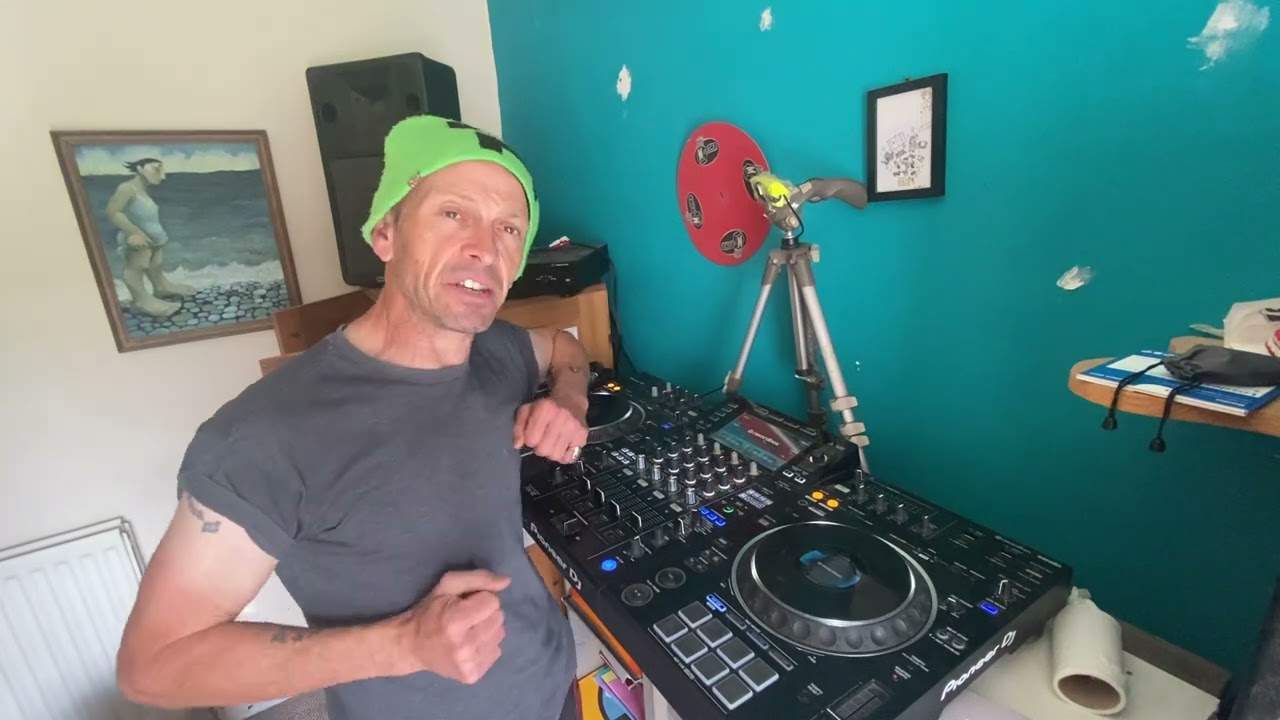
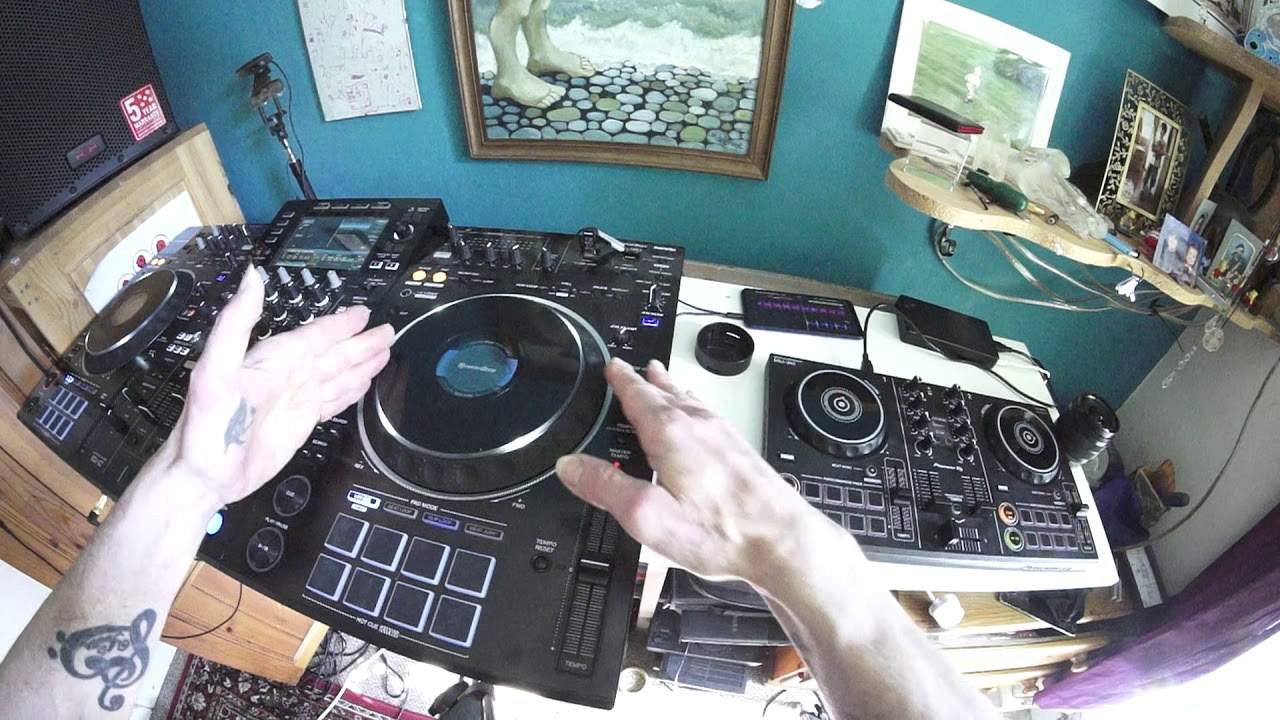
So look what we have. We have the DDJ-200, we also have the XDJ-XZ. Now at the moment these are Pioneer's sort of premier, very recent controllers but there is a couple of differences. Now the reason I'm doing this video mainly is not so much to educate people but to make you feel a little bit more relaxed, chilled out when you do finally take the plunge into getting something that's a little bit more intricate like the XZ over here. If that was in the shuttle or if that was in a big jet plane, you know, you just arrive and the stewardess says I believe Mr Lewis you're in seat 23L. Well I'm very sorry but the captain is a little bit ill and they would like you to fly the plane. And you turn up and you see all the buttons and dials and you think, I think I'll just go and sit in my seat. Better still, I'm going to go home.
That looks very confusing. But then if you look at something like this, the DDJ-200, it's not confusing. Well, still is, but it's not. It isn't, trust me. In fact, they're both not confusing. They're both actually really confusing. It's really, really simple. And once you understand what's going on, the analogy, excuse me, it's a little bit like getting into your first car and your mum and dad buy you a Mini or a Skoda or a car-car or something like that. And you look and you can see the steering wheel. You can see the gear stick. You can see the accelerator, the brake, the clutch and so on. And if you know how to drive, you're fine. On the other hand, you've just passed your test and they put you inside a Koenigsegg or a Ferrari.
2:24 Varies, of course, around the world with your currency
And you're like, OK, what do I do? Well, if you understand the basics, you should know how to drive anything. If you understand DJing, you should be able to understand how to use any piece of kit. Now, what Pioneer do very cleverly is they take the footprint of the high end kit like the Nexus, like the XE, and they put it all the way down into something that's very affordable. For anyone, really. Now, as far as I know, the DDJ200 is around about 200 UK pounds. Varies, of course, around the world with your currency. Whereas you go into the realms of the XZ, which is sort of around about the same price as a Pioneer CDJ2000 Nexus Mark II. Now, bearing in mind the Nexus Mark II, it's a great player. But if you buy one of those, one of those, that's all the money you've got.
You might as well put it on the mantelpiece because you need another one and a mixer. On the other hand, for practically the same price, you've got an all in one. So I mean, come on, need I say any more? Right. So the DDJ200, you have to have an external power source. Now, for this demonstration, I have got a battery pack. That's it. It's as simple as that. I've also got an Android phone. Now, the phone is Bluetoothed to the player. No internal sound card in here. I've got tunes ready. I'm using We DJ software. And for this demonstration, if I put the volume up. Now you may be wondering like how is he getting it that loud? What's going on? Well, actually, I've done a little bit of trickery here. I have taken the mini jack, put it into a quarter inch jack and plugged it into the headphone up here.
So if we have a listen. So now I am using the headphone. I am using the headphone volume for the 200. Now, I was nearly going to bring that volume down there. So if you think about it again, I don't want to digress too much. But we have here a four channel mixer. Okay. The XDJ-XZ is four channels. Two channels are designated for the player itself and another two are for external sources. And we also have an auxiliary in. So it takes it up to a five channel. But then let's imagine you don't have an MC and you've got a whole bunch of other people with other kit that want to play. If they're not bothered about it not being true stereo, you can do what I've done. Plug it into one of the microphone cables. So you could even go from a DJM or another controller into one of the mics and into the other mic.
4:42 You could go in to the auxiliary input so you would have proper stereo
Alternatively, if you wanted to. You could go in to the auxiliary input so you would have proper stereo. So, to make that a little bit more easier to understand. If you are sat there in front of the XDJ-XZ and you're in control of channel one and two via your thumb drives. And you've got a mate on the right hand side with a full Nexus setup. And you've got another mate on the other side with a full Nexus setup. Then they can still go through the XZ. Because all they have to do with the Nexus setup on the right. Is go from the master out to the auxiliary in on channel four. You're in control of their volume. And then from the master out of the other setup, the other side into channel three. Auxiliary in and you are in control of their volume as well.
6:12 Phone, you download WeDJ
So theoretically then if you think about it. Two, four, six decks happily playing away on the one player. And that's of course if the one on the right and left. Have only got two decks. Maybe they've got four. Which is four, eight, ten decks. Yeah alright so the list goes on. But anyway let's have a look and see what we've got here. Now on the DDJ-200 if you're thinking about getting something like this for your kids. Then you cannot go wrong because it's relatively inexpensive. Practically every single mother and his auntie and in fact babies now have probably got bloody phones. So yeah. Not that bad but you know what I mean. So phone, you download WeDJ. You connect via Bluetooth and you use the files on your phone.
And you're pretty much good to go. So what have we got? We have our performance pads that we can change for different settings. Shift is usual so what does shift do? Well let's say for example I set a hot cue. That's going to be there on that pad. If I want to get rid of that press shift down and there you go. Now I can reassign another hot cue to that pad. We have beat sync so if you want to, you're not very good at beat matching. You can use the beat sync and then the two tracks will automatically align in beat. But there you've got to make sure that you're not trying to mix in house with soul and R&B. You've got to make sure that they're hopefully relatively the same BPM anyway. BPM stands for beats per minute.
Now on the DDJ-200 we have this lovely thing here which is very similar to the filter. This is the channel effects. Now there's no trim, all we have is low, mid and high. Now without going into great detail here I would've thought that in the settings on your phone audio settings you may be able to do... No I'm kidding. Actually hold on, I'm thinking about it. No you can't do complete kill. You can only do minus 26 dB. Now the 200 comes with one of these cables. Now at the moment I've plugged that into the headphone out and the white plug is for your headphones. So if you weren't doing something like this... Well in fact even if you are you can still put your headphones in so you can get a track ready on the 200.
So in other words you load a track. You're playing it. You're listening to it on your headphones while you're beat matching it and then cue it up again when you're ready, press play and away you go. The other cable is the audio out which can go to an external sort of like small powered speaker or in this case it's plugged into the XZ. Pitch is again for slowing down and speeding up. Now at the moment Key Lock is not engaged. Headphones we can choose master out. Also we can choose to listen to either, either or both of the sides on the headphones. So right I've shown you there. Now how is this similar to this monster over here? Well okay you have a turntable. Okay your jog wheel. You have one here but it's a little bit bigger that's all.
9:24 Both players we have cue, we
Practically the same, does the same thing. Touch sensitive at the top. If we go over here. In fact if I go back. Let's put it on this side. So what I'm using is the pitch to beat match it. So I could do the same here with this one so let's slow this one down. So you can hear I'm doing the same thing on the 200 as I was doing on the XZ just beat matching them. Now if we look at both players we have cue, we have cue. So on the DDJ-200 we can cue a track up. On the XZ we can cue a track up. We have play pause, we have play pause. We have shift. We have our pads known as the performance pads. We have beat sync and also we have our pitch. Now apart from that and low mid and high and the channel effects which is very similar to the XZ.
We have the colour effects, low mid and high, low mid and high. We don't have a trim on the DDJ-200 but a lot more of the features are actually in the software. Now this is why in a way as well the DDJ-200 is very inexpensive. So what Pioneer have done I thought well right it's all well and good having high end kit that costs an absolute fortune and other kit that is relatively inexpensive. But I honestly think, they haven't told me to say this what they thought in their room somewhere in Mars something like that or Jupiter or Saturn wherever they sort of compile and make these things it's got to be somewhere out of this planet because this stuff's really good. But what they do they probably thought or what they've thought is like
11:56 Play tunes, bring
We need to make something that for a market that isn't a DJ. The sort of market where they're not DJs but they like music and they watch DJs and they want to mix a couple of tracks they don't want big hefty kit they don't want to carry bloody laptops everywhere they don't want to walk and go oh I'm the DJ No! They just want to bring a bottle of wine in get pissed, get hammered and say oh look what I've got in my handbag and that's what you can do with this you can put that ladies in your bloody handbag along with your make-up and take your phone out and start DJing Now I think that is free. That is friggin cool. Alright? That's what I like about the DDJ-200 You can walk in you could take that with you in your bag to any party
And leave it in your bag no one's going to be any wiser any of the wiser alternatively if the party sucks and it's a load of crap you can go excuse me, can I play a few tunes and they go yeah go on then and you bring that out and you're the DJ and then the great thing is if you do a good job oh can we book you can you DJ it up you know and so on and so on and then you end up buying something like this alright so really what you've got to look at here with this video is if you are dipping your little toe into the DJing industry by all means check out the DDJ-200 because it is a great piece of kit for the money take it on the road take it to hotels just sit there play some tunes while you're watching crap on the telly make sure you turn the volume down
Because it's loads of rubbish anyway and then when you're back home you can bring out you know the high-end kit so really if you look at the DDJ-200 it is practically the same as the higher end kit except a lot of the features aren't on there they're in the software so I hope this has been a help now this video is covering a lot of areas but it's maybe it's going to inspire one person to go well I don't really like the DDJ-200 but I might look at the 400 or I might look at the XDJ-RX or RX2 or the XZ but whatever you do they are all good pieces of kit and the one thing I do notice with Pioneer is it's got good second hand value as well alright so that's it from me loads more videos to come stay safe practice and enjoy thank you
This transcript was produced automatically from the audio of the video and may contain mistakes.
Related videos
-
WHY Vinyl and WHY Is Now the Time to Go Old School
He admits at the start that this one might annoy people, and some of it should be argued with. The practical half is excellent. The claim…