 3:34
EFX-1000 , video 4, The delay and low, mid and high
Contents of the video
0:00 These will basically increase or decrease the delay
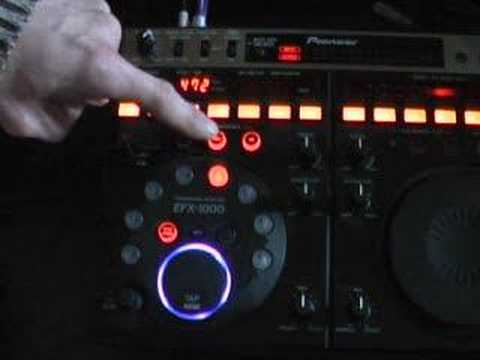
Alright folks, video number 4 for you in a selection I'm doing on the basic functions of this guy here. It's the EFX1000. In this particular video we're going to be looking at the delay, the low, mid and high and these buttons here. These will basically increase or decrease the delay. Bearing in mind these particular videos are very basic. So what we'll do is play the music, look to the side of the video for the actual track. At the moment now we've got this switch which is set to the off position so the delay isn't working at all. What I'm going to do now, I'm going to press that 8 over 1. Have a listen. Nothing at all. Same with 4 over 1, 2 over 1. Any of these now, you won't get anything at all. Now what I'm going to do now is press low, mid and high. We're 1 over 1. Have a listen. We've now got an echo. 1 over 1. 3 quarters. An eighth. 8 over 1. 2 bars. 4 over 1. 1 bar. 2 over 1.
1:16 Basically what's happening is we've got low, mid and high
Okay, basically what's happening is we've got low, mid and high. So when these buttons are actually shining, that basically means that the delay effect will be utilised in the low, the mid and the high, which is the equivalent of your bass, mid and treble. Now, what you can actually do is if you press any of these buttons, you can have the delay effect on just the mid and high. This is just the high now and we're going to actually sample an eighth of a beat. With mid as well. Now just low. Okay, so giving you a basic insight. So basically what you can do, you can set the amount of delay you want by pressing any of these buttons and you can also select the actual sound That you want to use on the delay function. There you go, a bit of an insight. Video number two, sorry, video number four. Duh! Practice and enjoy.
This transcript was produced automatically from the audio of the video and may contain mistakes.





