 5:23
KAM Cube 360 Is a Crazy Little Moving Head for the Mobile DJ
Contents of the video
0:00 In front of you you've got the Camcube 360
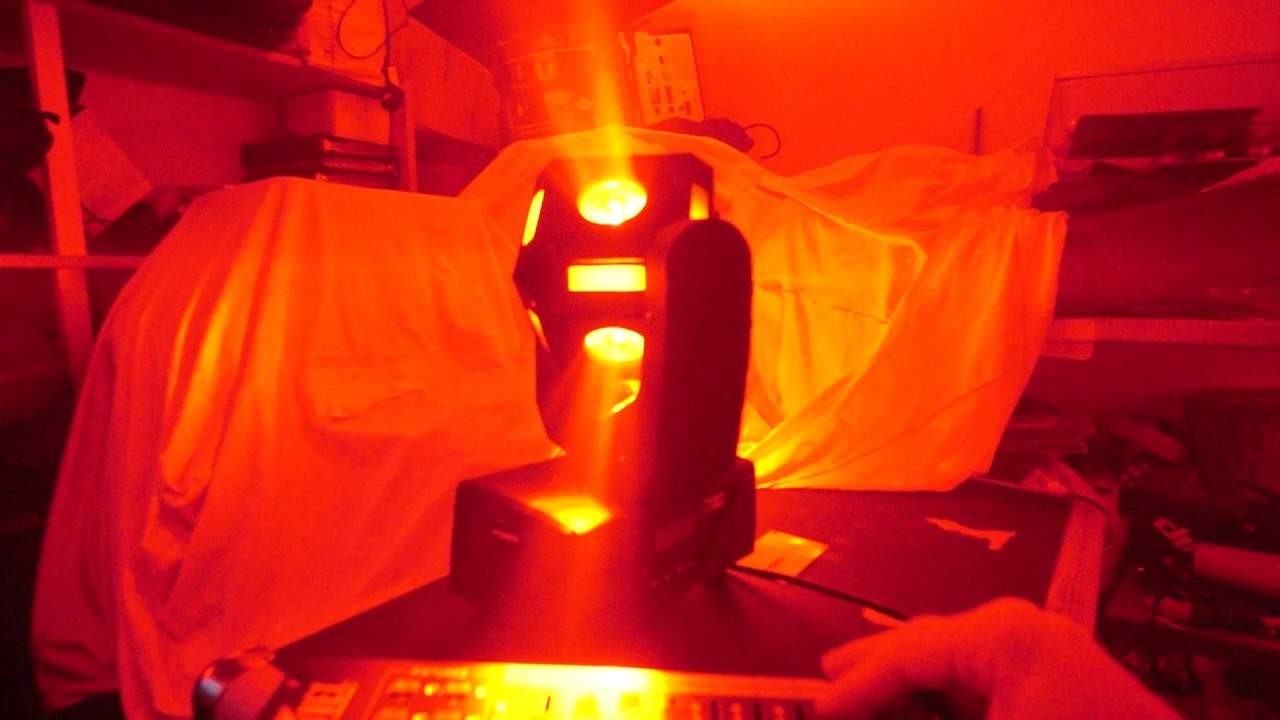
Alright guys, in front of you you've got the Camcube 360. Now I have done a video on this before but I'll be honest with you, what did I do? I plugged it in, let it do sound to light and it just whizzed around like a mad one. Now because this lighting fixture which is 360 is quite small and the centre of gravity is right at the centre of the two arms, it is like... How can I describe it? It's like a stallion on steroids. This thing will go ape if you let it. I mean, it will go absolutely insane. But what you have to think of here is that with a DMX controller, you have got something that not only is fast, but it looks good as well. Now, OK, we have... You can see LEDs on either of the facets. Now to give you an idea of size, there is a CD and it's not much bigger than a CD. Now the reason it is so fast is because the centre of gravity, yep, is right in between the two arms. So it's not like your conventional moving head that is a weird shape. This is a square.
1:52 You can make this light sing and dance
So, it's going to move very, very fast and it does indeed move exceedingly fast. Okay, so let's just turn it off and we have red, we have green, we have blue, go to yellow, go to pink and then we've got just a myriad of colours. Now again, when used with a DMX controller... You can make this light sing and dance. Okay, so a great feature here is of course just the LEDs on the outside. So I'm using a DMX controller at the moment now. I haven't set any programs but this will give you an idea of the type of effects you can get. Now that is pretty cool. In the room, you want a certain colour but you want that colour to glide around the room. Well you can do that by setting up DMX protocol correctly and for example here we have a nice yellow and at the moment I'm manually moving two of the channels on the DMX controller but of course if you do set some shows you can get it to just
3:38 Next level for the Cam360
Give a nice run of yellow around the room. Now even though yellow is filling the entire room, because it's moving you're going to get a little bit of movement in that colour in the room. Alright so let's have a look and see what else we can get this little baby to do. That's about as red as you can get. This is when it goes absolutely insane. Now if you can hear that noise in the background, that is just the fan keeping it cool of course. Right, so what I'm trying to do here in this video is show you the next level for the Cam360 which is of course DMX. Now there's many ways of using this fixture. You could for example if you wanted to take literally and I mean literally take it out of the box plug it in via the mains
And bang, it will do a show for you. It will just do sound to light and it will sit there all night spinning around like a mad one. Alternatively, if you bought two of them, you could do master slave. So the one which is the master will pick up the volume. You will have a DMX cable from the out of the master to the in to the slave, and then they will both copy each other. But of course the next level, which is a lot more professional, is when you use the likes of a DMX controller. And if you're going to run lighting like this, especially if you're going to have quite a few of them, it's a waste if you're just going to have them sat there And all running around doing crazy things. You need to have them working in tandem and by doing that, your show goes from something that looks like a little kiddies mobile disco to something that is a lot more professional. So there you go. Alright, the Cam 360, there will be info in the description that will take you to the Cam website where you can get more info on...
And I'll finish off with thank you very much and practice and enjoy. Nice one.
This transcript was produced automatically from the audio of the video and may contain mistakes.





