 5:27
KAM Kap 1200 USB Video 1
Contents of the video
0:00 First demo on this new 19-inch rack mount mixer
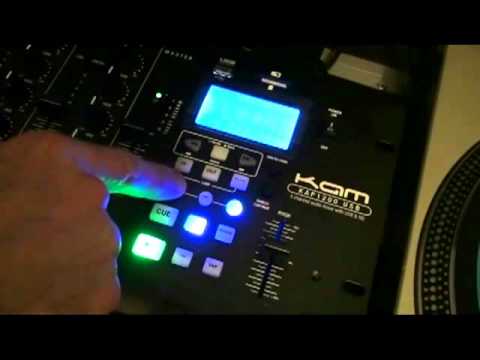
Alright guys, first demo on this new 19-inch rack mount mixer. It's from a company called CAM. It's known as the KAP1200USB or 1200USB for short. Nice feature here about the USB port, it can take up to 500GB memory. Right, here we go. What I do like about this mixer, there's a lot more to it than meets the eye. For example, we have crossfader assign. So we've got two of those, one either side. Also crossfader curve, so we can set the curve on the crossfader. Also something that is very important if you're a mobile DJ and you're say for example playing with a big audience out there, you've got a booth control. What is a booth control? Well let's say for example you've got your main PA system facing the crowd and you want some monitors.
1:47 At the moment I'm on the SD card
Well, you can have an extra amplifier and you can set this dial here so you can have your own monitor sound system. It's almost like having your own sound system. Cue buttons there for your headphones. Low, mid, high and right at the top there, trim control on each one. One, two, three and four up there. Line and CD. So what we can do if I just bring... It's going to be bringing the camera out slightly. We've got line phono on channel 1, line phono on channel 2, phono is for vinyl turntable by the way, line and CD for channel 3, line USB SD on channel 4. Very quickly as well, line is almost identical to the likes of CD. Sometimes it used to be known as AUX or auxiliary. Line, USB, SD. So at the moment I'm on the SD card. If I wanted to, I could press this guy here and I could go from SD to USB. Let's have a look at this area here. Now it's not rocket science. What they've done is they've made it pretty simple straight at the point and it does what it needs to do. Cue, play, pause.
2:58 The pitch control here is plus or minus 16
Little feature here which is called break. If I press that and then press the play pause, time here so we can have count up or count down, tap, inside of the music will give you a rough idea of the BPM, alright? It's not going to be absolutely 100% accurate as down to your ears. Reverse, got loop there as well. What we can do is we can pitch bend, plus, minus, single. For continuous, loop, folder, back and forwards, we've got folder search and track search as well. Also here, this guy, press that to change from USB to SD card. The pitch control here is plus or minus 16. Now I've always said if you're a mobile DJ and you're taking out on the road just two music sources then you're a bit of a numpty because
You know, if one stops working, you've had it. With this mixer, you've got a built-in source there. You can see I've got an SD card in there at the moment. Sorry, I was pointing there. There, but it also takes USB as well. So if I turn this guy up here. Hold on, where are we now? Turn the volume up. There you go. That's playing from the SD card at the moment. Very straightforward. Socket there for your headphones. Low, high, microphone level. And an XLR input for your microphone. Also, talk over as well. The sliders are very smooth and you have an LED readout for each channel including the master level. Alright, there you go. A little bit of an insight into the mixer from KAM, a mixer from KAM. It's known as the KAP-1200 USB. Five channel audio mixer with USB and SD card. Practice and enjoy. Thank you.
This transcript was produced automatically from the audio of the video and may contain mistakes.





