 4:18
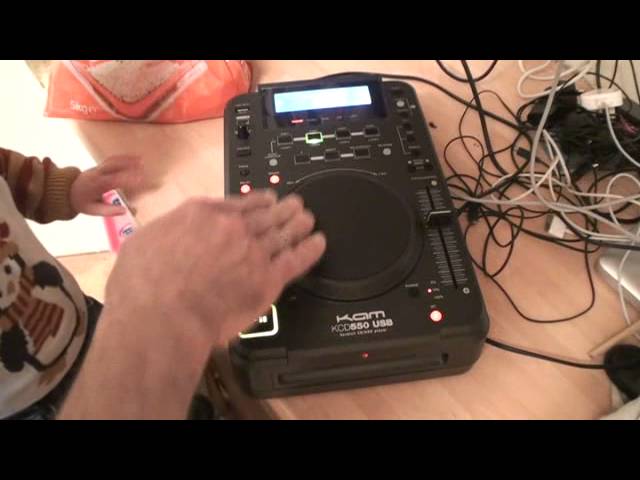
KAM KCD550 USB table top CD/ USB Player
Contents of the video
0:00 We've got a short review on the Cam KCD 550 USB
Alright ladies and gentlemen, we've got a short review on the Cam KCD 550 USB. It's a tabletop CD player and I have my son Blaze helping me. First of all we'll look at play-pause. Thank you Blaze. The first thing I'd like to explain about this player, let's just pause it, and eject, is it's a very smooth movement. There is a very smooth movement with the CD as you can notice there. Just press eject. Hold on a minute mister. Press eject. Hold on a minute, just press eject and... This is a review with kids. Okay. Alright, I'm not going to press eject then or we're not going to eject it. Break feature. Blaze, press the green button. No, go on, press play again. Break feature, what that will do is when that's engaged, press play to start it off and you get that slow start.
1:47 Reverse, as Blaze is showing us
Press play, pause. And you can hear it starts to slow down quite a bit as well. I'm having a bit of help here, as you can see. I like that very good response. Alright, I'm trying to give it a bit of stick, as Blaze is as well. Disengage the break feature and straight away it starts perfectly. Going to search mode, sorry, and that will search through the track. Reverse, as Blaze is showing us. Works well. Forward. I'm going to press jog mode now and go to scratch. That's pretty good. I have noticed with scratch, if you go... Hold on, let's just turn it up a little bit. We're on break again. Are you dancing? Okay, scratch feature. Tiny, tiny amounts of digital sound, but not much. But I have found that the sound will stay at that point. You're not trying to follow the sound around, which is very good. Pitch control, you have either no pitch at all, you have plus or minus 100, no pitch there, 8%, 60% or 100%. MT, master tempo. If we listen...
3:05 You're probably wondering why on earth am I doing this with a little b
So that there was with master tempo, engaged or disengaged. Alright, you're probably wondering why on earth am I doing this with a little boy? Or, you know, with a child? Well, again what we're dealing with is a player that can take a bit of stick. I mean he's just pressing and poking and prodding. And it's taking it, well maybe it's not enjoying it, it's probably inside thinking, don't please stop! But it works. Small dial here that is track select. So we're going through the tracks, you can select the tracks on a CD or of course USB. We haven't got USB at the moment. He's pressed the USB button at the top and it's saying no USB. So what we need to do is press that and go back to a track. Blaze we can't scan because we haven't got a USB in there mate. Yeah! Alright.
Quite a random review here, but I will be doing more without my little helper. It's the Cam KCD 550 USB. I'll put a link in the description and say practice and enjoy. Thank you.
This transcript was produced automatically from the audio of the video and may contain mistakes.





