 2:27
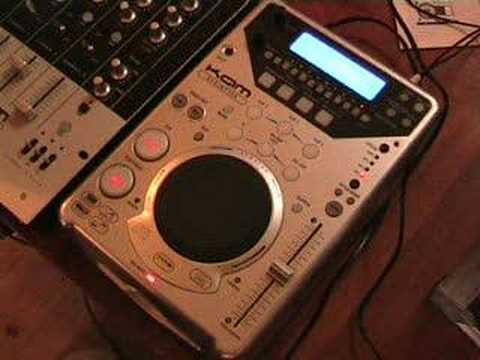
KAM KCDJMP300 Demo Video 1
Contents of the video
Alright folks, small demo for you on this guy here. It's from a company called Cam. It's known as a tabletop CD player. The model number is the KCDJ-MP300. First of all, one feature I do like on this is the cue button is very, very responsive. Check it out. Also on this guy, we've got the bop feature. What that will do is that you can press that anywhere in the music and it will go back to the beginning of the track. And that's quite responsive as well, so I like that. You've got pitch bend, if you press the minus it'll slow the track down. As soon as you take your finger off it, the pitch or the sound or the speed will go right back to where it originally started. Same if you press the plus, it'll speed up but then when you take your finger off it'll come back down to the original position of the pitch. We've got plus or minus 8, 16, 32 and 100. Quite often that's known as wide. We've got loads of effects here as well.
We've got a chop effect. What that will do, it'll chop the music for you. In other words, it's a bit like using the transformer. It'll cut it in and out. We've got a pan feature. At the moment I've only got one speaker on that side. If I had another speaker on that side, the music would go from right to left, right to left, right to left. We've got a filter effect. We've got an echo effect. We've got a flanger. We've got a phaser. Reverse. Great feature. Set that.
A very basic video for you, a demo showing you this piece of kit from a company called CAM. Practice and enjoy!
This transcript was produced automatically from the audio of the video and may contain mistakes.





