 9:21
KAM KWM1932 Twim Channel Professional Uhf Wireless Microphone System
Contents of the video
0:01 You've got in front of you the KWM1932 from CAM
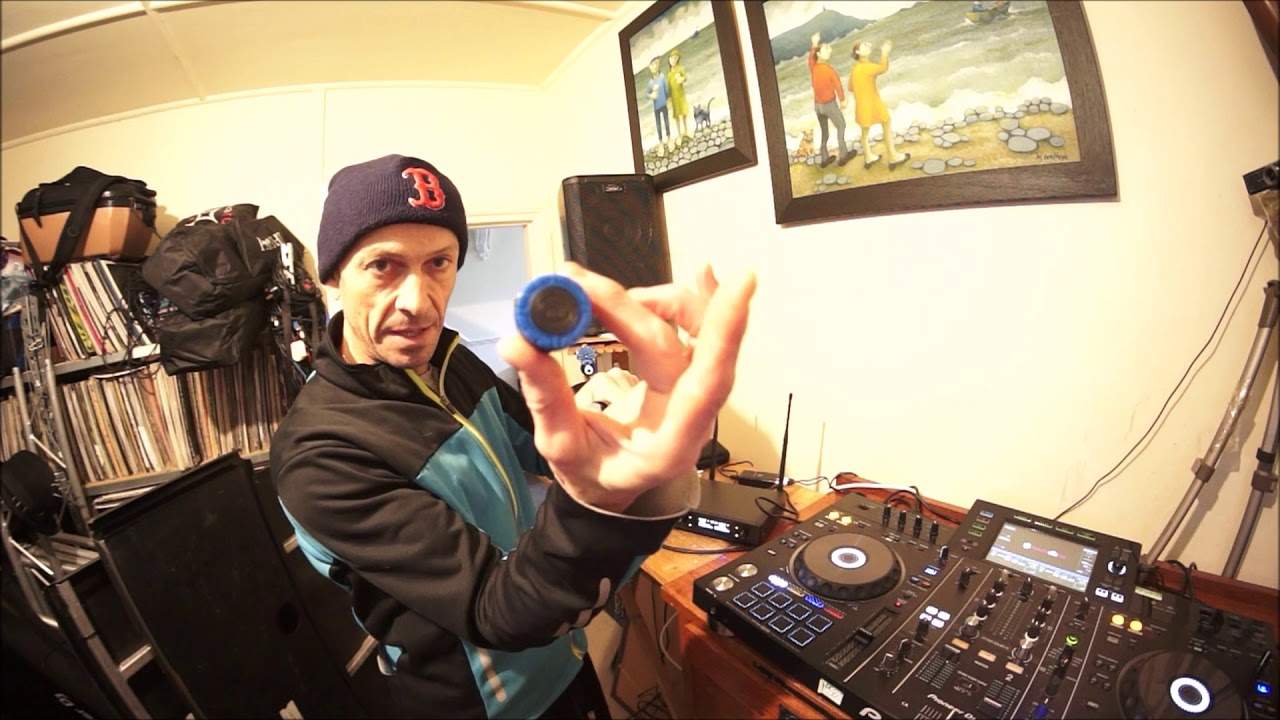
Right guys, you've got in front of you the KWM1932 from CAM. This is a two-channel professional UHF wireless microphone system. UHF stands for ultra high frequency. Now this system is on a set UHF frequency so the microphones are set to a certain frequency. Alright, so let's open it up. And let's have a look. Of course we're going to give it a demo. You have your destruction manual, you have the receiver, you have the transmitters which is of course your microphones. There's two of those. Just leave those in there for a second. The power supply for the receiver comes with a quarter inch mono jack-to-jack. And the batteries. So what I'm going to do now, I'm going to plug this into the Pioneer XDJ-RX2 and give it a demo around the house. Now you may probably think that's a bad idea around the house. Well, it sort of is, but also isn't. Because using something like this is great...
2:20 The cable doesn't come with it, but these are XLR
The DJ Tutor allows you to play in an environment where you're on a stage and you haven't got anything in the way. So of course, theoretically, you should have a really good quality of sound and also connection. But it's probably a good idea to test in the house because we've got walls all over the place. If I take the camera off the stand, you'll be able to see that yes, there's a door there and there's a wall and so on. It's going to demonstrate the quality of signal, transmit, receive based on me going around the corner and not being in eyesight of the receiver. So let's pause the camera and let's have a look at the setup. And it is very easy. I have taken the... which comes with it... The quarter inch jack cable, I plugged it into the back of the receiver and then into the mixer that I'm using, XDJ-RX2. Now you can also, this, I'm pretty sure this is unbalanced, but you can go balanced out. And there are two balanced out sockets. The cable doesn't come with it, but these are XLR.
One can be for each microphone. So, for example, if your controller or your mixer has two inputs for two separate mics, you can go out of either one for each mic. So we have channel B and channel A output XLR and on the front we can see channel A and channel B. Now they are... Preset for a certain frequency. So the blue mic at the moment, I have the batteries in here and if I push the on button we can hear that the microphone's on and I can see on channel one I can see 863.50 megahertz and on here I can see 863.50 megahertz. So what I'm going to do, as I'm talking as well, we can see an amber light flashing which is saying that it's picking up a signal and on channel A we have a volume control. So let me just turn that down, 1-2-1-2, turn it up, 1-2-1-2, there we go. So we can hear that's working, very simple. And on the other microphone of course, same thing, put the batteries in and that will be for the other side.
4:36 Set frequencies, so you can't change the frequencies on this at all
I'm just going to turn this off. Now, also what they've done with this setup is we have clear indication of what mic you've got because at the bottom there is a small part where you can screw off and that is a little bit of blue at the bottom of that one and on the other one there is some orange so you can tell which microphone's which. Set frequencies, so you can't change the frequencies on this at all. Now what I'm going to do now is I'm going to take the mic and I'm going to turn the volume up slightly first on the controller but not turn the microphone on yet because I might get feedback. I'm going to now walk around the house and you're going to hear me talk. This is actually really interesting now isn't it? No.
Should we, how can we do this? Right, I'll tell you what. I'm going to take the microphone and walk around the house. That means you're going to see my house. Mmm, that could be a bad thing. Ah, what the heck. Alright, let's take the mic, sorry, microphone, the camera off the stand and you're going to join me and we're going to walk around the house. So, I'm going to just move away from, there's one of my bikes, there's the other bike and there's a box. of cardboard that Blaze likes to use and he just likes making stuff. Let's turn the mic on. So the mic is now on and that's the room where I was so let's go up the stairs and hopefully you should be able to hear me as we go up the stairs. And there is the bathroom. Actually, I better turn that down on the camera otherwise it's going to get too bright now. We're going up to the first floor.
7:08 Some of the walls, if not all of them, are thick stone
And here we are, first floor. And you can still hear first floor into the bedroom. I hope there's nothing dodgy in the bedroom. There's a cat. There's Bobby Socks. Hello, Bobby. Say hello, Bobby. One, two. You can still hear me. And now let's go upstairs to the top floor. Oh, slightly out there. Back again. Coming up the top floor. Here we go. Top floor. One, two. What a mess. My God, look at this. But yes, it's picking up from the top floor in the house all the way downstairs. What I proved here is that you can indeed, and I've also proved to myself that I can walk up the stairs and go around corners and bearing in mind this is a very old house so... Some of the walls, if not all of them, are thick stone. This isn't something that was manufactured last year and is made out of cardboard and a couple of really thin bricks thrown together. This is an old house that was made probably 150 odd years ago and the walls are quite thick. And I managed to get all the way upstairs.
And I think there was one slight point where I have to admit it lost signal but it could have been anything. Anyway, if you want any more info on this there will be a link in the description. And again with microphones you can spend an absolute fortune on radio mics or... You can spend a pittance. Now I believe what Cam have done here is they've made something that's an affordable price but it serves a purpose, it does a good job. Now this is the first video I'm doing on it, I will be doing another one taking it to a gig. Now it does have a bigger brother which is over here and I will be doing some videos on this. KWM 1940. Now I believe that it's very similar, but you are able to change the frequencies on this. Now the difference there is very simple. When you have a fixed signal and you walk into a building and let's say there's a band playing or there's a guitarist with a singer and so on and so on.
I hope this has been a help. Practice and enjoy. Muchas gracias. Thank you very much. Jochen Wauer. Tusen tak. And practice and enjoy. Thank you.
This transcript was produced automatically from the audio of the video and may contain mistakes.





