 8:16
KAM Practise and n joy school Mid Wales Music Newtown vid 6
Contents of the video
0:01 We've got sound now
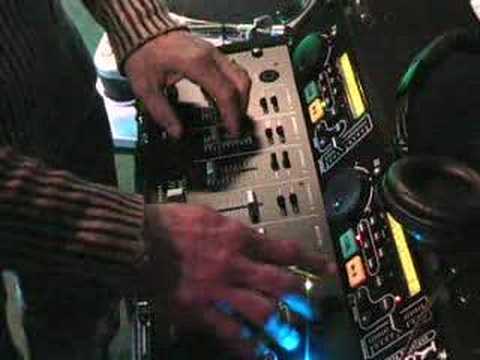
All right, what you've got is you've got this volume here is for this channel and this is a crossfade. So what will happen I've assigned now with this dial here number one is this now this channel and then over here number two is this channel so if i put the volume down here and go across there's no volume well there's no sound the reason being is because the volumes down here Plus the fact there's nothing playing through there, but watch what happens if I put the volume up. See? We've got sound now. And then back across and we'll hear that side. So watch now what happens if I press this one. We've got them both. But they're not at the same speed. They're not the same speed, that's right. So we can get them the same speed by messing around with these things called pitch controls.
2:37 The equivalent applies to say mixing two tracks together
So if I put that now just to this one here, have a listen, that'll slow it down and that'll speed it up. Can you hear it? Yeah. So, get this ready again. Listen to the beat and try to find if it needs to go faster or slower. You know there's a lot of different things you need to take into consideration. One is the volume, the other one is the crossfade, and then another one... is the speed, you've got to match the speeds, but just as important, you've got to make sure that they sound well together. You know, and that's, for example, have you ever heard someone singing on the telly and all of a sudden it makes you go, because they may be making off notes, there's something wrong with their singing. Well the equivalent applies to say mixing two tracks together. If you imagine someone is singing and all of a sudden they sing off key, then that's almost the equivalent of bringing a track in that doesn't sound the same.
So the idea is to imagine you've got a perfect singer, and they're singing here, and as you move the crossfade over, they're still in key, they're still singing exactly the same. As opposed to this one here, and you move it across, and all of a sudden you've got them singing off, and they go really bad. So that's sort of what it's like. So what we could do, cue that one back up. Basically stops it from playing, but when you press play, it'll like mute it from there, but it'll carry on playing. And then when you press play, it'll play it. Yeah, what happens is, when you put a track in here, let's say if we go to track two, for example. Hold on, where are you? No, wrong one. Which one do I need to press now? Oh, there's only one track on each one of these. Okay.
4:53 Count, three four, start
So, say for example there was 5, 6 or 7 tracks on this CD. I'd skip through here, 1, 2, 3, 4, 5, 6. Now, if that particular song started off, the first sound was a dum, the bass beat, then what would happen is this unit would find that first tiny part of the song, or that beat, and it would cue it up ready, dum, ready on that first beat. So if we listen... See? It's got it right at the beginning. See? See? And the cue button, what I'm doing there is I'm cuing it up, getting it ready. And if I leave my finger on it, it will play. But if I take my finger off the cue, it'll stop and it'll go right back to the beginning again. But if I press play... But if you want it to carry on... You press play. Like that, yeah. So we're ready again now. Now again, it's all well and good having the crossfade, the volumes, and getting it in beat, etc.,
But again, like I said, you've got to listen to the continuity of the music and try and let that flow as well. Now also with beatmixing, there's a lot of timing involved where you count. For example, say if we start it again right from the beginning, if I start counting from the first second and I count that as one, what I'm going to do is I'm going to count in lots of four. And count one, two, three, four is known as a bar. So if we start one, two, three, four, or one, two,
1, 2, 3, 1, 2, 3, 1, 2, 3, 4. Now do you see there were changes? And that's almost like what we're doing is we're now finding the music is structured. So when we listen to the structure, we can then work out maybe where to bring one song in or maybe to take another song out. And it's all structured like that. Okay? So there you go. So do you want to have a little quick go? Yeah. Try it? So we'll play this one then. In a minute. Okay. Well alright. We've got, that was near enough sort of beatmatched. So...
This transcript was produced automatically from the audio of the video and may contain mistakes.





