 1:52
Kontrol Master from Touch Innovations
Contents of the video
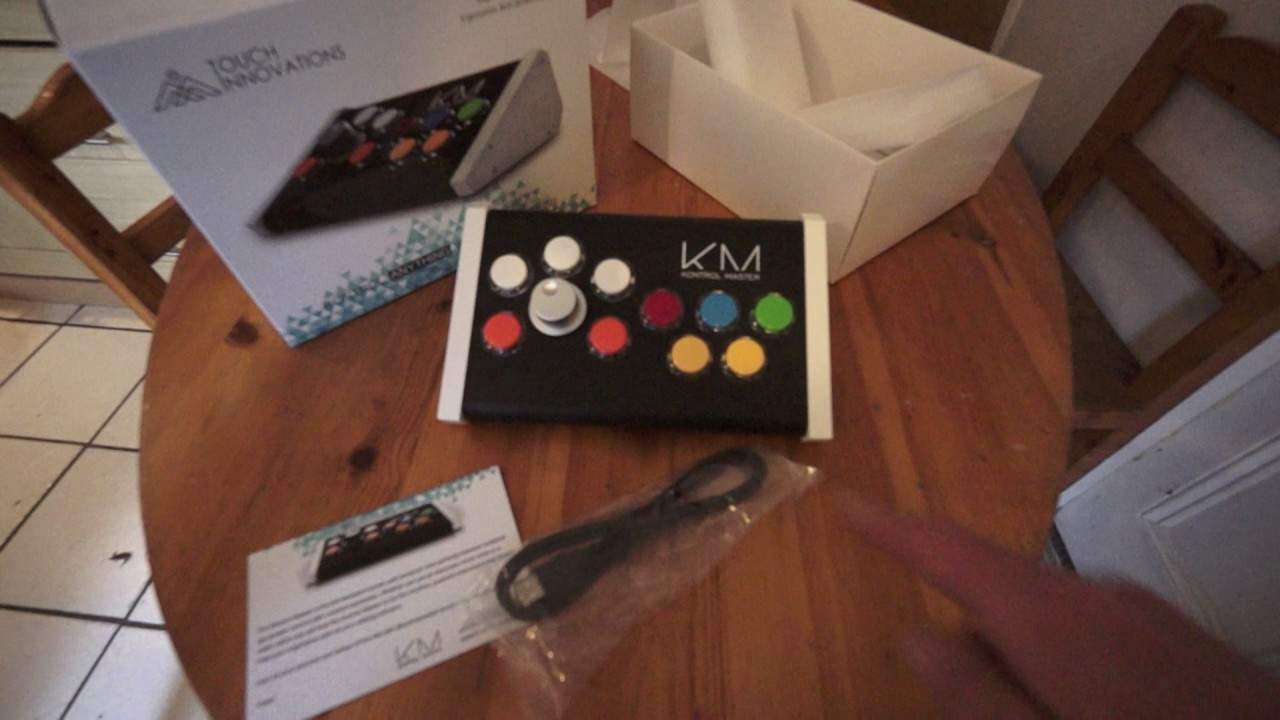
Alright guys, in front of you, you have the Control Master from a company called Touch Innovations. Now, my disclaimer here, I'm not going to say that I've used this because I haven't. I don't really do my own production. So this video really is showing you the Control Master and explaining a tiny amount on what the Control Master can do for you. Now let's say you're a producer. The Control Master can help you in many ways simply because you can run through 24 actions pretty much in one go like MIDI events, shortcut keys etc. Now if you have multiple screens you can scroll through the screens very easily by pressing the orange buttons either side of the dial. Now the dial itself will help with horizontal and vertical actions by using
The three white buttons at the top, as well as dials. Now if you then use all of the keys, like I said, you can pretty much do 24 actions in one go. Now again, I am not a music producer, but I would have thought very logically that maybe if you want to set some EQ somewhere or you want to move a slider somewhere else... You can do it simultaneously. Now, the Control Master won't only help you with the likes of music production, it will help with video mixing as well. So, as well as artwork. Now, if you do want any more information on the Control Master, check out all the links in the description and also there will be a hyperlink to Touch Innovation's website as well. And I'll finish off with thank you very much and practice and...
Enjoy, take care.
This transcript was produced automatically from the audio of the video and may contain mistakes.





