 5:36
Laserworld El-200G Key Tex Showlaser great for the Mobile DJ
Contents of the video
0:00 I notice about it which
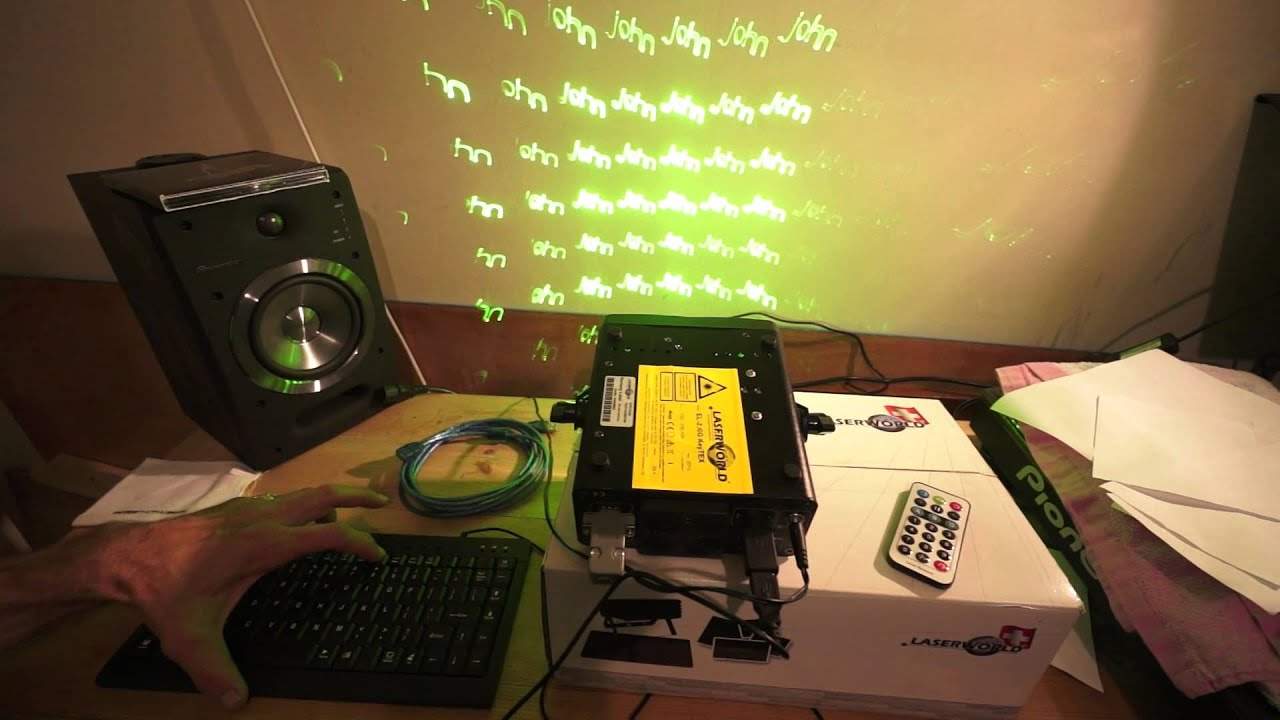
Alright guys, got a stunning very small petite but it's got a bit of balls laser here from a company called Laser World. It's known as the EL200G. Now first of all how big is it? Well that is a CD case and there you go. It's not much bigger than a CD case really, very light. You could almost if you had big pockets stick that in your pocket wouldn't even know. First thing I notice about it which is great is it's only 12 volt now it does come with its own designated power supply but if you're electronics genius you could probably wire this into your car but of course i do not recommend you do that i'm just saying it could be done right so what is it it's a green laser it's the el 200 g from laser world and it will do your fancy kind of little images and move around it's
In that sense, it's very similar to a lot of other cheap lasers out there. But this isn't like them because you can do text. This is what takes it to the next level. So this is video number one. I'm going to show you some very basics about it. There we go. I'll put a bit of text in there now. All right. It's good. It looks... OK, but we want it to move so why don't we just have it jiggling around a little bit. There you go. I've got it moving now on its X move axis. I can press that again and it'll move in the opposite direction. Press it again and it will stop. So let's have Y axis or Y move should I say. Again and stop. Y roll. Again the other direction. Stop. X roll. Again. Press it again the other way.
1:55 Wedding, the brid
All the directions, stop, Z roll which is fantastic and stop. With the keyboard we can delete and we can start all over again. J, M, B, L, there you go. Right so this is video number one, very quick, very basic but what we have here with it's the EL200G is we've got a laser that potentially If you're on sort of a quite low budget, can take your show to the next level. You go to a wedding, the bride, the groom want you to play a track, well you can have that track named pretty much straight away. Now it does come with an extension so there's the keyboard. It's plugged in via USB into a USB connector that goes directly to the laser itself. You've got this little gizmo here that you have to plug in otherwise the laser isn't going to work. It also comes with a key as well which is great so if you don't want anyone messing around you can turn that off. If you can hear, the laser's still functioning inside. It's still powered up but you won't get any effect at all until you've got your key in there. So it's a great way of making sure no one does mess around with it.
3:50 This won't allow you really to do text or anything fancy like that
This green laser is 150 to 200 milliwatts, so it is very powerful for its size. Like all lasers, you don't start looking at the laser through the aperture of the laser diode itself because potentially you could do harm to your retina. So keep it away from, let's say, the reach of general public. Comes with its own keyboard as well, it's a QWERTY keyboard and as I said it's got the extension here so there's no worries about having this to a light trussing rig and having the keyboard dangling down. Just so long as you've got the laser within about five or so meters you're okay. Also comes with its own small, nearly dropped it, remote control. This won't allow you really to do text or anything fancy like that. What it will let you do is if you don't want to do text, using this you can just get to some pretty patterns. So video number one on the LaserWorld EL200G. There will be more to come. Getting text and different effects...
Is a little bit more intricate and we will go over that in greater detail during the course of the next couple of weeks. I will be taking this as well with me to the BPM show that's going to be taking place in the NEC September 12, 13 and 14th, September Birmingham NEC. Also Laser World will be there as well so go and check out the EL200G Thank you for watching. Don't forget there'll be information on this video in the description of this video. Practice and enjoy. Thanks a lot.
This transcript was produced automatically from the audio of the video and may contain mistakes.





