 3:40
MEP-7000 , Pioneer .A basic look
Contents of the video
0:00 This piece of kit
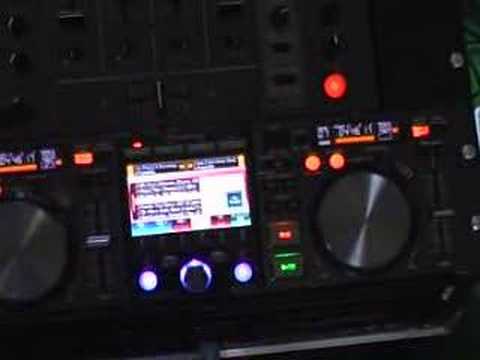
Alright folks, do you ever get the feeling you're being watched? Anyway, in this video we're going to have a basic look at this piece of kit here. It's from a company called Pioneer and it's known as the MEP7000. A very basic video outlining some of its features. So I'll pause the camera and we'll take the fish off the lens and we'll have a closer look. Excuse me. Right, like I said, a very, very basic video. This area here is not dissimilar to your normal CDJ turntable. www.ellaskins.co.uk Disc 1, disc 2, USB 1, USB 2. In other words, when we press any of these buttons, we are ready to use the music off that particular source. At the moment, I've only got a USB in the front port, so that's why we've only got a readout here. So this dial here, if we scroll up and down, we're basically going through the music. So again, it's relatively simple and straightforward. When we've found the track we want to play...
1:29 Press there and now that track will load up onto that side
Press there and now that track will load up onto that side. Let's have a listen. OK, so what we can do as well, we can actually play exactly the same track on the other side. So load it up onto side B. There you go. Also, this is PC compatible. Playlist, what does that mean? Well, let's say for example you have got a track on there that's playing for 10 minutes. What you can do in the meantime is you can go to a playlist. And you can surf through all of the tracks off all of the sources and you can get a playlist together. Not only that, you can actually get it to mix by itself. So in other words, you can theoretically disappear to the bar for half an hour and just let it play. Again, like I said, a very basic video so we will be going slightly more in depth in the near future. You've got effects on here as well. The other thing I like about this is that if you're into karaoke...
2:33 Hopefully in the near future I'll be doing a whole bunch more
What you can do, you can bungie karaoke discs in this as well and on the screen you can have the readout of basically what people have got to sing or well they try and sing I suppose anyway. And then of course that then can go straight through onto the main screen as well. Now what you can do as well is a little plug at the back of this and you can go out of that into your laptop so you can have this screen an exact copy of this screen on your laptop as well. This is a very, very basic video. Hopefully in the near future I'll be doing a whole bunch more. But, you know, features here, jog wheel, we've got scratch, we've got jog break, track search, we've got search through each individual track, memory, call, we can loop as well, master tempo, we've got the tempo change so we can have the pitch plus or minus 6, 10, 16 or wide.
Pitch bend, your basic cue and play pause. So there you go. A little bit of an insight here into this guy. It's MEP7000 and thanks for watching. Practice and enjoy.
This transcript was produced automatically from the audio of the video and may contain mistakes.





