 7:41
Numark Mixtrack Pro 2 from getinthemix
Contents of the video
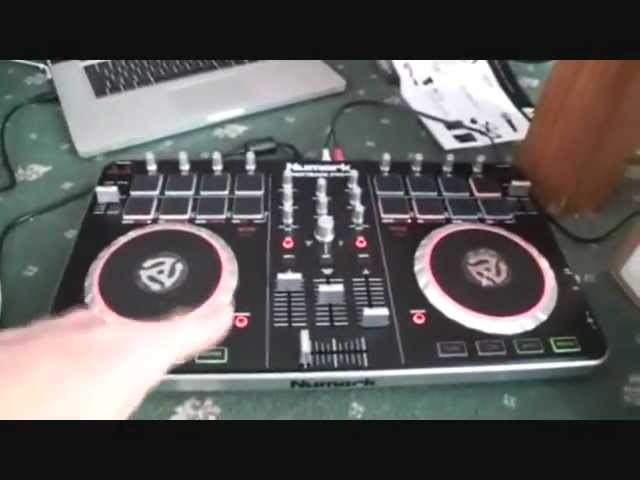
0:00 You have in front of you the Newmark Mix Track Pro 2
Alright ladies and gentlemen, you have in front of you the Newmark Mix Track Pro 2. Got this from GetInTheMix.com and I'll put a link in the description. This video is all about, in fact the videos on the Mix Track Pro 2 are about me just taking it to the extreme. I'm going to see what I can do with it. I'm not going to try and break it but I'm going to see how far I can take this little baby. There it is. This is what you should expect to see, to get in there. And USB, destruction manual. Let's open it up and have a look. Okay, pretty much got it set up. You have to go online, register, get your software. Step one, register your MixRack Pro 2. Download it through our DJ intro software at newmark.com forward slash register.
Step two, once downloaded, install the Serato DJ intro on your computer. Now a lot of people fall foul here. What they think is once they've downloaded it, it'll go, it'll work, you'll have no problem. But you need to then install it onto your PC or your Mac. So you need to go to possibly applications and open it up. The computer or your Mac will ask you, do you want to open this file? Of course you do. It'll then be installed correctly onto your PC. Step 3, using the USB cable, plug your Mixtrack Pro 2 into your computer. And then step 4, once installed, open Serato DJ into your computer and start mixing. For more details and instructions please see your Mixtrack Pro user manual and you'll find that with your USB cable on the back.
2:26 You don't, right, this is quite important, you don't have to buy these
On the back here it's showing you the items that you'll probably need, a laptop stand, headphones, microphone if you want to use this say for mobile purposes. You don't, right, this is quite important, you don't have to buy these. There are other headphones and microphones and speakers out there. If you're going to use it for home use or small parties then yeah, fair enough, the Alto speakers, fine. If you want to use it for more professional applications I recommend you start looking at maybe Mackie, EV, RCF, Nexo if you can afford them, very expensive, Peavey speakers. The purpose of this particular video is just for me to see how quick it is to get the Mix Track Pro 2 plugged in and working.
It didn't take that long, well I mean it's taken an hour but then I have been sort of running up and down the stairs answering ridiculously stupid phone calls to see if I want to have money that's owed to me that isn't and I wish those effing people would just piss off to be quite honest. But apart from that if I'd have just sat here and plugged it in it would have taken I would say five six minutes to get it going so there you go.
I don't know whether you're familiar with vinyl, but years ago Technics brought out the SL-1200 Mark II, which was direct drive turntable and DJs around the world used it. It was box standard, industry standard. Question for you, do you think the Mixtrack Pro 2 or Mixtrack by Newmark is the industry standard for the bedroom DJ? Thousands and thousands have been sold around the world. Will the Mixtrack Pro 2 take over from the Mixtrack Pro 1? I don't know because I haven't used A, this enough and I haven't really... I've used a lot of controllers but not enough for me to give my own opinion. But I do like this. It looks good, it's very tactile and they have taken it to the next level by some nice pads here. That seems to work well.
5:09 I'm going to virtually use this to destruction
Chasing the track around, but then again a lot of that is down to the latency and speed of your processor. But so far it's not bad, not bad. Right, as I said at the beginning of this video, now shh, get in the mix, don't know this. Actually they will now. I'm going to virtually use this to destruction. I'm going to see how far I can take it. So to the Get In The Mix team, I do apologise. You may actually have this back in bits. But then again, that could be a good thing. It could be a bad thing because you'll have it back in bits and you won't be able to sell it. Not that you would anyway, because I've used it. But we could potentially see what you can do with this. How far you can take it before it finally goes, I can't...
I don't want to do anything else. I don't want to work. All I'm useful for is maybe turn me upside down and use me as a tray to bring the tea in, in the morning. So we'll see. Mic gain, microphone, headphones, RCA in the back and USB. That's pretty much it really. Connections-wise there's a lot more to this than meets the eye. Would I take something like this on the road? I don't know. I am quite spoiled because I've got loads of kit, but if I was a DJ who didn't have much money and didn't have much kit, then I would probably take it on the road. The software DJ intro is a very simple software to use, but... If you're a mobile DJ, do you want fancy buttons and knobs and dials and millions of effects? I don't think we do. As a mobile DJ, really, people out there, all they want to do is listen to some tunes and maybe have the occasional mix if you're doing a wedding, etc. Alright, so, pretty random video here on the Mixtrop Pro 2 from Newmark, and I will say, practice and enjoy.
And sorry Get In The Mix, you may not have this back in one piece. Practice and enjoy, thank you.
This transcript was produced automatically from the audio of the video and may contain mistakes.





