 4:49
Part 1,Demo of jog wheel and pitch on a CDJ turntable
Contents of the video
0:00 Actual pitch
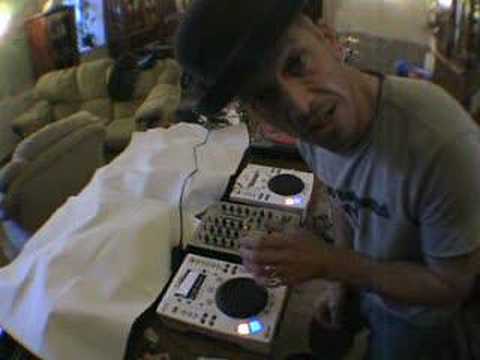
Alright folks, quite a few people have asked me to do some demos on these guys here and how we use what's known as the jog wheel, utilising at the same time the actual pitch control. Now there's a lot of sceptics out there, so I don't know if you've noticed, I've covered over the BPM counter so I can't see the actual BPM and I've covered over the actual unit here, the LED. Readout, so I can't see where I am on the actual pitch control because there's a couple of people out there that have said you can't really mix without any headphones and you've got headphones on somewhere. So no headphone, no headphone. Right, two cuts I'm going to be using is one from this, which is this album, triple album, Fierce Disco, and this is actually the prize we're giving away at the moment. If you want to go to www.djtutor.com, click on the competition icon, you come in with a chance of winning that.
1:29 Forward, move, vinyl turntable
And then also I'm using a cut from the Head Candy series, this guy here as well. Alright, now then, first of all, here are the two tracks. And again, just to show you I haven't set this up, pitch is all over the place, you know, this is that one, one track, and then the other track. So we'll put pause on both. Right, now then, basically what I'm going to be doing is this, I'm going to start this one off, okay, and then I'm going to bring this one in. Now then. Theoretically, the principles for tabletop turntables are exactly the same, exactly the same principle for using a turntable, a vinyl turntable. Now then, what I mean by that, it's one of my sayings, I like that, what I mean by that is the pitch control does exactly the same on a vinyl turntable and the jog wheel does exactly the same
On a vinyl turntable, let's say for example you're just fine-tuning that pitch but maybe you need a bit of extra help. Well by moving the jog wheel slightly forward okay like so when I say forward left hand side of the wheel move that forward not the right hand side forward in other words clockwise will actually make the music speed up All of this without you having to touch the pitch control, okay? But as you move this forward, yes it will speed up. But what happens as soon as you take your hand off this and you stop moving it forward or stop tapping it slightly, it will go back to its original speed. So what you'll have to do if let's say you're continually, and I have said this in a previous video, if you're continually having to try and move this forward to catch up into beat
3:22 The likewise applies if you want to slow it down
And then as soon as you take your fingers off that, then it means that it is still out of beat. So clockwise means it needs to go faster. If it needs to go faster, you need to move the pitch towards you. Therefore, you will actually be increasing the speed on the actual CD unit. If you just move the jog wheel by itself, then yes, you'll be increasing the speed while you move the jog wheel. But like I said, it will go back to its original speed. The likewise applies if you want to slow it down. The only difference is with the jog wheel, you go anti-clockwise. OK, right, what we'll do, we'll set these off, start this one. Alright, that's that one. And then we'll start the next one. Now what I'm going to do now is I'm going to actually have the volumes relatively low so you can hear me as well. So what I'll try and do, I'll try and talk through what I'm doing. Here's the other one. Now you can hear already that's a lot slower.
So, right, we've got this one playing. I've pressed the cue button so theoretically now the one on my right should be back to the start. We'll put the crossfade in the centre and both volumes are up and I'm going to get ready to press play. Too slow. Now watch. Moving the jog wheel, take my hand off the jog wheel, it's gone off again. Jog wheel on, caught up, it's gone off again. Listen again. Now watch.
Right, I'm going to pause that now simply because we've got a break. Okay? Haven't got headphones on, it's very difficult to try...
This transcript was produced automatically from the audio of the video and may contain mistakes.





