 16:49
Phenyx Pro PTU-5000 4-CHANNEL Uhf Wireless System Great for the Mobile DJ
Contents of the video
0:00 I was asked to give this a bit of a demo
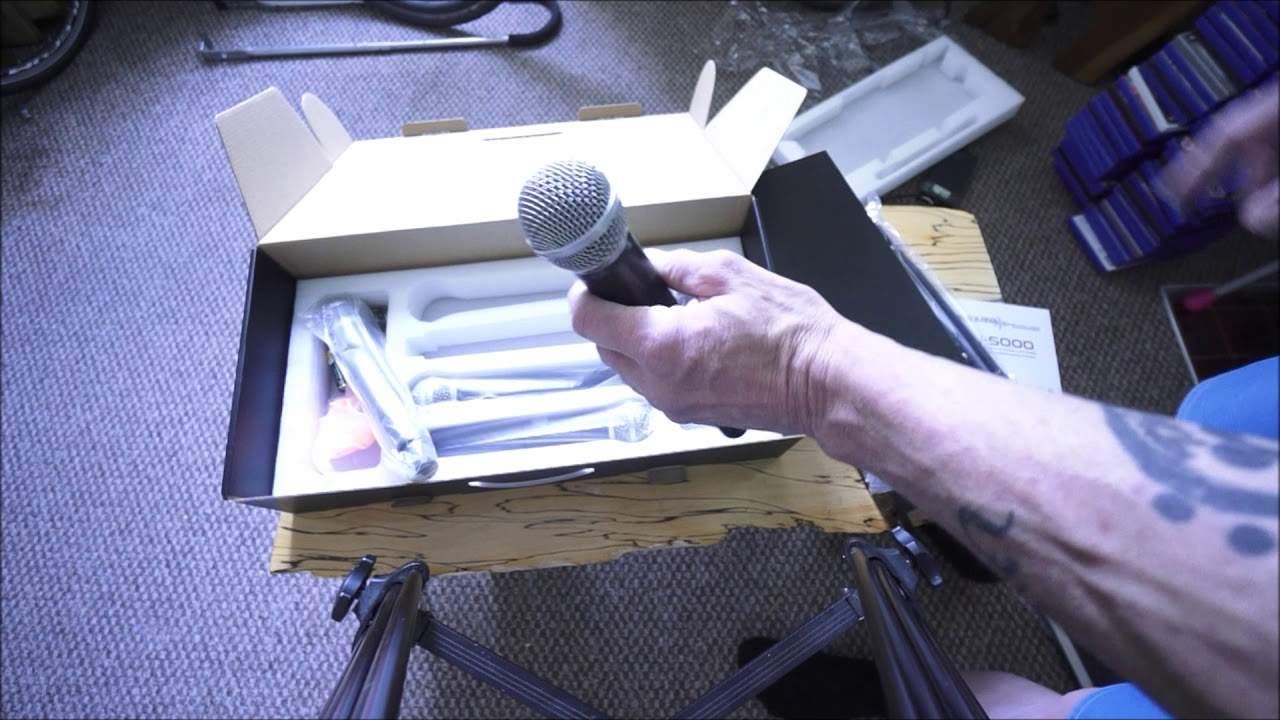
Right, I was asked to give this a bit of a demo. It's the Fenix, sorry it's from Fenix Pro. It's the PTU5000 4-channel UHF which is short for Ultra High Frequency Wireless System. It's a microphone system, four microphones and you have the receiver. So again the very quick, I mean I have talked about setups like this before but... These are the transmitters, of course the mics and that's the receiver. By the looks of it, 19 inch rack mount and apart from the box that I haven't opened yet and a knife, that is about it. So let's just have a quick look. Warranty, contact details, PTU5000 handle and at the top it is telling me the frequencies here of the mics. Right, let's have a think. Who is this good for? Who would buy a microphone setup like this? Well, I can pretty much guarantee if you are a big professional industry standard band, you're not going to probably even bother looking at it because you are going to expect to pay a dividend for high quality, top of the range products.
Don't get me wrong, I'm not saying that this isn't good. What I am saying is that if you've got your PA that's worth tens of thousands, hundreds and thousands of pounds and you're on the road and you're a big band, big name, you're not probably going to invest in something like this. On the other hand, if you are someone at home who under the circumstances of what's going on now and once all this stuff is over... You just want to have a party with your mates or maybe do a bit of online streaming, karaoke style. Or even maybe you're a small artist or medium-sized artist, you go in bands and clubs, pubs. You're a DJ with karaoke in mind. Anything like that where you're not really fussed as much.
2:23 Hopefully you understand where I'm coming from there
If, let's say, something happens, for example, you're not going to get a high-end microphone and give it to a drunkard. If you do that, you're an idiot. So, hopefully you understand where I'm coming from there. So what I'll do is I'll pause the camera, I'll open it up, and before I start pulling things out of the box, I'll start the camera again so you can see exactly how everything is positioned inside before I start messing this up. There we are. OK, what have we got on here? Congratulations! You are selected for an opportunity to claim a free gift. Now this is what we call in the trade as 19-inch rack mount, meaning that this will go in your standard 19-inch flight case. Those two ports there for your aerials, your antennas. And if I have a look at the back, I have a mix out and more than likely that's for all of the mics. So for example, and that's known as quarter inch jack.
3:57 Volume switch, straight away, microphone volume
So if, let's say, your controller or your mixer has only one input for a mic, you can indeed use this. Now bear in mind, this is quite important, if you're thinking, yeah I've got one input, how am I supposed to plug in a radio mic into that input when normally I use a handheld mic with a cable? Well you can, so all you would do is you would go from, if you want to use all the mics, from the mix out of the 19-inch rack mount unit here to the in of your normal microphone input and it's always advisable when you're setting up any mic any new mic anything for that matter plug everything in first your mic um the mics turn of course the receiver on but make sure that your mixer that you've got All you need to do is, when I say turned off, of course that needs to be on, but make sure that the microphone volume is down and the switch on the mic volume is down. What you don't want to happen is to have the microphone volume up, the switch on, on your microphone, on the mixer that you're using, plug all of this in, turn it on only to find that you start getting whistles and feedbacks because
This could be set up high or your microphones on or something like that. So it's always a good idea to make sure the hardware that you've got, your mixer, your desk if you're a band, the microphone itself on there is switched to the off position before you start to test. Alright so that's just hopefully, again hopefully that should be pure logic but alright so there we have the receiver. These are the antennae and I'll just get that out of the way. And there we go. Nice looking. Okay, so four microphones. One, two, and... Alright, straight away what I have noticed is... Hold on, where's my... Where did that knife go? Alright, I don't need it. It's okay. Okay, so what I have noticed is there's a bit of weight to these, okay? They don't seem to be plasticky.
7:07 I can feel that moving slightly, which isn't a bad thing
There's a good feel to them, and that's something I find with a lot of items I use. When you take it out the box, if it feels plasticky, then it probably is pretty crap. But this isn't. Yep, that sounds like metal to me. Alright, now that's... I like it. I like that. Straight away I like it. A good design. It feels good. It feels solid in the hand. Let me just put the... key lock And there it is. OK, so normally before I press down, that's normally held in by a rubber sort of piece all the way around here and you should be able to just move that very slightly. It should move. Yes, it can. OK, so I can feel that moving slightly, which isn't a bad thing. OK, is that moving? Oh, it's moving on there. That's fine. OK, I feel a tiny bit of movement. All right, that's good.
You need that because if, let's say it did accidentally fall on the floor, then it's going to vibrate slightly inside of there. There's going to be a little bit of movement. So in other words, the rubber will take a little bit of the fall, which is what you want. OK, so by the looks of it, that's the digital readout and let's have a look. OK, what else have we got? We've got cable. For, I believe I would say that's the mix out. Okay, ah, now this is great. I like, alright, okay, I like this. I do like this a lot. There's nothing worse than having cables or a cable and realising that you needed something a bit bigger or smaller and you have to go on eBay and buy something extra. Well, alright, if we have a look at this, you have a quarter inch jack mono
9:23 I don't know, I'm going to be very ignorant here at the moment
A micro jack mono. Now if you're not familiar what the micro jack is, let's say if you've got an old school iPod and you put some, you actually physically plug some headphones in to your iPod, your iPhone for that matter or your Android, that more than likely will be a mini jack plug, okay? And you can get mono which is two, stereo which is three or four. If you get four sort of circles of metal around there, generally that's because you've got a microphone capability on the lead as well. But you see if we look here, we've got micro to quarter, but if you take that off, there you go, you've got quarter to quarter. So what they thought of is there are probably people out there who have got... an input into something that's a micro jack so there you go so that already has saved you a few quid having to buy something off ebay or like plugging it all in and thinking i wanted to sing tonight and now i've got to wait three days for something to come through the post there you go right okay so the power supply for the receiver and i would say hazard a guess that these are not to throw at people
No, they are more than likely to put around the microphone like that to show either what signal you're on or maybe their stands or... I don't know, I'm going to be very ignorant here at the moment. I'm sure it'll be very apparent soon. Now, they are rubber so they're definitely not to throw at people and if you did, it wouldn't hurt them. Anyway, alright, so, batteries. And again, with a lot of products like this, I'm not saying that the batteries are going to be fantastic power or last indefinitely. There's four sets, so batteries complement all of the microphones. I'd always advise people to make sure you've got backup of batteries. If you go to an event with batteries you've sort of never seen before and you're annoyed that they may only work for half an hour, then that's your own fault. You know, it doesn't matter. Make sure you've got backup batteries. End of.
Full stop. Alright, so what I'm going to do now is get a speaker and plug it all in. Hold tight. Right, so I've got a speaker here from H&H. This is the Tensor 12-inch active powered speaker. It's the TRE 1201. So, powered means that there's an internal amplifier in here, so I don't need to have a mixer as such. It depends if you've got sort of power or active. Now there's many ways of using a speaker system like this. So for example, let's say if you're a band, you would have more than likely a mixing desk with mics everywhere, you know, your drum mics, your vocals, guitar and so on. And then you would very possibly have from your band mixer, you'd have an external amplifier, then from there you would go into passive speakers.
11:51 Turn turn, start singing, setup
On the other hand, you may go from your mixing desk into an active speaker so there's no need you're bypassing the amplifier. But let's imagine you are just a Mr or Mrs by yourself who wants to sing and dance with a couple of friends and you don't want all the paraphernalia involved in mixing desks and cables and all that sort of crap. What you can have and you can get is something like this, just a powered speaker. Because not only is the amplifier inside that cabinet to power the speaker itself, but there's all the necessary plugs for you and volumes to turn it up and down and so on. So I don't really want to go over this speaker. This is not what this video is about. It's about using the mic. So what I'm going to do now is plug it all in and get it ready. You'll watch me plugging it in. I'll speed up the video so you don't have to just sit there going...
I need to make a cup of tea while he's doing this, it's very awkward. And then I'll slow it down and we'll have a look at the mic in action. Yeah, okay. Right, so I've got one hand on the camera, the other hand on the microphone. Now, as I said earlier, alright, and I'm actually really impressed with the quality, the feel of the mics. They don't feel cheap and cheerful. And this setup is what I would call... A muppet setup. Now, that is not to say that it's crap and it's like a bunch of muppets just got no brains. This setup could be used by muppets. In other words, if you're not technically minded and you don't want to spend hours looking through manuals on working out how to plug things in and set volumes and stuff, which the volume aspect is really another video in itself, but if you want to really just plug something in...
14:29 I've got the speaker turned on
Turn it on and start singing your heart out with a bottle of wine, then you can't go any further than this because if I was to explain very quickly how all this works, you put the batteries in the microphone, you plug the receiver into a speaker, you turn it on, you turn the mic on, you turn the volume up on one of the channels and you can start singing but more importantly you can start drinking your wine. Right, so I've got the speaker turned on. I've got the speaker quite low at the back, so I'll just show you really what I've done at the back of the speaker. Very simply, I've gone into... Let me just turn the screen so I can see what I'm doing. Or I can see what you're looking at. I've got the plug that came with the microphone system into one of the inputs, one from the output there.
Of course to the input I turn the volume on the speaker up and then if we have a look at the front of the receiver, 1-2, 1-2, 1-2, I don't know if you can see that flashing now. So what that is telling me is that it's picking up a signal, 1-2, 1-2, so that's actually now picking up a signal from the mic but of course we can't hear anything through the speaker. Because the corresponding volume is turned down. So 1, 2, 1, wrong one. 1, 2, 3, 1, 2, 3, 1, 2, 3. There you go. See? So now you can hear me. It's as simple as that. That's it, ladies and gentlemen. It's as simple as that. Turn that back around. So there you go. Ladies and gentlemen, welcome to mayhem and madness. Let's put that back down. Right. Okay, so... Ah, careful. We don't want feedback. All right. So...
What have we got? We've got four mics. We have four, some people call them attenuators, pots. They're volume controls. It's as simple as that. Alright, so I hope this has been a help. There will be information on this in the description. I believe it's via Amazon as well. So there you go. This is the Phoenix Pro. I think that's how you pronounce it. The PTU5000, so it's a four channel UHF ultra high frequency wireless microphone system. So I'm impressed and I'll say it for the third time, I'm impressed with the quality of the mics. They are not plasticky in any way. So I hope that's helped. Practice and enjoy. Thank you very much indeed.
This transcript was produced automatically from the audio of the video and may contain mistakes.





