 7:20
Pioneer CDj-800 and DJM-800 echo, flanger video 4
Contents of the video
0:00 It's the CDJ-800 and the DJM-800 mixer
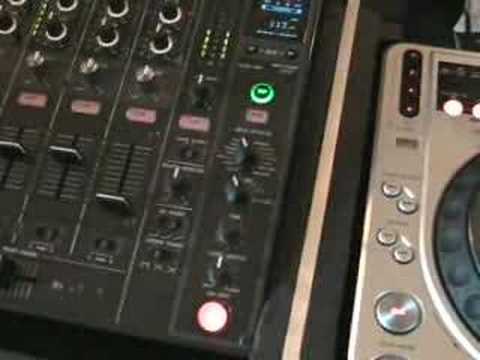
Alright folks, seem to be doing quite a few videos now on this guy here. It's the CDJ-800 and the DJM-800 mixer. Now in a couple of videos I've done recently, I'll bung one of them as a link underneath here. I showed you how to do this. So first of all, let's just bung the camera there and have a listen to this sound. Right, very quickly, what I'll do is I'll show you... I'll be there now, yeah? I'll show you how to do that sound. So first of all... What we need to do is play music. Right, what I'm going to do is I'm going to press cue again. Right at the beginning, I'm going to just press the 1 button down here, which has got 1 over 8 next to it. So what we've basically done, we've sampled one beat. I'm going to press the out button, now I'm going to move the jog wheel anti-clockwise. We've got that sound. Make sure we're on wide and the master tempo's off. Now have a listen when we move the pitch. Right, I can either press cue...
2:45 Let's play that track over there
Or play, press cue. Right, put that out there. Why are we doing this? I'll explain something. Hopefully this now will take you from a DJ who just plays music to a DJ who can actually incorporate music into the mix. Right, let's have a look again. This area here. Press cue. Now have a listen. Now this will take a little bit of time for you to actually get used to the position. I've got that beat. I'm just going to do exactly what I did right at the beginning of the video. OK, we've got that back now. Right, I'm going to start to move the pitch all the way to the plus position. So we're at 72, if you can see that. So... So, what's this got to do with you becoming the producer and incorporating music into the mix?
Well what I've got, I've got a track over there that is near enough in exactly the same key as this one here. So let's play that track over there. What I'm going to do is put the camera there. What we're going to do now is I'm going to make sure we're on the select channel so we're going to be using this channel here which is channel 3, which is that one over there. We've got this guy here on the echo feature now. So let's bring the echo to 1 over 1. Press that. Have a listen.
4:19 Bring the volume down a little bit
Let's go say to a quarter. Now again, we need to start listening to the key here to try and work out where we need to put this so it sounds in key. Okay, let's try. There we go, we got it. Bring the volume down a little bit. We don't want to overpower it. Now what I'm doing is while I'm making notes there, we can see that I'm on 62. So I can use that as a reference. At the moment now, we've just got it on the echo feature. Let's try maybe on the flanger. So, turn that off. Go to the flanger. Four over one. Let's have a listen. Two over one. Oh, sorry. One over one. Bring it over here. Maybe bring the volume down a tiny bit, because we only want to feature this a little bit. We don't want it to overpower the actual track. There you go. What was I doing? I was now not only just trying to do... Well, I wasn't doing an exact mix there, but I was able to almost start to put a little bit of my own, I suppose, je ne sais quoi, into the actual track. So in other words, instead of just playing one track and another one and bringing one track in and one track out, I've...
Gone from, let's say, not being able to use the keyboard because I haven't got one here, to using the deck as a keyboard, getting a sound and incorporating that sound into the other track. Therefore what you're actually doing, in a sense, you're able to do your own little tiny remix of the track that's playing. Hope you understand where I'm coming from. Practice and enjoy. Thank you.
This transcript was produced automatically from the audio of the video and may contain mistakes.





