 14:07
Pioneer DDJ-1000 and XDJ-RX2 Side BY Side Sound Color and Beat FX Comparison
Contents of the video
0:00 Sound colour effects and the beat
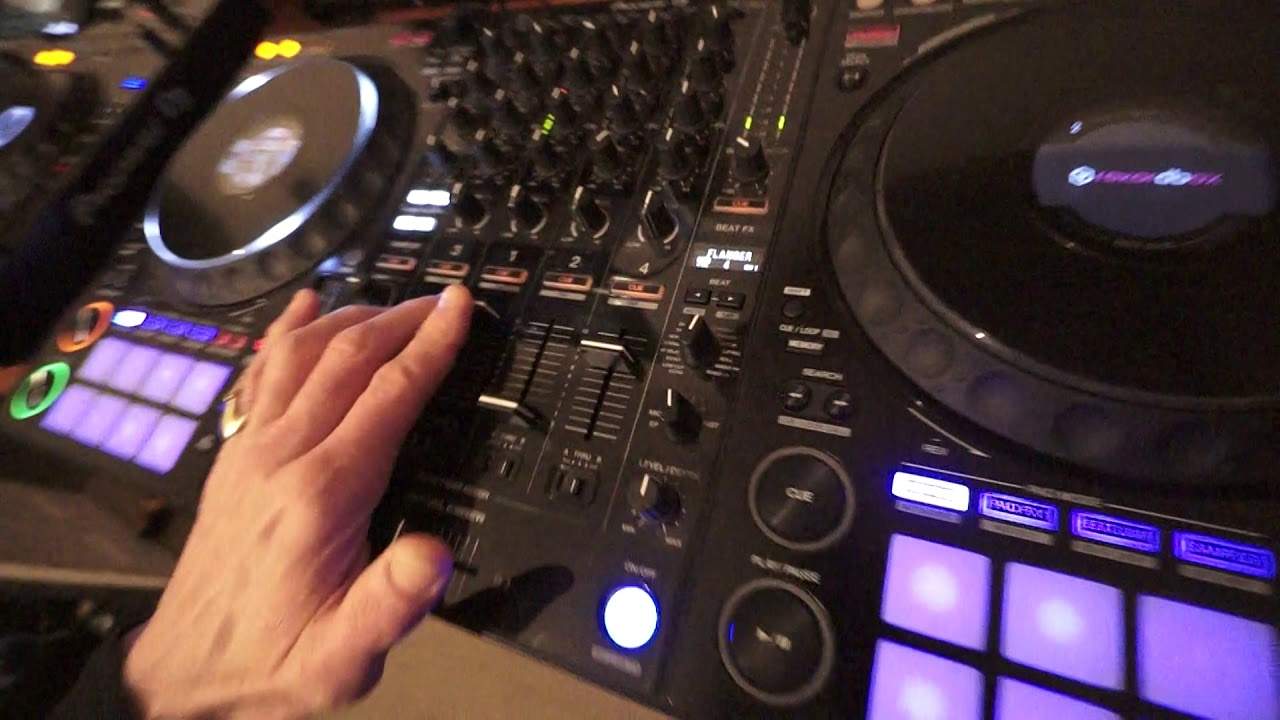
Recently done a side-by-side video on the XDJ-RX2 next to the DDJ-1000. Both players are from Pioneer. In this video I'm going to look at the sound colour effects and the beat effects on both players. I'm going to be using exactly the same track and use the effects From one to the other. So, for example, we'll use, say, the Dub Echo on the RX, then use the Dub Echo on the DDJ-1000 and so on. Now, both of the players have four sound colour effects, but the XDJ-RX has 1, 2, 3, 4, 5, 6, 7, 8 beat effects, Let's have a look. 1, 2, 3, 4, 5, 6, 7, 8, 9, 10, 11, 12, 13, 14 beat effects. So there's a lot more on the DDJ-1000. I'm going to be using the same track which is from Karmic Power Records, a track entitled Real Love. The DDJ-1000 is using a file that's been processed through rekordbox.
1:46 Comparison from one to the other
Whereas the RX has got a basic MP3 file. They're exactly the same track though. What I've done is I have gone from the XDJ-RX output into the channel 4 on the DDJ-1000, so there shouldn't be that much difference in sound. It's exactly the same track, so of course all we're going to do is let's have a look at a comparison from one to the other, using to begin with the same effects. So let's go dub echo first on the RX, press play, it's the sound colour effects, now we're going to low pass, high pass and now low pass. Okay, pause that, now let's go to, bring the volume down, let's go to The DDJ-1000, dub echo, slight variations, variation in sound, not much though. Okay now I'm going to go on to the pitch. Now the pitch is not on the RX, we have what's known as sweep. Now the pitch will change the actual tone of the track itself. So as you go to high you get pitch up, low pitch down. Here we go. Let's just bring the track forward a bit.
Pitch down so what I'm finding here is a slight increase in the pitch and it does have a nice sort of roll to it but then as you start to increase more you do get more of a digital sound there so my eyes really or my ears that's should be used the pitch for an effect definitely okay noise white noise now with the noise The white noise is known as, I'm using at the moment, the dial that's above the channel where the sound's coming from. What you can do though, if you want to, is you can use another channel so you've got more control over the volume of the noise effect. Let's use the filter, high and low. Pause that. Let's go to the RX. Okay, sweep. I like the filter. Pick the sweep when you go to the low position because what it does, it almost edits some of the track out. Let's just take away the volume a little bit because we're getting into the red there. Okay, let's go for the noise again. The noise effect is less abrupt. But again in the settings on the 1000...
5:38 Of the beat effects
You can go into the settings and just make sure, you know, set the actual level of the noise. It's going to filter as high and low. Let's pause that. Okay, so let's look at some of the beat effects now. Now again, to use the beat effects, you've got to make sure that you are on the right channel. So that's channel select and we can go to channel one. So, no, actually, yeah, channel one here. And again, on the DDJ-1000, the first channel on the left is channel three, then one, then two, then four. So let's press play. I'm going to go to the low cut echo, engage it. Now we can change the timing by using the buttons just below the beat effects readout. Get an echo.
6:56 Reverb, trans
Empty delay, spiral, also you've got the level depth as well. Generally you'll find the best position is at 12 o'clock. Too far to max and the effect that you've got engaged will be slightly overpowering. Set to the minimum and you're not going to hear it at all. Okay, next one is reverb, trans. Now again, trance at the moment, it's sounding like the sound's going on and off. That's because I've only got one speaker plugged in. Trance will move the sound from one side to the other. Okay, this is called Enigma Jet. Quite a nice sound that. I find with this sort of effect, it's great to have it maybe over four bars or eight bars so you've got a natural kind of dip and rise. It's almost like a jet flying.
9:11 I can't work out what those are because
Over you, sort of dipping and then rising, dipping and rising and so on. Okay, flanger, phaser. Okay, I'm just going to zip the track back a little bit further. Pitch. We can change the pitch parameter again by pressing one of the beat buttons. This in a way is very similar to the pitch effect on the sound colour effects. Slip roll and roll. And we've got two more. I can't work out what those are because... Oh, there you go. I'll be honest with you, I've never used those effects. And again, that's the great thing about the level depth. You'd have to be a muppet to use the level depth halfway and have that effect. I think if you did that for too long, even at a big rave, you'd have people throwing things at you.
Or running for the fire exit, because they'd probably think there was a fire somewhere. Okay, alright, so that's the beat effects on the DDJ-1000. Let's go over to the XDJ-RX2. Now price wise, DDJ-1000 is around about £1,000 euros dollars. XDJ-RX is around about £1,500, but we're still in January 2019. Prices could of course fluctuate depending on when you watch this video. Let's go to channel number one. Press play, level depth, again set to 12 o'clock. Let's press delay. Now also bearing in mind as well I'm not using rekordbox, I've just got the basic MP3. Echo. Now my own personal opinion here, I just feel there's a little bit more life to the effects on the RX2. Spiral and let's go to reverb.
11:38 You can set it in small increments as well
And again, trans, like exactly the same with the DDJ-1000, I've only got one speaker plugged in there. So of course if it was trans you'd be having the sound going from right to left, right to left and so on. Okay, flanger. Now on the RX2 we do have the dial for your time, so you can set this as you like. So you can set it in small increments as well. And roll.
Anti-clockwise decrease, clockwise increase. Okay, important fact here, when using the XDJ-RX2 and for that matter the RX1 as well, if you're using regular MP3 files, you will still be able to use the effects, but it's much better to use the rekordbox software from Pioneer because then of course you can use quantize and if you form say a roll or a loop, you're going to have that snapped. in time of course so long as you're in quantize mode what quantize basically does is if you let's say start a loop at the beginning of a beat and you say you press the in at the beginning of the beat where you want the loop to start and press out maybe after one beat two beats one bar and so on if you're slightly out of time let's say for example you're a millisecond too soon to start it and two or three milliseconds too late then that loop
Will be out of time so slowly even if you've got the two tracks perfectly beatmatched the loop is going to go out of time Using Quantize, what that will do, it will recognise that you are slightly out and it will snap it into the beat grid for you, which means it will be in time. Great feature with Quantize. I hope that's been a help. XDJ-RX2 FX next to the DDJ-1000. Practice and enjoy. Big shout out of course to Mr Lenny Fontana, Karmic Power Records, for letting me use his tune. Thank you. Practice and enjoy.
This transcript was produced automatically from the audio of the video and may contain mistakes.





