 18:52
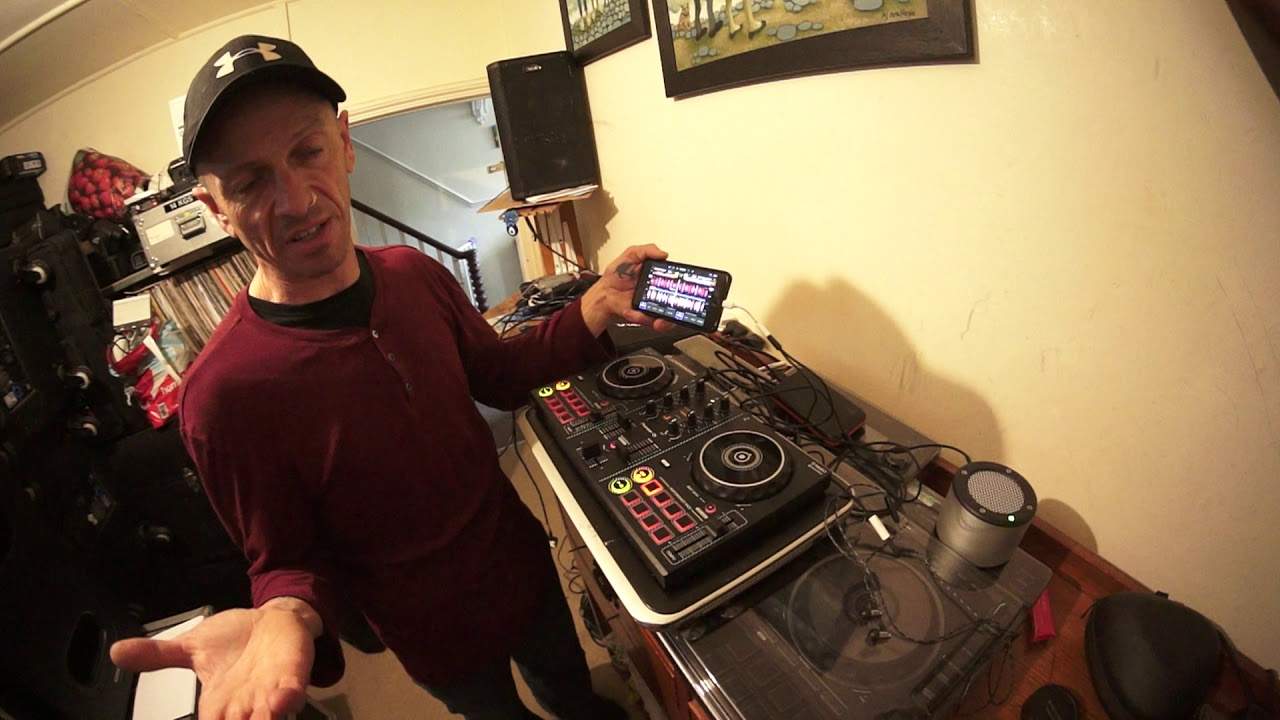
Pioneer DDJ-200 with Wedj Mini Rig and a Mix from CD Pool Global June 2019
Contents of the video
0:00 I wouldn't tell you a story
I wouldn't tell you a story. Right, so let's go back seven or eight years. There was a piece of kit that came out and I first saw it at Pro Light & Sound in Germany, in Frankfurt, and I was amazed. I was astounded. I was just taken aback. And quite often people say, what's the best bit of kit you saw at a certain show? Whether it be Pro Light & Sound, maybe some DJ convention or maybe to BPM. And there's always something that is there. It's like, yeah, that hit the spot. And what it was, was this guy here. It was by Tonium and it's known as The Pacemaker. Now, anyone who is not familiar with the company Tonium or The Pacemaker, I'll do a little bit of explaining. That there is a complete DJ console. All right? Just that.
Complete DJ console. Headphone output, line out for your speakers, mixer, bass, mid, treble, two turntables, you can use the crossfade, you can pitch up, pitch down, you can select tracks. This has got, I think this was the one with 120 gigabytes of storage space and there it is, that is it, okay? That is the pacemaker. Look at it. It sits in the palm of your hand. But what happened is that it was released. I think there's two things that happened with this. Two reasons why it didn't just explode. Because it should have done. Everyone should have had one of these. Everyone. Number one, there wasn't enough money put behind the marketing. They should have just gone bang. Actually maybe three. Number two is maybe there were other companies that saw that and thought, wow, we need to make sure that it's not out there too much because our products that will soon be out in the not so distant future, people may not want because they'll have one of these in the palm of their hand or in the back pocket. The third one, what was the third one again? Right, so... Oh God, I've forgotten now.
2:25 It's such a shame, which was the SVM-1000 from Pioneer
Oh, I'm not going to start this video again. Hopefully I'll remember. OK, but there it is. That's the pacemaker. Now, there was another piece of kit that was completely ahead of its time, but it sort of came out at the wrong time. It's such a shame, which was the SVM-1000 from Pioneer. It was a huge audio video mixer. The thing was massive. It was pressy, touchy-feely. It was so tactile. It was amazing. It was like opening up a chest full of gold and you can't look at it. You've got to dig in. You know there's gold in there but you've just got to get your hands in and dig around and just feel and touch. That's what you had to do with the SVM-1000.
4:35 Let's say £10,000 hardware to nowadays a couple of hundred dollars
But it was very expensive and you had to buy then the players to go with it, the DVJ-1000s. Let's say £15,000 before you could do anything. But then you put a DVD in and you had to find the place to the track and start. It was a hassle. All right, but it was still good kit. Don't get me wrong. It was very good kit. But now if you think about it, what you spent on the likes of the SVM, that was my third point. No, actually I remember something else. What you had to spend on that.
In the distant future, which is sort of, or not so distant future, which is like maybe even a few years ago because the SVM was out, god, 10, 11 years ago perhaps, you know, you had controllers that could do pretty much the same. And now, of course, as you know, if you've got a small controller and you upgrade your software, you can do video mixing and download a bunch of MP4 files.
6:35 They both have their advantages and disadvantages
Let's say £10,000 hardware to nowadays a couple of hundred dollars. A couple of hundred pounds, euros, shekels. Shekels? Thank you. So, right, where's this going? Well, look at this. Alright, here we are, the DDJ-200 from Pioneer. Now, when I heard about this, I was a little bit like, it's a toy and it sort of is. Okay, I'm not... Going to all of a sudden say go and get it because it's not a toy, it's amazing. It's good, it does what it is supposed to do but it's not the sort of player that you would take to a gig and start playing in front of a thousand people knowing full well that your set is going to be amazing and all you've got is your iPhone. If you did that you're a muppet and you're not a real DJ and you should go away and maybe take up, I don't know...
Take up walking dogs or something like that. So this video really is about showing you what I've done. I've got some tunes here from CDpool from the global releases from June 2019. And what I've done now is I've got the whole setup. I've got the complete setup all in one. So, OK, there's loads of cables and there's the RX underneath there. But if I was to put that on there, that's my mini rig. And if I pick up now the phone, put it there. I pick up the power supply, I put it there. And I pick up my headphones and I put them there. If all of a sudden someone said to me, this is quite funny, someone said to me, alright, excuse me mate, I'd like you to remove all your kit and go into the other room please because you've sat up in the wrong room. I go, okay, thank you very much. Goodbye.
9:26 Those are the beats in the track
So there you go. So that is the complete DJ setup. Now, alright, it's not as good as the Pacemaker. I didn't do that, I promise! No, I did, actually. Or is it as good as the Pacemaker? Well, they both have their advantages and disadvantages. The Pacemaker, for a start, is all-in-one. And all you should really need with the Pacemaker, because it's got internal battery as well, is your speaker and your headphones. You've got to plug them in. But... It's not as tactile, I'll be honest with you. The pacemaker was quite difficult or is difficult to get used to. Because there are different sort of levels, you've got a button that you have to press up to get some functions down to get other functions and lots of messing around. Now what we've got is we've got everything you need on a small little controller like this, the DDJ-200.
I had to put iTunes back on my computer. This is just between me and you, but iTunes really does annoy me because when you've got it on your computer, especially if you haven't got a Mac, all of a sudden it goes, hello, iTunes is here, you've plugged your phone in, go and download and go and buy this and buy that. It's like, no, bugger off, I'm not interested. So the only reason I put iTunes on is so I could... Transfer files into iTunes and then onto the phone. Someone now is going to be saying, yeah but you can do it this way. Yeah alright you nerd, bugger off! Right, so what I have done is I've got the tunes in here from iTunes. Yes, right, okay, so what I'm going to do is I'm going to press the icon here and this is my library and they're all at the moment in alphabetical order.
10:57 Yeah man, not really in phrase
I could go to artist if I want to, but I'm just going to go to tracks. Let's try something there. Piano ain't easy. And now that's loaded up on the other deck. Okay, I'm not mixing these by the way. Alright, so that's it. It's as simple as that. Now, if I want to skip through the track, I can do that. Now also what it does show me, don't think you can see this, But I have the amount of beats left in this track and it's telling me 2, 16, 13, 12, 11, 10, 9, 8, 7, 6, 5, 4, 3, 2, 1. Okay, so for the noob out there, beats, it's telling me how many beats are left and it's a count down not a count up. What does that mean? Well if we listen to... 1, 2, 3, 4. Those are the beats in the track. So let's imagine we start the track and that number would be 240 for example. That would tell me that there are 240 beats in that track and it's going to count down. Now that's of course depending on the software has analysed the track correctly. So like anything in life please use your ears and your eyes. Do not rely too much
14:02 I've got the icon pressed on the 200
On software, because one day you could fall flat on your ass. Not a good idea. Alright, this one here, Piano Ain't Easy, very nice track. So, can use some effects, like the CFX. I've done a video on that before, but what we can do in the software, we can change the effect we want to utilise that on the hardware. Now there's no trim on the 200, There's no dial to select and press down, there's also no internal sound card and also there's no headphone plug. But don't worry because it comes with this cable here. So for example now I am going to put my headphones in, tiny headphones, and again what I've tried to do is elaborate on small. Okay so small headphones, I'll put that in there.
16:18 I think I've answered one question here
Okay, so let's do some kind of a mix. Let's forward. Yeah man, not really in phrase. So you can, it's just crazy. I'm sorry, it's crazy. It's just mad. It's absolutely mad. It's mad. So again, you know, I could if I wanted to, I could take that with me and I could plug in the mini rig out of the line out. Plug my headphones in and I could sit there and do strange things on some black object. On the other hand, if I want to visually look like a DJ on the beach with me mates while they're all drinking vodka, I can take that. Amazing. Right, so, DDJ-200, let's find something else actually, let's go and find something else. This one here is, I'm going to hold on. And again, don't forget all these tunes are taken from the global releases from CDPool June 2019. So, okay, and again what I've done is the 200 comes with this cable which is a mini jack and it's split so black and white. So I've got the white one connected to the headphones, the black one connected to...
My mini rig. Now even though that is a mini jack female, so you will need a mini jack male plug in there, you can plug that into a function one sound system if you really wanted to. It's only a plug, okay? That's all it is. Okay, so this is what I'm going to do now to bring another tune in. Okay, I am now going to... Press on the deck that isn't working. I'm going to skip through. I'm going to choose a random track. You've got what you give. That's automatically now loaded up to the other side. I can, if I want to, press the headphones icons on the app, but all I'm going to do is make sure... I've got the icon pressed on the 200. I can also, if I want to, listen to the master or listen to either, either, or both of them sides at the same time if I want to.
Now, I'm going to choose something else. Right, you've got a B. No. I'm going to try something different. No. Try this one. No, stand up, try this one. Yeah, when you're in the seat, be careful with your wrist positions. Push, try to push. Okay, so this one's a little bit faster, so I'll slow it down. Speed this one up. Okay, here we go. Right hand. I think I've answered one question here. Yes, you can do a relatively good mix on the 200. I'd say it takes a little bit of getting used to. It doesn't actually. It is so simple. You download your app, you put a bunch of tunes on your phone. You plug it into a battery, you get a little portable speaker, Fanny's your uncle, Bob's your aunt, something like that, and away you go. Alright, so there will be information in the description on CDPool and the tunes I'm using, but there it is, and you're just, where's it going to end? Where is it going to end? You know, this is not the end, the death of the DJ at all.
Who are on a budget to start DJing, alright? And like I said in other videos, I think it's about £139. Now, yeah, it's plastic, there's probably, there's no moving parts but it's a good piece of kit. That's the phone going. Practice and enjoy. Nice one.
This transcript was produced automatically from the audio of the video and may contain mistakes.





