 14:53
Pioneer DDJ-400 Controller for the Bedroom DJ or Is It?
Contents of the video
0:01 Pitch faders, slight difference, performance
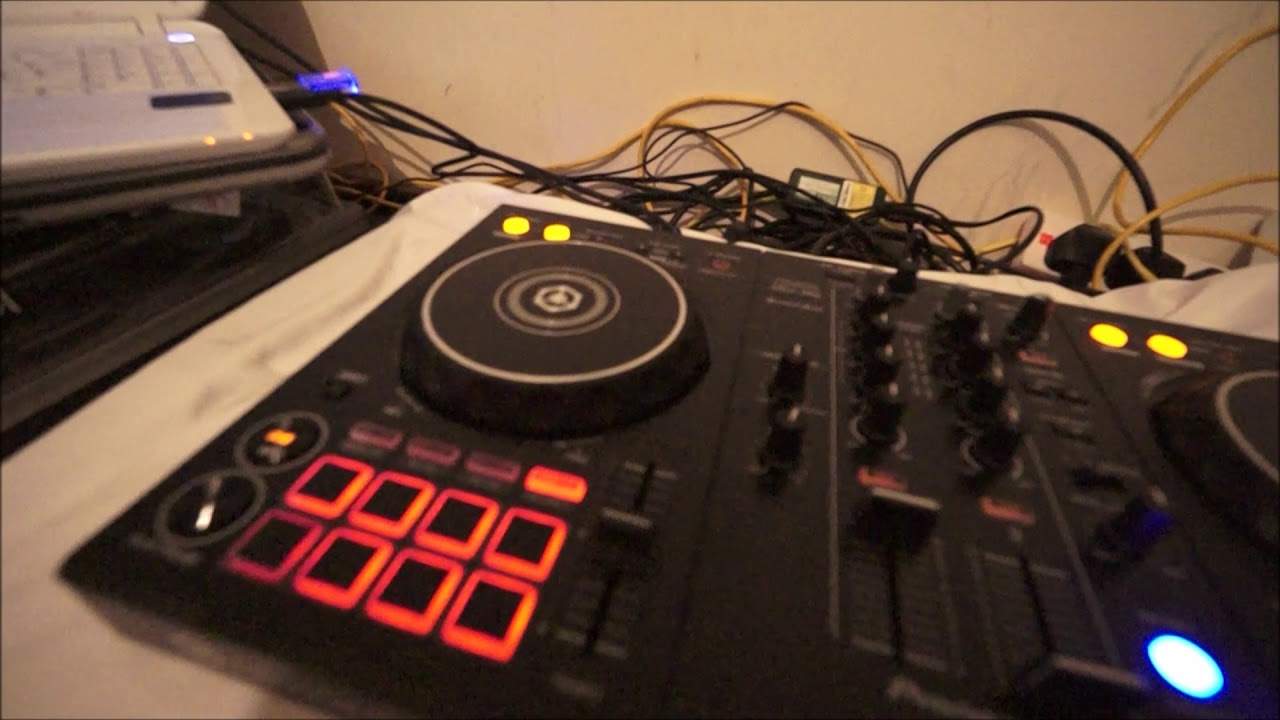
Right guys, you've got in front of you one of Pioneer's, or it is actually Pioneer's new entry-level controller. It's the DDJ-400. Now my first impression of this controller is it looks like say a set of CDJs and a mixer because there's a slight difference in the overall look of the front panel of the mixer. And the sort of controlling area, okay, for your music. That's the first thing. Secondly, I think actually firstly, which is the most important part about the DDJ-400 that takes it, let's say, that next level up from the likes of the RB, are the pitch faders are bigger, all right? So I'll be honest with you... The pitch faders on the RB are usable, but they're very small. Now, the DDJ-400, the pitch faders are twice as big, which is fantastic. This is how it should be from now on. No Diddy pitch faders, we want them big and bold. There's a slight difference in the size of the launch pads, they're a little bit smaller, but I don't think that matters actually.
Bigger pitch, giving you more control. Okay, so what I've done, I have plugged in, by the way, the DDJ-400 is bus powered, so there is no need for any external power supply. So what that means is just plug it into your laptop and pretty much away you go. Rekordbox DJ tutorial. Now this is new and exciting because what you've got here is you have got There are also tutorials on how to use it so we can either go to setup, we can go to mix or we can go to performance video. So let's go to performance video I'm going to click there and let's see what we come up with okay so this is now in real time watch late there we go okay bearing in mind the connection that I have is sometimes a little bit temperamental okay so
2:48 Here you have got relevant videos showing you how to work the 400 Pion
Let's just move that down a little bit. And there we are, tutorials. So video gallery. So we've got all introduction, DJ performance, interview tutorials and of course the other products as well. So there we go. Now this is great because what this means is you don't have to trawl through YouTube. To find videos and there's nothing wrong, okay I do lots of tutorial videos but sometimes you'll go onto YouTube and you'll be there watching adverts or just trawling through a load of rubbish before you actually get to something that is of relevance. Here you have got relevant videos showing you how to work the 400 Pioneer. What I did, I clicked on one of those videos and here we go. This is a tutorial video. Now very quickly, I haven't got any audio at the moment through this video. The video itself is on YouTube admittedly, but then what has happened is Pioneer have put all the videos on YouTube, I presume, and then linked them to the one page on rekordbox.com. So you've got a one stop.
This is a great place to look instead of, like I said possibly earlier, trawling through loads of videos to try and find something relevant for the DDJ-400. So let's just cross that one and let's go to another one. So you can see as I highlight over them, you know, you've just got the option to play. There's a couple of new ones there. So we've got, for example, the beat loop tutorial. We have the filter effects tutorial. We have the using effects sampler. The tutorial number 8, sampler again, beat jump and firmware update procedure. So this is fantastic. I can't stress this enough. You come here, you're going to get good quality. Tutorials instead of going to YouTube and sifting through 30 just to find one you want. I'm using Eddie Amador track entitled Reaching To My Brother from Karmic Power Records and what I've done, I've engaged something that is relevant for people who are let's say trying to mix one track into the other but
5:22 You've got the clock here, you've got 12, 1, 2, 3 and so on
You find that the one track you're bringing in is slightly out of key. Now, let's talk a little bit about keys. Now, first of all, there are only 24 keys. There are 12 minor and 12 major. So if you're familiar with the Camelot wheel, you know, let's keep in sync with the Camelot wheel. Your minor keys are A and your major keys are B. So for example, if you go around the clock... So you've got the clock here, you've got 12, 1, 2, 3 and so on. So 1A2, A3, A4, A5 and so on. In the middle, sorry, inside there you've got B, B1, B2, B3. Now you can mix from A1 to A2, A2 to A3, A3 to A4 or in A4 all the time or from A4 to B4. You've got to be very careful if you go say from B4 to A3. Now, what we've got here is something, it's not revolutionary, but it is a great effect as well as a tool for the industry. Now, on the touchpads, we have hot cue, we have beat loop, beat jump and the sampler.
You can drag samples into the program and engage the sampler, tap away and you've got your effects. Beat jump, I don't know if you're familiar with that but what you can do there is you can jump forward in time or back in time whether it be half a beat one and so on. Your beat loop Does what it says, it will loop a certain amount of the track and of course your hot cue is there so you can set hot cues during the track. Again let's say we're on hot cue and I press play very quickly just get a few and as with every other controller press shift, press while you've got your finger on shift Press the hot cue and that will delete the hot cue. Now let's go to sampler. Now at the moment, if I press play, no samples up there, nothing's going to happen. But watch this. While I press shift and sampler, what we've done now is we have engaged something called key shift.
7:38 Higher again, change even more, higher again and change even more
Semitones. Now a semitone, let's imagine you've got a note here and that's a certain note, it's a certain level, it's where my finger is. Now that note can be say made a little bit higher or lower and if you make it a little bit higher it's going to change the sound. Higher again, change even more, higher again and change even more. This is where you have to be very careful with mixing because if you're, let's say, mixing and you have what's known as master tempo on or key lock on then when you move your pitch away from you or towards you the track will indeed speed up or slow down by the percentage that you have set. The program to speed up or slow down. For example, if the pitch is in the center, for example, the track is 100 BPM, you've set your pitch to plus and minus 10%. That means if you move the pitch away from you, the track will slow down to 90 BPM all the way away from you to slow it down. If you bring it all the way towards you, it will speed up by 10% so the track will go to 110 BPM but with master tempo and or key lock or
9:31 Without having, track without, press sampler
The track will stay the same. All that will happen, you will hear, only hear the track speed up. Now check this out with key shift. Press play. Listen. Okay so what's happening now is the track is rising in key. Now you would normally only be able to do that if you had key lock or master tempo disengaged and you move the pitch towards you. So two things would happen there, number one is the track would of course speed up, number two is the key of the track would rise or the key of the track would dip if you slowed the pitch down. Now using The key shift will let you change the key of the track without having to move the pitch. So what this means is if you have a very good musical ear, you're able to match the key of the track without having to change the speed. Alright, so it's something that will be great to have a mess around with.
By all means, you know, if you've got the DDJ-400 at home, have a mess around with it. But it's not the sort of thing you would want to do in a working environment because you could make a mix sound absolutely terrible. Alright, so again, to disengage the key shift, press shift, press the sampler and now we should be back... Oh no, not yet, while it's working. There you go. Hold on. There. Sorry, press the sampler again. There, and now that is disengaged. Okay, so what do I think of it? Alright, it is a nice mixer, okay, controller, mixer, whatever you want to call it. At the back you have, there is an input for your microphone, you have RCA out and of course you have your USB. Some effects here. Now, I suppose it's a shame really, there's a huge space here and here where they could have put something in. And what I am finding is if you've got very big hands, you know, you could be trying, I'm holding the camera at the moment, but you know, you could be sort of having two hands in the way if you're using, you know, a hand...
12:12 Below the left hand load button is your master volume
Right hand on bass on the right channel and left hand on bass on the left channel. It's a shame really because they could have maybe moved that over, given the mixer itself a little bit more space, but never mind. Again what we've got right in the centre at the top, we have the dial for scrolling through the tracks and loading to the right and left. To the left... Below the left hand load button is your master volume. You can press cue so you can listen to the mix, the overall mix. That's the sound that the people will be listening to. Below your filter of course you have your cue buttons for your headphones. Effects on and off here. Pretty much the same the other side. And again what we can do is we can use some loops.
The call buttons, you can record quite a few loops using the rekordbox software and then call them back. So it's not just press make one loop and that's it. You can make one, you can record it, then another, record it and so on and so on. So what do I think of it? Marks out of 10, I'm going to give it an 8 because of its look and its features. For the pitch, I'm going to give it 10 out of 10. For the key shift, I'm going to give it 10 out of 10 because you can have a lot of fun with that. And also using the key shift, if you check out, I think I saw one video where there was a DJ using the pads and making it into a musical instrument. So it's almost like a keyboard, you know, so you can really go to town. And again, if you're musically minded, you could have a track playing on the one side and on the other side set to key shift.
And start playing some music. What I feel is happening now is that the days of doing a cheap and cheerful controller for the masses to chuck in your bedroom and class yourself as like a bedroom DJ are going because this now has the footprint of high quality... A professional kit, alright? At a very, very affordable price. Now again, the 2000s have more hot cues. You have more hot cues here. The 2000s have bigger pitches. They're maybe not as big as the 2000s but they're definitely bigger than the smaller other controllers, the original entry-level controllers, alright? Now I hope this has been a help and again... With the 400, it will come with the rekordbox software and also again, the thumbs up for Pioneer is a very, very quick link to the tutorial videos. Alright? So fantastic piece of kit. DDJ-400, practice and enjoy. Thank you very much.
This transcript was produced automatically from the audio of the video and may contain mistakes.





