 11:01
Pioneer DJ Opus Quad Video 1 Introduction BY Ellaskins DJ Tutor
Contents of the video
0:00 A lot of good response, and again, don't forget, please, your input is
Right, ladies and gentlemen, this is sort of the, not the first, but definitely the first kind of tutorial demonstration on the Opus Quad. Now I have done one, I made a video about two or three weeks ago, a couple of weeks ago. A lot of good response, and again, don't forget, please, your input is paramount. So leave comments, let me know what you think, if you like it, you dislike it. I mean, personally, and again, I always try and stay non-biased. I'm torn between the Pioneer XDJ-XZ for its functionality, its knobbly bits and... What it can do, but then I'm warming towards the Opus Quad because of its just look and its feel and the functions on the screens. So without further ado, let's have a look at it. But before we do, let's imagine you've just got yourself an Opus Quad. You plugged it in and it's not working. You can't make the laptop seem to understand that you've got a controller plugged in.
Now, this is very similar with a lot of controllers. It's something called the driver. Now, let me give you an analogy. Let's imagine you're in the middle of a city, you jump in a taxi and you say, take me to 23-something square. And you're sat there for half an hour until you realise there's no person behind the steering wheel. In other words, there's no person taking you there, driving you. To your destination. Well, that's pretty much what the driver will do. That's the thing that takes the communication, the information from one to the other. It's almost like the internal workings. So what you need to do first of all, and again, like I said with a lot of controllers, go to the appropriate websites. Now again, be very wary, you know, use your own common sense.
2:36 First of all is what you
Try not to go to third party. You know, if you're going to go to VirtualDJ, go to VirtualDJ, even though they make controllers. You get what I mean, Denon and so on. If you're going to go to Pioneer, go to pioneerdj.com. There you will get all of the information you need, including firmware updates and the like. So let's have a look. Right. So in fact, let me think. Yeah, what I'm going to do now. I'm actually going to edit this video and use the forward-facing camera so I can see what I'm doing as well. Here we go in all its glory. Now, what I want to show you first of all is what you would expect to see if you're so excited you don't really want to download the rekordbox software because you haven't got the time you just like you just you just want to play music and all you've got is some
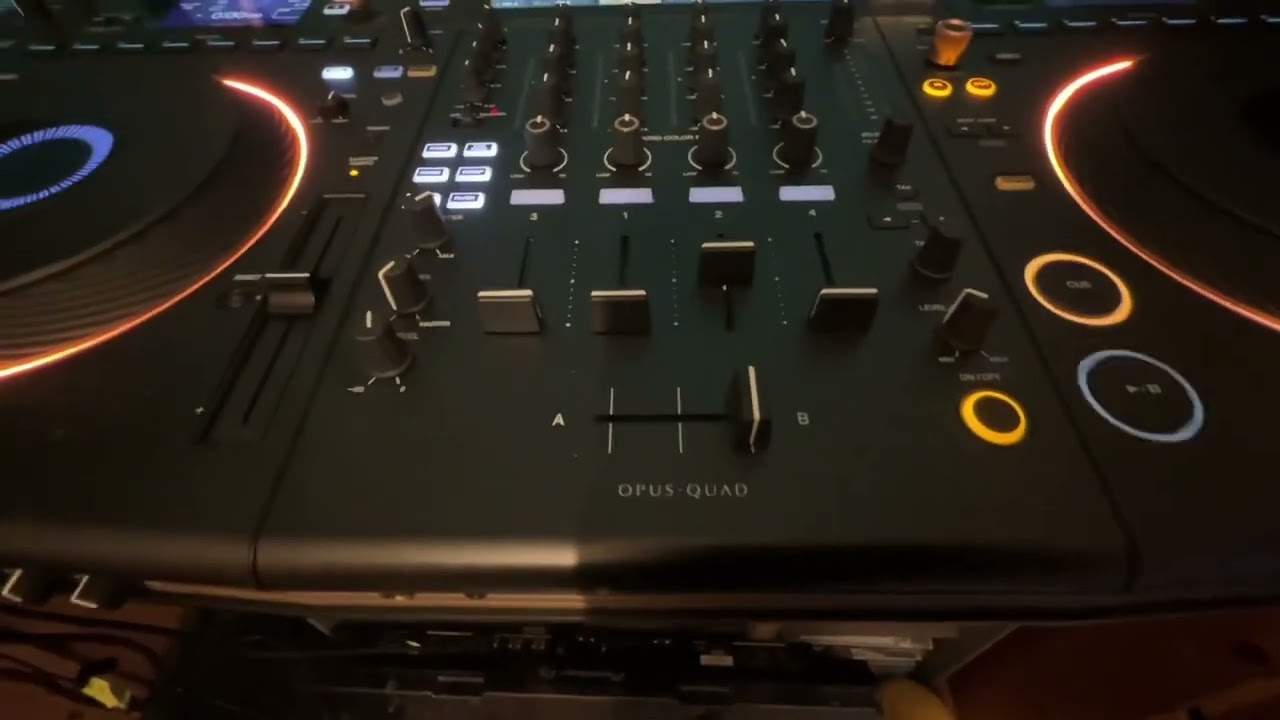
MP3 files. So let's have a look. Let's go to source. So I've got two USBs in one of them. It's not recognizing because it's probably a dodgy USB. Don't worry about it. No problem. The other one, it is. So I'm going to select that. Now what you probably will have as I had. As soon as you plug that USB in, you may have some wording along the lines of, you know, the files haven't been gone through rekordbox. So as with the XDJ-RR, the XDJ-XZ123 and the, sorry, the RX123 and the XZ, it's exactly the same. You can play MP3 files, but you're not going to get the full potential of the piece of kit until you use the software and that's when everything lights up now a lot of people seem to think that the opus quad has got three screens well it's actually got five because there's one two three four and five there you go and all of them give you little bits of information to help you
Now, I banged on about this time and time again. In fact, I started on about this when Pioneer DJ brought out the XDJ-RX, and that is that the future is without a laptop. And I think that's the way it's heading, ladies and gentlemen, because... You know hard drives are getting faster, they're getting better, use SSDs so that they're less clunky, less prone to corruption and you know again with the screen in future videos you will see rekordbox files. What you have on the screen there is basically All the information you need. Okay, you know, when you're on your laptop and maybe you're analysing files, you're putting cue points in, etc. into folders, then fair enough, you're going to do that at your leisure. But when you're at a gig, if you think about it...
5:17 Any of my gig logs, you
That's all you need. Now, I have said time and time again, it does annoy me when I see DJs with a laptop right in front of them because right in front of you should be the crowd, not a screen, because it looks like you're looking at Facebook. If anything, and if you look at any of my gig logs, you will always see my laptop is to my left. And if anything, the public can't see it because I don't have a stand for it 99% of the time. And the top of it is round about the same height as the light console I've got. So that's normally left-hand side and I have a little hard drive behind it, but of course no need now because the Opus Quad will let you plug in a hard drive as well. So lots of ports, lots of functionality. Okay, so basically what we've got here...
Is a simple way of looking at your files, so mp3. But of course at the moment now, we're on, and again I'm going to play some music very quickly, not too much for copyright reasons. There you go. Cue that up. Now again here what we can do is beat jump, so we can search through the track itself. Now at the moment of course I'm on deck 2, but if I click on deck 2, What I can do here now is I can use the through feature A or B. Now, previously on other players, you had switches here for your crossfade. So I think what Pioneer have done is try and eliminate more holes where dust and debris can get into. I'll be honest with you, they were a bit sort of clunky. If you're anything like me, I like to basically use the up-faders. I very rarely will use a crossfade.
8:04 What else can I tell you?
So for me, it's just the through position and that's it. Exactly the same with deck two. Now when we get to deck three and deck four, deck three, deck four, exactly the same. We can go deck three, line, phono, Bluetooth. So instead of having the RCA plugs in the back for line or phono, You just got the one set and you can choose the option here. So really important if you do have a vinyl turntable in, make sure you're on phono. Again, Logic, if you're online, like you've got an external CD player, something like that, make sure online. And again, here we're on deck three, which means we're just basically using deck three. Simplers. I mean, what could be simpler? Okay. What else can I tell you? I don't want to go through too much in this video really. It's very basic because let's imagine you've opened the box, literally opened the box, you've plugged it in, you have your audio cable RCA, whether it be RCA or XLR at the back into your PA. In this case, I just acquired a couple of
PV-1500s and those are JBL horns at the top, and that's an EVSX200. One of the best classic speakers of all time. When they were out, they were an absolute fortune. I got two of them for 100 quid. Yes, there's one and there's two right down there. Yep, absolutely cheap as chips. Anyway, back to the job at hand. Okay, so again... With the Opus Quad, what is really nice is you can use four decks. So going back to what I said before we had a look at the amps, you know, you're excited, you just want to play some music, you open the box, you plug it in, power in, you've got your output into your amplifier or into powered speakers, you plug a USB in with a whole bunch of files and that's pretty much it. Away you go, you know, it's...
It can't be simpler than that. I mean, if I go back here, hold on, press back and back again, you see, that's what similar to what it will look like. So these are all the files. Now, again, when you're just using MP3, it is very clunky. You know, it's very slow because in my case, you know, I've found a track, press down, press down again and load and so on. You know, whereas with the rekordbox files, it's a lot easier. and quicker now during the course of these videos we're going to be going through hopefully every single feature so in the near future expect to see you know snippets of videos maybe 30 seconds one minute long none of these long introductions and me waffling on it will just be opus quad we're going to look at this
That's it. So the idea behind the videos I'm going to be producing is they're going to be informative, straight to the point, and concentrate on maybe one, possibly two features. That's it. Nothing else. Not me waffling on what the weather's like and all that. Just Opus Quad. This is how you do it. This is what it does. Playlist, search for the information you want and over the next couple of months hopefully it will be there. Thank you for watching, practice and enjoy.
This transcript was produced automatically from the audio of the video and may contain mistakes.





