 6:46
Pioneer DJ XDJ-XZ First Impression of Features BY Ellaskins
Contents of the video
0:00 It's the Pioneer DJ-X, DJ-XZ
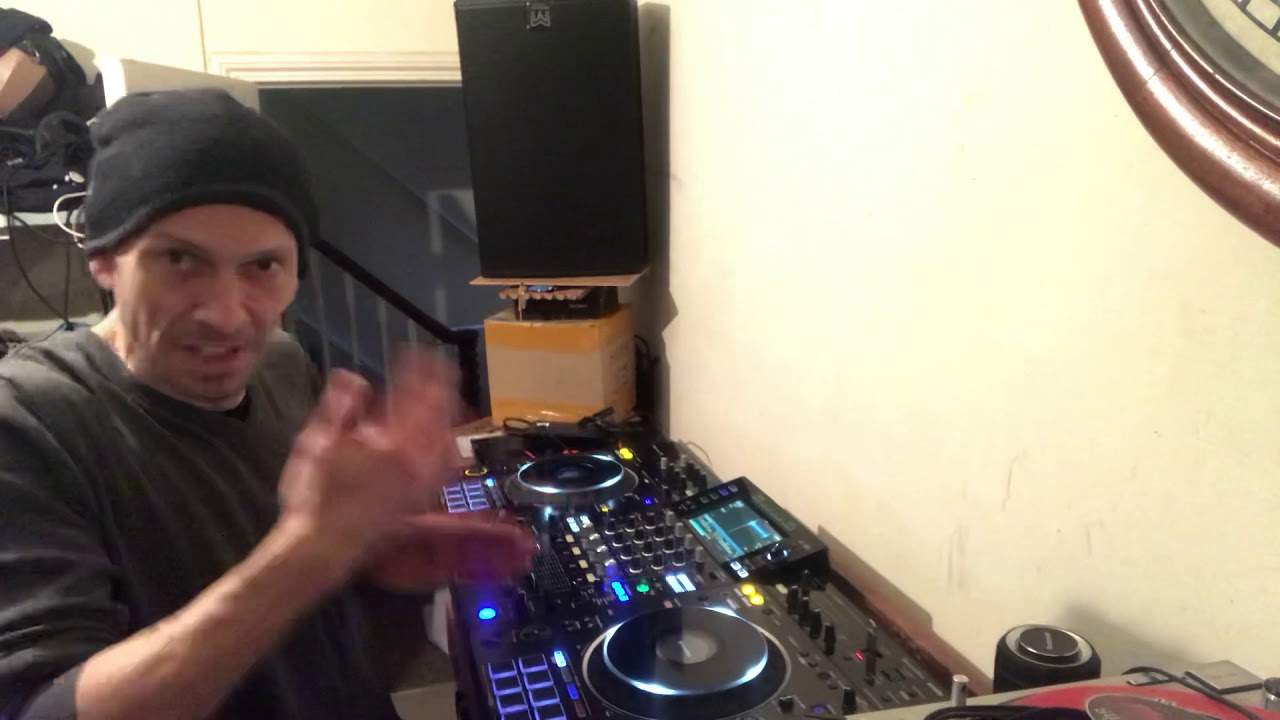
Alright ladies and gentlemen, I did promise you, and here it is. It's the Pioneer DJ-X, DJ-XZ. Yes. So what's my actual first impression? Now it's in front of me. It's in the world famous like place. It's a bit of a beast. It is a bit of a beast. Pioneer kit, familiar with it. I looked at it and I thought it's got the footprint of all of the good quality Pioneer items, but what this has got that perhaps the RX original and the RX2 hasn't got is it's bigger, it's bolder. What we've got here is we've got something in the middle that looks like a DJM-900. We've got the virtual players that are very familiar and very similar, should I say, to the CDJ Nexus. Now some of you may be thinking, well why make a player that will take the place of the 900 mixer and the CDJ? Well the XZ isn't about taking the place of the separates. What it is...
1:49 Were, cdj-, virtual turntables
It's about giving the all-in-one experience of the separates and also it's letting someone who doesn't have a vast amount of money to spend on the 900 mixer and the 2000s, it's giving those people the opportunity of getting that experience for far less. Now this will cost you less than one player, it will cost you less than the DJM900 Nexus Mark II. So as I said in my first video, I explained what I knew about the product even before touching it. Two of the channels are for the two virtual turntables, the other two are for external sources. One feature I do like on this big time is over here we have the level output and we can EQ the level output. Also you've got your normal booth output and right so
Let's relate now to the RX2. One of the features that was usable, but if you were used to the CDJ-2000 and then you went to the RX2, you'd find that the platters, the virtual turntables, the jog wheels some people call them, were a lot smaller. And also they were very loose on the RX2. Now with the XZ they are your box standard size that you would expect to have with or... Same size as the CDJ-2000 Nexus, but also you've got the jog adjust. So you've got professional features on an all-in-one controller without that extortionate price. Now also something that I think is far better than the CDJ-2000 Mark II. Far better than the CDJ-2000M1 and also the original 2000. And the 1000M1, 2 and 3, all of them put together. With a lot of the controllers today, the same with this is that your pads are right in front of you. So for example, hot cues 1, 2, 3, 4, 5, 6, 7, 8. You have eight hot cues. Now I'm not sure yet if you can layer them so excuse my ignorance.
But where's this part of the video going? Well, on the Nexus Mark II you've got four pads. You press a button and you go to the next layer. Well here you've got eight. There they are. Now that's something I didn't find confusing with the Nexus Mark II but if you did say make five hot cues or six you were having to press a button to then go to the next layer whereas here you don't have to. There they are, and you've got eight right in front of you. Now that's a great feature. And also this is very similar to the DDJ-1000 because you've got a small area in the middle of your turntable, inside the jog wheel, and that will give you the information that's on your file. So for example, the name, maybe the track, the BPM readout and so on. So at a visual glance, that's great to look at.
4:33 This player, the best feature by
In an overall look at this player, the best feature by far, and I keep on saying this to everyone, and I do honestly, is that there's no need for a laptop. You do not need to have a laptop because you're only as good as your weakest link. Now as you know with the USB, you've got the square bit, you plug in to the controller that you're using, and that sort of almost clicks in, it fits in, it's a tight joint there. Whereas the flat USB part that you put into your laptop, just try it next time. It slides in and there's always the possibility of that coming out or coming loose. I don't like that. It doesn't matter how good the controller is, how powerful your Mac or your laptop is, you've only got to move that or it becomes loose and that could stop the information passing from one unit to the other and your gig could die a death. Or at least until you start to reboot everything.
Now with this player, like with the RX, the original XDJ-RX, the RX2 and of course the XZ now, if you have all of your files put through the rekordbox software, you have them on USBs or a small external hard drive, there is no need for a laptop. Which gets rid of that horrible thought of something going wrong. Now not only that, if you don't want to use rekordbox, you can just use basic mp3 files. Get a load of house tunes, stick them in a folder, call that folder house and then when you hit your back button and you go to the USB, you'll have the option first of artist, track, key, album, playlist, history, search. Click down to folder, press on folder and then you will open up your folders even if they haven't been put through rekordbox. But in a way I do recommend you use rekordbox because then all of the features of the unit you've got come to life. Right, that's my first little impression on what I've seen so far but this looks very exciting indeed. Practice and enjoy. Thank you.
This transcript was produced automatically from the audio of the video and may contain mistakes.





