 6:33
Pioneer DJM2000 Frequency Mix Demonstration
Contents of the video
0:01 That, let's look at these dials
Alright guys, in this video we're looking at the function on the DJM2000 mixer known as the frequency mix. Now first of all, before we have a look at that, let's look at these dials here. 1, 2, 3. Low, mid and high. Sometimes known as bass, mid and treble. The bass is, let's say for example, the bass sound in drum and bass. The mid is, for example, the melody. Vocals, guitar, keyboards in music. And then the high is for the hand clap, the very high frequency sounds. Now here we've got 1, 2 and 3. Now maybe you've heard of something called an equaliser. They can be bought and used separately in conjunction let's say with a mixer or quite often you will see them in line with 19 inch rack mount bits of kit.
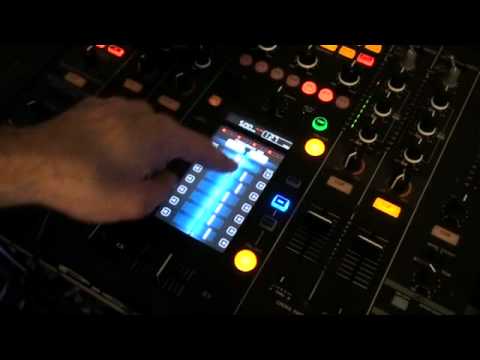
For let's say producers, production artists and also for people who have a vast array of band gear. Let's say on the road you have a band with a keyboard player, guitarist etc. Now here we've got 1, 2, 3, bass. If let's say that was not 1, 2 and 3 but 4 or 5 or 10 of them, you'd have something like this. You'd have low bass, then you'd have mid-bass, you'd have upper bass, then you would have low-mid. Mid, upper mid, then you'd have low high, high and then upper high. So in other words, instead of three, you could have say five, six, seven, maybe even ten of them. Now if we look at this guy here, the touch sensitive screen in the centre of the unit, we've got the equaliser. So for example now, first of all what we need to do to make sure this is working, we need to press on and off. That's quite important because without pressing on and off it's going to do bow diddly squat. Right.
2:19 Let's play the left-hand deck
Touch sensitive, so if I drag my finger through the centre of the screen, we can see all of those white lines have gone to the centre of the unit. Now first of all, we have channel 1, 2, 3 and 4. So by pressing on the left hand side, I can now choose which channel I want to use this side of the EQ. This side. And for this demonstration, I've got the left-hand side on channel 3 and the right-hand side on channel 4. There you go. Right, what I'm going to do as well, if you want any info of the tracks, I'll put the names in the description. So let's play the left-hand deck. At the moment, it's off. So you can see and you can hear mainly that there's nothing going on. Right, let's press on. There's quite a few ways of utilising the touch-sensitive screen.
Is by dragging your finger across either side. On doing that, you'll notice that each frequency will go directly to that side. So in other words, you've almost got an on-off. Alternatively what you can do, you can drag your finger across and that frequency will follow the movement of your finger. And wherever you leave your finger and take your finger off the screen, that's where the frequency will stay.
3:43 Bear in mind this is just a demonstration
Okay, but how is that going to help us in the mix? Right, what I'm going to do now is just get set up a track on the other side. Just get it lined up. Okay, I'm just going to put the camera out a little bit. Right, here we go. Bear in mind this is just a demonstration. Alright, what we can do... If you notice what I was doing there, it's the exact same as using the bass and treble. But instead of just using bass, sorry, bass, mid and treble, but instead of just using bass, mid and treble, what you're able to do is move every single frequency across from one side to the other. So instead of just messing around with bass, mid and treble, you're able to almost... Make the sound precisely how you want it to be. For example, if you want to increase, let's say, the vocals on one side and take the vocals away from the other side, you can do so by using the centre part. Alternatively, let's say the high frequencies at the top, the low frequencies at the bottom. Here we go again. Put them all into the centre. And then when you've had enough, you can do two things. Drag your finger straight down the centre or turn it off.
Small demonstration there, frequency mix functionality, DJM 2000, practice and enjoy.
This transcript was produced automatically from the audio of the video and may contain mistakes.





