 7:52
Pioneer HDJ-2000MK2 Headphones Part 1
Contents of the video
0:00 You have before you the Pioneer HDJ-2000 Mark II headphones
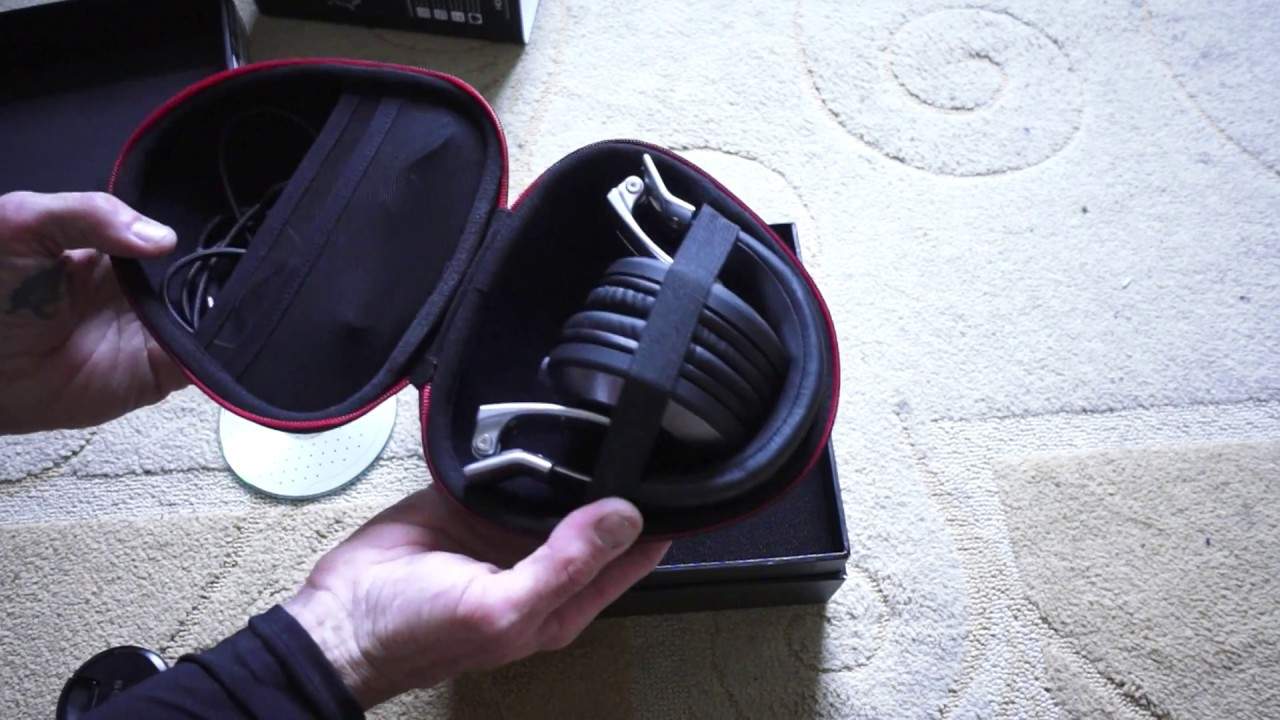
Right, ladies and gentlemen, you have before you the Pioneer HDJ-2000 Mark II headphones. I have a CD next to them simply for size comparison. OK, so let's open the box. So this is sort of an unboxing. I did actually use these over the weekend and I just wanted to put them all together again to show you. The case that the headphones are in. Now I'm going to give you rather a nice analogy here. Are you a brandy drinker? Do you like to drink fine brandy? Now just imagine you're opening a cask, a box and inside is an aged bottle of brandy. This is the image I get when I open these headphones. Time has been taken to present them correctly. So you'll notice that, you see I like to look at the little things, they haven't cheapskated here and thought well let's just cram them into a box just a little bit bigger than the case itself. No, they've taken time to give you a nice presentation. And the box itself is very well made. Now, yeah alright it's a bloody box but...
2:26 Pista Resistance, the headphones themselves
It's all about the presentation and the opening, the start to the finish. If the start is good, the finish should be excellent. So there we go, we have our case and rather nice red metal zipper. Let's open them up. As I said, I did use these over the weekend and there they are. Now then, we have two cables. One straight and one coiled. Now the end on each is a mini jack and you'll notice this area here, it's a screw on to a quarter inch so I can take that one off there and screw that on to the other cable which is a coiled cable. Very important, don't just... So let's have a look at the Pista Resistance, the headphones themselves. Now then, we get the click. Okay, so you've got ease of use. In many ways. Now, one great feature I found apart from the audio as well is this stuff here. Now, I don't know if you can see for the partially sighted, I'm rubbing my finger over some metal and the metal goes all the way around to the other side. Now, some people are thinking, well, yeah, and yeah, yeah, it's metal, so what? Well, that means that they're not going to break.
This is one of the first signs of quality headphones. If there is metal from one side to the other, then you can be rest assured that if you sit on them, they're not going to break. I would highly recommend you try to stay clear, if you want some pro audio headphones, of any headphones that have got a plastic area at the top where you put that over your head. So you don't want that, okay? Stick to metal. Now a lot of the construction is metal as well and we do have a nice movement here, a nice sort of flick as well. So for example if you like to monitor with one ear cup over one ear and then the other one sort of to one side so you can hear maybe the PA, then that is easily done by the movement here and again same on the other side. So both headphones move in
5:14 You do is throw away
The same way click up as well so you can use them like that so for example left ear uh left headphone over your ear and right one pointing in the opposite direction so you know some people like to use them like this so at the moment now i am holding the headphones in the middle with my left hand i have the headphone one of the headphones um facing away from The DJ Tutor allows you to use the DJ Tutor as a monitor. Like I said, when you buy yourself a nice bottle of aged brandy, the last thing you do is throw away the box. What you do is you put the brandy back in the box and you store it away nicely. When your friends come around, open the box, pour them a nice glass of brandy, take time and pleasure
All the steps and then you put it back in the box, which is precisely what I'm going to do. Now, the lid itself has all of the destructions in there, also known as instructions. Now, for any Muppets out there, headphones, of course, you put them on your head and they play audio. The one point I must say is always be wary about... You do not want to get tinnitus, which is not a good idea. I've got a little bit of that. So always be wary about levels. Here's a good tip for you as well. When you plug your headphones into your mixer and you press Q and you have a track on, always make sure that the headphone volume is set to 7 o'clock. Which is zero is off. Why? What you don't want to happen is have a good set of headphones over your ears like these and maybe have the volume two, two or three o'clock, press play and all of a sudden your ears are being just like blasted with very, very big sound. So seven o'clock and then slowly turn your headphone volume up till you have a palatable
Audio level for your ears. Your ears have got to last you a lifetime, alright? And if you do get some form of tinnitus, sometimes it goes away, sometimes it stays, and it never goes away. So you don't want to go down that road, trust me on that. Okay, so let's put the instructions back here. I will put a hyperlink in the description to the Pioneer website where you can get a lot more info on the HDJ-2000 Mark II. So there you go. What a nice way to present some rather interesting and I would say some classic items for your ears. Okay, finish off with practice and enjoy. Thank you very much indeed.
This transcript was produced automatically from the audio of the video and may contain mistakes.





