 5:37
Pioneer rekordbox DJ Video 1 Overview
Contents of the video
0:00 Software, rekordbox mixing, forward
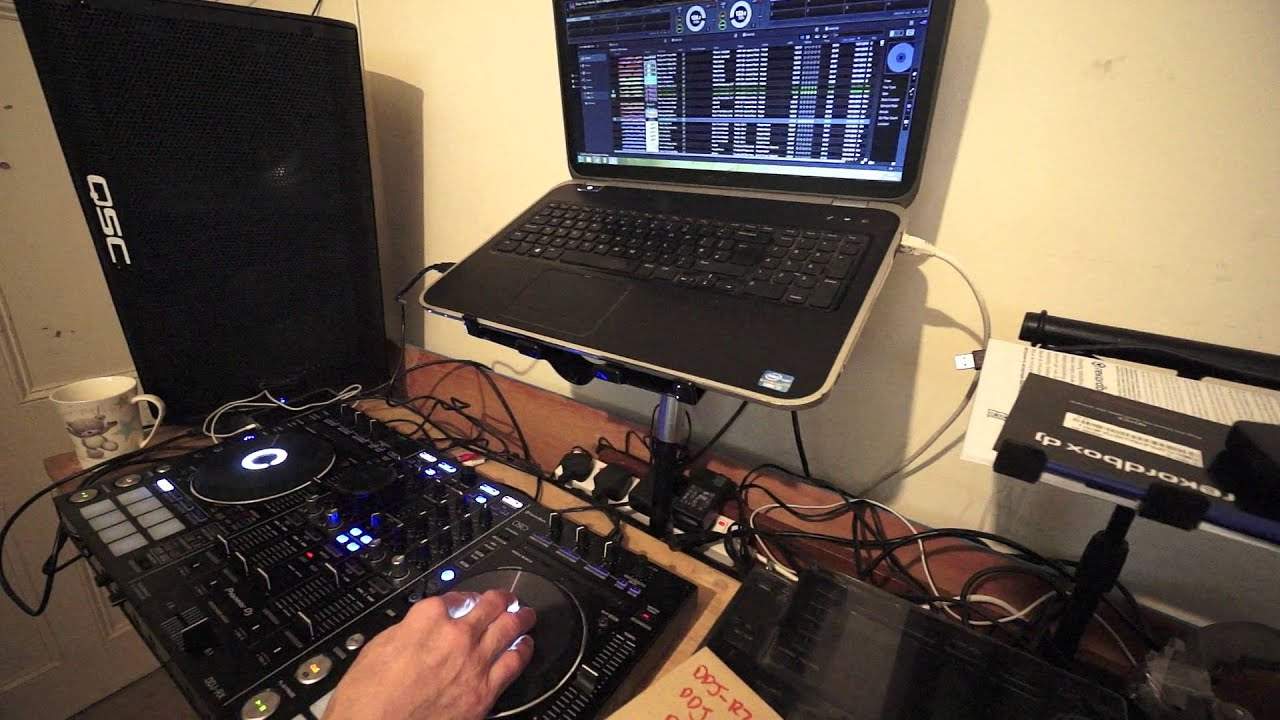
Alright guys, first of all the track I'm using is by Mr Kenny Hectic, a track entitled Don't You Want My Love. In this video it's video number one really on the software from Pioneer known as rekordbox. Now if you're familiar with rekordbox when it first came out it was pretty much a software that would analyze your tracks and you could set hot cues, you could form beat loops etc on the software Or in the software, should I say, on your laptop. And also you could plug that into your CD player and then use the tracks on the software directly to a CD player. But more recently what Pioneer have done is they've brought out their own software again called rekordbox for mixing purposes. So instead of just...
The original rekordbox where you couldn't really do any mixing, now you can and you can use the new rekordbox software in conjunction with a controller as well. Now at the end of this video I will give you a list of all of the Pioneer kit that is suitable for the rekordbox software. This is going to be video number one, very straightforward, very simple. This software has got the lowest latency in the industry. Now what that means, latency, is about the communication between the laptop, the software and the hardware. So for example if you want to do some scratching and at the moment I've got the DDJ-RX. Now I'm using the DDJ-RX moving the platter backwards and forwards No difference in me moving in relation to the sound I'm hearing. Now, on some softwares, some controllers, as you move the platter forward and bring it back, the movement does not correspond exactly with the software. You may find that as you move it forward there's a millisecond of a gap before the sound moves forward.
2:20 Working background, laptop
When you move it back, there's a tiny gap in between the movement of you moving the platter back and the sound. Now with this software, you don't get any of that at all. In fact, I feel very confident using this just as I would with using a CDJ from Pioneer as well. Okay, also, very low CPU and memory required. So what that means is that, of course, let's say for example, You've got other apps being used on your laptop. Well, normally I would highly recommend, in fact I'd recommend this anyway, but let's imagine you've got other apps that you didn't really know were working in the background. Well, because there's low CPU being used, it's less likely that you're going to have problems, the computer is going to crash or you're going to get any lag. So that's a really good feature. What that also means as well, I could be sticking my neck out here, but usually with other programs, it's a good idea to have a good amount of RAM, readily available memory on your laptop and a lot of good laptops
4:04 Check out the link in the description
We'll have 8 to 16. I'm not saying you need that for the rekordbox software, but maybe you don't have to be as wary about having other applications working in the background. But if you are going to use any form of DJ software, it's always highly advisable that the laptop you're using has not got anything else in the background. Okay, I'm going to give you a list now of the bits of hardware. That are compatible with the rekordbox software. We have the DDJ-RZ, the DDJ-RX, the DDJ-SB, the DDJ-SR, DDJ-SX and also SX2, DDJ-SZ, XDJ-1000, the DDJ-WEGO3, CDJ-2000 And the Nexus, CDJ-850 and the CDJ-350, CDJ-900 and the Nexus as well. All right, this is video number one. Check out the link in the description. It will take you to the Pioneer DJ website where you can not only download the rekordbox software, you can give it a go as well. Now the original rekordbox software is for free. This software on the other hand
It's for free on a 30-day trial basis and then after that you do pay it, pay for it. But it's a good way of testing it out first. There'll be information in the description on how you can get the rekordbox software and also info on this track from Mr. Kenny Hectic. Again, a track entitled Don't You Want My Love? Practice and enjoy. And by the way, this tune has got one wicked bass line. I'm just going to let it drop. Nice one. Ooh!
Thank you very much. Practice and enjoy.
This transcript was produced automatically from the audio of the video and may contain mistakes.





