 5:57
Pioneer SVM-1000/ dvj-1000 Fun with looping
Contents of the video
0:00 Bit of a demo and a tutorial here
Alright folks, bit of a demo and a tutorial here. What we're looking at is we've got two tunes or the DVDs from this guy here from the August 2009 pop issue from Mix Mash. I've got on this side track number 7 from disc 1 which is Daniel Bovee featuring Roy Rocks and Nelson tracking title Love Me and then on this side over here which is from disc 2 which is track 2 LMFAO I'm in Miami Trick. Oh there you go. Right, so what I'm going to do, this one here, I found a wicked sound at the beginning of the track that I can loop and incorporate it into this one over here. And because there's not much going on with the actual loop, it's just... I could bring it in and out and shake it all about, all over the place. So what I'm going to do, I'm just going to get rid of this loop at the moment and we'll start from scratch.
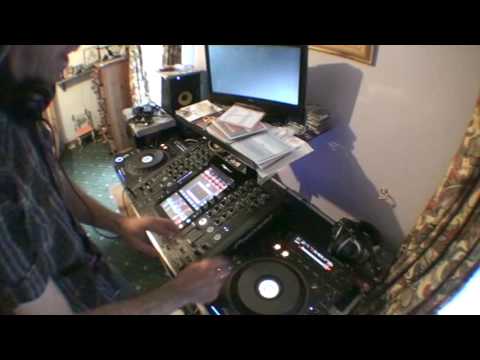
At the moment I've got the wide angle lens so you can see a whole load of shit going on and I'm going to take that off very shortly so you can just have a look at the effect that we can get. So first of all let's have a listen to this track here. Right, this one here is Daniel Bovey, OK? Right, now check this out. Now, I don't want any of that or I just want... That's all I want. So, right, check this out. What I can do, if I hit, now we're right at the beginning of this track. There. Actually, we're not right at the beginning. Sorry, right, I'm not going to edit this. What I did, I'd already done the loop and I had a cue point at the part where I did the loop. I need to get it right back to the beginning of the track. I don't necessarily have to get it back to the beginning of the track but I want to show you what you would do let's say if you had to put it at the beginning of the track. Quite logical. Right, let's press play. There we go.
2:15 Let's find that first beat
Right, let's find that first beat. There. What I'm going to do, I'm going to hit the 4 beat 1 track button over here. So what basically happens, I'm going to get a 4 beat loop. Cue it. Now at any time, what I can do, I can bring that loop in. In beat, in time with that track. Now admittedly I may have to pitch it down here which is just out of camera view. I may have to increase or decrease the pitch to get it in time but I will be able to do that. Again you can do that on the headphones. You don't have to have it up straight away. You can have volume down and the visuals down, beatmatch it correctly and then bring it back up. So right let's play this track here. Let's go back to 7. Right there we go. See? Punk TV this. No editing.
Let's just, should we fast forward it? No, we'll leave it like that. Okay, what I'm going to do first of all, just put my finger on the cue. By having my finger just on the cue, I can bring the track in. So as soon as I take the finger off the cue, it goes right back to the beginning of the track. Let's have a listen. Right, let's get that loop. Press play. Finger on the pitch. Here we go, crossfade. Together. Now I can do back and forth with this so I can make it, well I can reverse it.
4:38 I'll take the wide angle lens off so you can see the visual
Okay, I'll take the wide angle lens off so you can see the visual. It's blurry! Pick the pants out. Okay, cue it up, take it off, flip-flop, so we're just going to go forward one bar loop. So that's the track number seven, okay? That's the audio and the video, and this is track number two, audio and video. And then put them together. It's alright, that's for me nose hairs. There you go, another bit of a mess around here. I'll put a link in the description where you can go and check these out, the mix and mash things. Practice and enjoy!
This transcript was produced automatically from the audio of the video and may contain mistakes.





