 7:24
Pioneer WEGO4 Introduction
Contents of the video
0:01 It's the Pioneer Wego 4
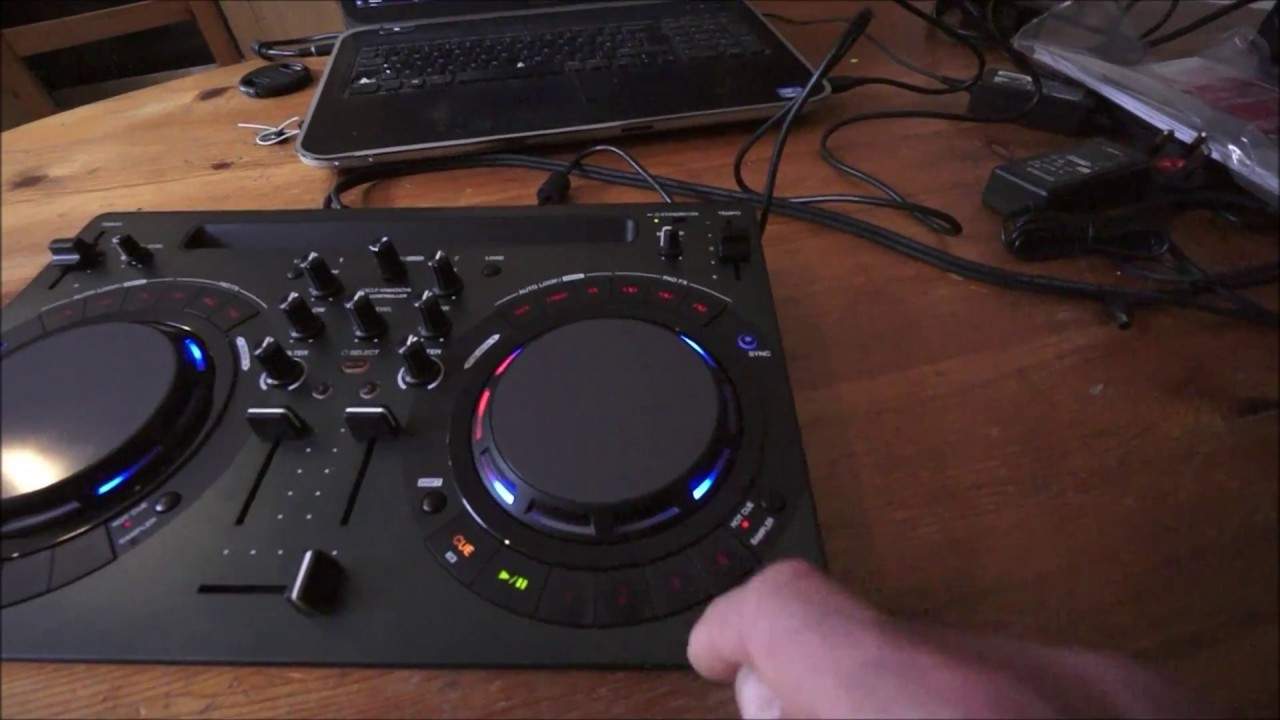
Right guys, it's the Pioneer Wego 4. Let's have a look at it. Okay, instruction manual, USB, there's the power supply. Wego, off we go. Quick tip for you as well. There is actually a way of getting the cheapest flight case in the world and that is keep your box, okay? Just put that on the floor over there. If you keep the box and maybe put a little bit of gaffer tape around the corners, it should last indefinitely. Right, Wego 4. Pretty much identical to the others, except for... I can see 5V input here, that looks like a USB. Now, very quickly as well, the Wego is not a toy. Do not think for one second because it's small and compact and it is definitely not a toy. I have taken the other Wegos I had with me to gigs and they have worked perfectly and never let me down at a gig. Okay, so there you go. Just quickly, we can use the Wego 4 with Pioneer's standard software which is rekordbox.
2:42 Laptop, power
We can also use it with their new software, which is WeDJ, which of course you can use on your iPad or your iPhone. You've also got the DJ app, which is great. That's been around for quite a while. And VJ, which is Video DJ. So this is why I like the WeGo series because it's small, compact and you can still do video mixing. You know, you go back 10 years, you'd have had to spend in excess. The DJ Tutor is available for £7000 or £8000. Quite neatly at the back of the WeGo 4 along with your phone and just use the tracks directly from your iPad or your iPhone. Back of the WeGo 4, DC in, we have a USB that's going to the laptop as well. Very quickly, if you're going to be using the WeGo 4 at a gig, it's highly recommended you do one of two things.
Not one of three. You either plug in your WeGo4 directly to the mains or you make sure that your laptop is plugged into the mains. You do not, well I say you don't, you can if you want to, but it's highly advisable not to plug in from, of course, the USB into your laptop and then use the power from the laptop to power up the WeGo4. Simply because if you're halfway through a gig and your laptop starts to lose power, you don't want to be running around for the power supply for either the Wego 4 or your laptop when you're on 10% left on your laptop. Again, if you are using it bus powered, it will use up more power so the laptop battery will not last as long. Okay, so we have USB in here, that's for the likes of your iPhone or your iPad.
Out, audio out, that's going into the QSC K8 at the moment over there which is facing the wrong direction. Quarter inch mic in and let's have a listen. What we've got is Deep Dan, the original mix by Fracture from Karmic Power Records. And on the other side I have got a video of my son on his third birthday to... Legoland and we have Virtual DJ. Okay, so I'm just going to pause that, have a look at some hot cues. We're on hot cue, so one, two, three, four. I believe that's sort of set into quantized mode because when I'm pressing that half a dozen times very fast, it's only kicking in on the one.
5:06 Get rid of those, press shift, there we go
Which isn't a bad thing to be quite honest. What I like about that is that if you are slightly off beat, it will put it in beat. So I'm going to delete those now by pressing down on shift and while my finger's on shift, pressing those buttons and now we can re-record those hot cues. I'm going to actually record one slightly off and let's see if it's on even though I hit it slightly off. There. Yes. That's good. Like it. Okay, so get rid of those, press shift, there we go. Right, loop mode, now we're in loop mode. Okay, we can extend that or we can halve it. That loop mode, press it again. Okay, don't forget as well to browse, very simple and press down or alternatively you can just load up, of course.
I can't load that at the moment because it's telling me the song is already playing on this deck. Are you sure you want to stop it? Of course if I don't, that's a great feature as well because you don't want to be halfway through a gig or like, I don't know, just played a track and you accidentally load it to the deck that's already playing. This video is about powering it up. Okay, it is bus powered. What I do like is, yeah, you know, you can pretty much take your laptop and the WeGo 4 and you can also take maybe a couple of powered speakers. So imagine that, powered speakers from your RCA out into your powered speakers using the laptop fully charged. And you can go into a park somewhere and have a bit of a gig. All right, check out the link in the description to Pioneer DJ website. Practice and enjoy. Thank you very much.
This transcript was produced automatically from the audio of the video and may contain mistakes.





