 5:58
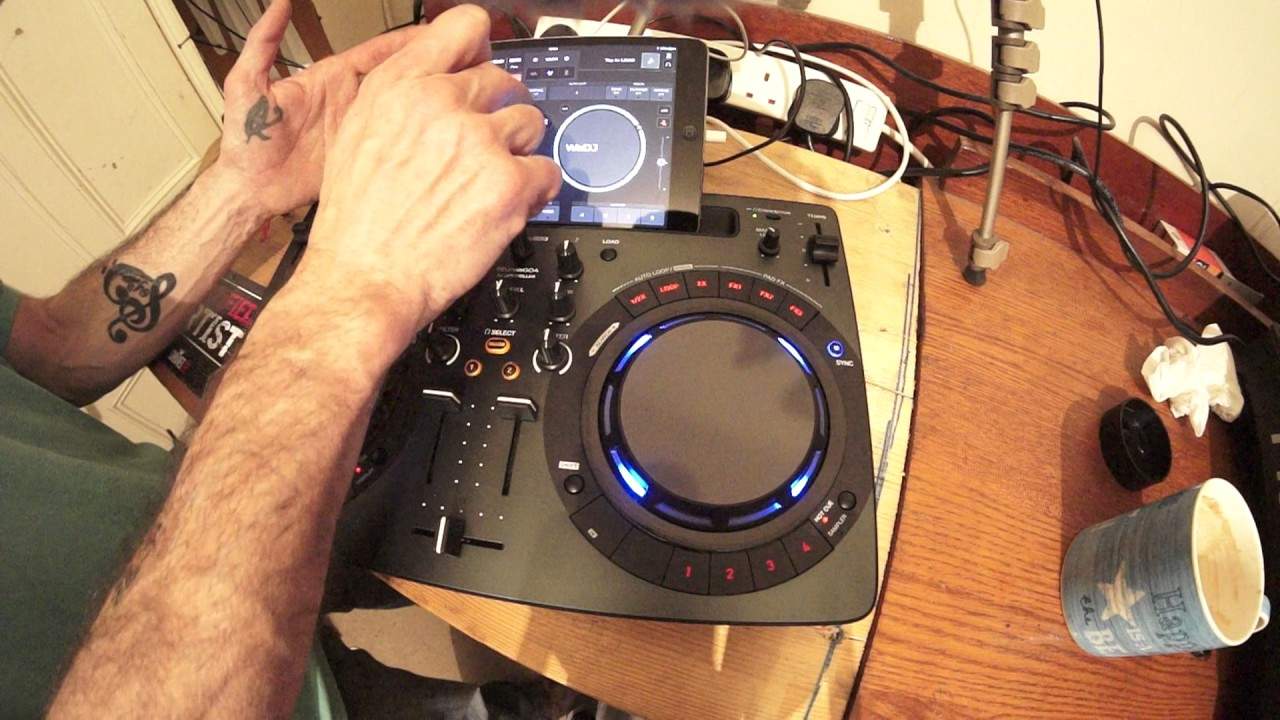
PIONEER WeGo4 with WeDJ APP
Contents of the video
0:00 First of all the tuner I'm using is KPR-164 from Karmic Power Records
Alright guys, first of all the tuner I'm using is KPR-164 from Karmic Power Records. It's by Disco Zen. I'm using the Pioneer WeGo 4 and also the WeDJ app from Pioneer which is on the iPad Mini. Now this is their own version of software that can be used with the likes of the WeGo 4. Also, what's great about the WeDJ app is that you don't even need the hardware. You can pretty much use just the software by itself as I am demonstrating now. Got my finger on the iPad Mini and I am moving the music, even while it's plugged into the piece of hardware as well. Okay, so first of all we go for, we have filter low and high, so no longer do we have bass mid If you plug this in to your Mac or PC and use the rekordbox software, you can change the filter back to low, the low to mid.
1:41 A very basic look video one showing you the WeGo4 and the WeDJ app
And the high will stay as high. Now also what's great about the WeGo 4 is that it's got very basic USB output, which means you can plug in your iPhone or as I've done my iPad, directly into the WeGo 4. Okay, so again what I do like very much in DD is the filter effect. It's, I would say, beyond shadow of a doubt. It is the best effect known to man, or known to DJ should I say. Okay so a very basic look video one showing you the WeGo4 and the WeDJ app. Now bearing in mind that once you've fitted the two together there is so much you can do. Now also one great feature that you do find now On the likes of a small controller like this that was normally with the big players is slip mode. So if I get a slip, now I have got the use of slip mode on a simple controller like the Wego 4. So I'm going to pause that. So right, how does slip mode work? Now let's imagine our track starts at 1 and finishes at 10. So 1, 2, 3, 4, 5, up to 10 and so on.
We start our spin back without slip mode engaged. We start our spin back at 5 and we spin back so it goes 4, 3, 2 and say it stops at 2. Then the track then will then start again at 2, 3, 4, 5 and so on. Now as we spin it back when we stop it if we stop it off beat it's going to sound as though it is off beat. With spin back engaged, sorry spin back, slip mode engaged, this is what happens. Our track will play 1, 2, 3, 4, let's say 5. We spin back and say we spin back to 2. So 5, 4, 3, 2. 5, 4, 3, 2. We're spinning back 4, OK? All from 5, so if we class 5 as 1 anyway, 5, 4, 3, 2, we're spinning back to 2. But what actually happens is the underlying track carries on playing 6, 7, 8, 9. So what happens as soon as the spin back stops, it will go back to where the track should be if it was playing naturally anyway. So it is actually a great feature. It means that you as the DJ now can spin back.
4:00 Again, I'm using a couple of tracks here
And the crowd aren't going to start falling over themselves trying to find out what step they should be on. Okay, so what I'm going to be doing hopefully soon is more videos on the WeGo4 connected to the WeDJ app. Now again, I'm using a couple of tracks here. We can select the tracks using the browse. We've got high, mid, sorry, high, low and filter. The hardware can be used, well in fact they all can sorry, via the software as well. So again a small feature here I will explain in great detail for the partially sighted as well. While the track's playing around the outside of the virtual turntable you've got a nice kind of sort of pulsing image around the outside of the deck now or the virtual turntable and that's
Going on with that, that's pulsing with the beat as well. So you've got a visual look of that beat and the timing. In the centre then of the virtual turntable, you have got the BPM and also you've got the percentage of the pitch as well. So at the moment now it's on zero and as I decrease we're going to minus five, seven and so on. We can use key lock as well if we want to. And at the moment we're on plus and minus 10 on the pitch, and we can change that as well. There is so much more to this. I mean, I am literally scraping the service. This surface service. This is video number one. There will be info, as I said, on the tune from Karmic Power Records, also the WeGo4 and the WeDJ app. All right? I hope that's been a help. Finish off with practice and enjoy. And get mixing, ladies and gentlemen. Thank you very much.
This transcript was produced automatically from the audio of the video and may contain mistakes.





