 8:46
Pioneer XDJ-RX Sound Colour FX in Depth Overview
Contents of the video
0:00 Sound colour effects on the RX
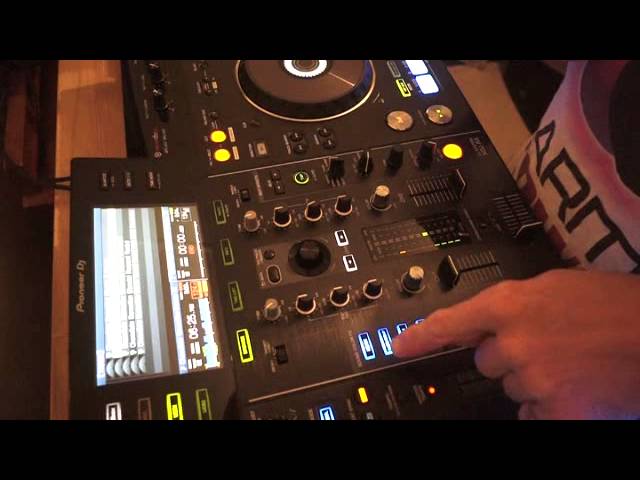
Alright ladies and gents, we're looking at the XDJ-RX from Pioneer's DJ System. I would say it's for mainly the mobile DJ. The track we're using is Chocolate Sensation by Mr Lenny Fontana. The mix I'm playing is House of Virus Remix. In this video we're going to look at the sound colour effects on the RX. That rhymes. We're looking at the noise, gate compression, crush and filter. I'm also going to give you a few tips on how to use them. To get the best sound out of those effects. Okay, first of all we're going to look at the noise also known as white noise so let's press play again by the way at the moment I've just got a loop of the chocolate sensation track turn it up a little bit okay so we have the color dial and now i can turn this dial and we get the noise effect of course we only get the noise effect
If we have the noise button flashing, you can see that flashing blue. Noise effect does not affect the track in any way except it adds what we call as white noise over the top of the track. Alright now I did say earlier I will show you how to get the best effect from the effects. Now what we can hear is as we increase and decrease the volume of the track We're also increasing and decreasing the volume of the white noise. But to get the best sound from white noise, or the noise effect, what you can do if you want to is this. We have that side playing. I'm now going to bring up the volume on the other side. Turn the trim all the way down, turn the colour dial, we can't hear anything at all. Have a listen now to the noise once I start to turn the trim up on the other channel.
2:19 Let's listen to the comparison
Let's listen to the comparison. We have the noise effect just lightly in the background by using the channel on the other side. If we use the noise effect on the channel that's playing the track itself, it's quite predominant over the track itself. So what this is telling me, what should tell you, is by using the other side and adjusting the trim, you're able to adjust the audio volume of the white noise Over the track that's playing, thus giving you a better overall control of the sound, the volume of the white noise over the track. So again, trim at 9 o'clock. I'm going to slowly start to turn the trim up and by turning the trim up we're also increasing the volume of the white noise until it comes to a point where it's
4:02 Back to 12 o'clock and now the effect is completely disengaged
Just overpowering. And you can see that as well by looking at the LEDs. Okay, let's have a look at gate compression. This is a great effect for what I would class as stuttering the track. Turn it to low and what's happening, it's almost as though it's taking away. If we looked at the wave format, it's taking the middle part of the wave format and leaving the high and the low. So all we're left with is almost as though we've just got the kicks. And the high, so we've got the bass and the snare. We get that sound if we move to the low, if we go to high. What we're hearing now is almost as though it's a big room sound, as though we're in a huge room and we're trying to push as much sound into there as possible. Back to 12 o'clock and now the effect is completely disengaged. It's going to crush, filter, but what's happening is it's almost as though
The image I have here is a little bit like a bag of shells being chucked at the track, like loads of bells and whistles and shells being crunched all over the sound. Now two things I'm going to do here with the gate compressor and the crush is I'm going to now turn the colour dial with the two effects disengaged position around about seven o'clock sorry seven o'clock about sort of eight o'clock turn the gate compression on so on and off so i'm now pressing gate compression disengage compressing and so on turn it the other way to about four o'clock same with the crush now turn the crush to about eight o'clock using this technique you're not getting that sweep you're just getting that sound of the effect straight in and straight out
You can do exactly the same with a filter. Let's engage the filter, have the color effect at 12 o'clock, move it to the low position. Now we're going to keep on filter and move it to the high position. I'm going to do exactly the same now with the filter as I did with gate compression and crush. Turn that to around about the 8 o'clock position, engage filter. Turn it now to the 5 o'clock position, do exactly the same thing, engage. Here we go. And slowly bring it up.
7:23 You're not just moving it over, bang, bang, bang
If I was to have red and white, what I'm doing here, I'm giving shades of pink. I'm adding a little bit of white to the red, slowly adding more white and getting a lighter shade of pink. So that's what's happening here by using the color effect in this manner. You're not just moving it over, bang, bang, bang. What you're doing is you're slowly moving it to get a tiny different shade every time you move it. Another way of using this dial Side of the finger, engage the filter. And with the side of my finger now, I'm going to rub the side of the colour dial. Okay, you can use your three fingers, two fingers if you want to, but I find you move a lot quicker if you use the side of your finger like so. Okay, hope that's been a help. Don't forget the track you're listening to, Chocolate Sensation. I will put a link in the description. It's a bit of a killer cut. If we go out of the loop, there you go. It's one hell of a track.
Practice and enjoy Karmic Power Records in the house. Thank you very much. Take it easy.
This transcript was produced automatically from the audio of the video and may contain mistakes.





