 4:15
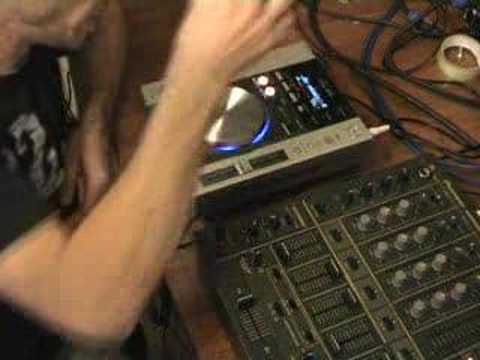
Quick demonstration of the Pioneer CDJ-200, Video 1
Contents of the video
0:00 A few people have asked me to demo this guy here
Alright folks, Jonathan here. A few people have asked me to demo this guy here. It's the Pioneer CDJ-200. Right, again, a very quick and brief demo here because what I will be doing in the future is doing specific videos on specific little gizmos and gadgets that this guy's got. First of all, construction wise, yes it's plastic, most of it is, but whatever is plastic should be plastic and whatever's metal should be metal. Yes, it's actually got bits of metal which is nice to see on CDJs. Right, the metal bits, of course, the jog wheel gives it a nice feel. There's something about it. It just gives it a little bit of quality. And then you've got the cue and the play pause, which is metal as well. Now then, you've got three effects on here. One called jet, one called zip, and one called wah. Right, I'll give you a quick demo of these guys as well. Here we go. Right, this is the jet. Right, that was jet. This is zip. Right, this is wah. W-H, sorry, W-A-H, beg your pardon. Okay.
1:20 What do those three do?
Now then, what do those three do? Right, now then, the jet is basically phasing. It gives you that tunnel effect. The zip, what that does, it will actually keep the actual beat of the track at a constant. It won't change the beats per minute but what it will do, it'll change the actual key so it'll sound really weird. And then the wah sound, what that will do, as you manipulate the jog wheel, if you turn the jog wheel one direction, it will get rid of all the mid and top slowly and just give you bass. Boom. And then if you manipulate the jog wheel in the opposite direction, it will then slowly get rid of all the bass and only give you mid and top, which is quite a nice effect. In future videos I'll show exactly what you can do with that, which is quite balmy actually. Right, again, you can play MP3s with it, it's got your samplers.
It's got your folder search, it's got a very good, very nice slider. The actual pitch control is quite neat on this. You've got master tempo, so by pressing the master tempo what that does is, let's say for example you want to keep the key, the tone of the specific track but you need to slow it down. By pressing master tempo it keeps the key but it will reduce or increase depending on which way you actually move that pitch control. It will actually keep the key but it will speed it up or slow it down. Tempo, you can either have plus or minus 6, plus or minus 10, plus or minus 16. Now on the back of this, which is quite nice as well, there's a little head... I know some people miss this but it's quite a cool idea. It's got a headphone socket. So let's say for example, you want to just listen to a track and have a go and mess around with this.
2:55 You can plug your headphones in the back
Well, you can plug your headphones in the back. There's a small little volume control so you don't need a mixer. You can just bung a CD in there and just listen to it. A lot of CDJs nowadays have just got the outputs into the mixer so you can't listen to it by itself. With this guy, you can. Again, like I said, or did I say? Forgotten, never mind. It's got the sampler so you can do your loops, etc. Right, I'm going to go slightly more in-depth in future videos but it's a basic idea for you and I think it's a nice piece of kit.
By the way, did I say, practice and enjoy. Thanks for watching.
This transcript was produced automatically from the audio of the video and may contain mistakes.





