 3:37
RELOOP IQ.2 USB MIXER, Demo with the X Fade and FX video 2
Contents of the video
0:01 It's by Jeremy Sylvester, it's entitled Move Your Body
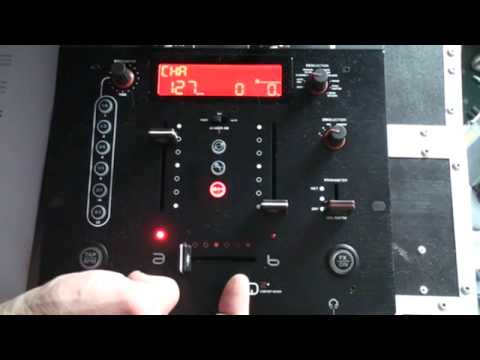
Alright folks, video number two on the effects using the crossfade on the IQ2 mixer from Reloop. I'll put a link in the description that will give you more info on this mixer and also a link in the description that will take you to the website where you can get more info on the tune I will be using. It's by Jeremy Sylvester, it's entitled Move Your Body. Right, so let's press play. What we've got is this guy here, this is known as the stutter effect. This one here is pitch and this one at the top is the loop effect. Now you'll notice here when we have this effect, the stutter effect sorry, you'll see a zero at the top here. Now watch what happens when I move the crossfade over very slightly. We get a one and also we get a one loop. A one beat loop. If I move it slightly over even more, we get number two.
2:24 Video number two on the crossfade on the IQ2 from Reeloo
Now we're going to go to the center one, which is the pitch. Now what this does, it almost sounds as though it's slowing the track down, the key of the track, but it does keep the same speed. Okay, we'll go to this one at the top, which is the loop effect. What we can do now, you can use these buttons here. A one bar loop, a half bar, one beat, three quarter, half or a quarter of a beat loop. Let's go to four over one. One bar, two over one, two beats, half a bar, echo it out as well. Is we're getting that echo effect, but as we move the crossfade over, the echo starts to disappear as well. So imagine that in conjunction with a mix using the crossfade while you've got another tune coming in. Okay, video number two on the crossfade on the IQ2 from Reeloo. And don't forget the track Jeremy Sylvester, Move Your Body. Practice and enjoy.
This transcript was produced automatically from the audio of the video and may contain mistakes.





