 11:45
Review of the Canon LEGRIA mini & a DJ Lesson ( this video is in low quality)
Contents of the video
0:01 Demonstration stroke tutorial and also a review of the Canon LaGraia
Alright ladies and gentlemen, demonstration stroke tutorial and also a review of the Canon LaGraia. It's a rather small particular camera with a very very wide angle lens. Now I will have my back to you during the course of this video because I'm doing a demonstration stroke tutorial so you'll get the general idea but if you want to watch this demonstration tutorial in wide angle feature then... Check out the link in the description because I will also be recording this video on this small camera. You can just see there, it's called the Canon Legria. It's a very small, petite, very wide-angle lens. Also at the end of this video, I'll be doing a short review using this camera, but for the rest of this video, I'm going to have my back turned to you to apologise and I'm going to be doing...
I'm going to be doing this tutorial on La Graia, so without further ado-doos, I'm now going to press record on this one over here. And by the way, you will be able to find that video because I'll link it. So this one will be linked to that, that will be linked to that, they'll be linked to Twitter and they'll be Facebooked. Thank you. Right, so let's press record there. Right, ladies and gentlemen, demonstration strip tutorial for you on bringing a loop into the mix. And then bringing another track in over the loop. Now there are other videos I've done similarly, pick my nose, not picking my nose of course, about bringing a loop in over the mix. But on the odd occasion there was a certain track that's got a big vibe, it's got this big chunky vibe. Sorry I got me back to you haven't I? Don't care. Sorry it's that camera over there.
It's got a really big, chunky sort of vibe to it, the beat. And sometimes it's nice just to let that roll on and just let it play. So that's what I found with this particular cut. So what we'll be doing is we'll be having a track on deck one. I'll be mixing in a loop of a fantastic beat on deck two, go back to deck one and bring in a third track. The tracks I'm using from CDPool, they're from the global releases from November 2013. The first track will be track number 5 from disc 2. The second track, The Loop, will be track number, I've got everything noted here, track 2 from disc number 1. And then the third track here will be track number 10 from disc number 2. So if we go to, where are we, track number 5...
2:38 This one here, already got quite a nice vibe here
This one here, already got quite a nice vibe here. Now again I'm not using any headphones so bear that in mind and the emphasis here is I want to try and incorporate the loop over quite a bit of this particular cut, slowly bring this cut out and then as quick as I can bring in the next track over the loop and then slowly bring the loop out. Now, if I was able to, which I can do with these players, quantize that loop, I could just let it go all the time. But because this is a demonstration straight tutorial, it's going to be a little bit rough. I'm not using any headphones, but hopefully you'll get the general idea. Alright, so this cut here. You can hear it's a nice sort of vibe, but... I'm just going to pause that, but it's not as chunky as this. Now that, that's like, you know, from the first bang!
4:26 Let's imagine we're coming towards the end
You just, you know, you get the goose bubbly bumbles and you just love it. So that is the cut we're going to mix over this one. Now first thing I need to do of course on my headphones if I try beatmatching. So let's imagine I'm using the headphones and I'm beatmatching this one that I'll bring over the top. Okay right, so we're pretty much there. We're coming towards the end of this track. So let's imagine we're coming towards the end. We're on the last set of 30 seconds. Here we go. Need to get ready for track 10. This is our loop. Here we go. Filter. Never mind. Okay. Right, again, as I've said many a time with my particular tutorials, do apologise, I've got my back to you. It's about taking a few tips and tricks from what I do and taking it to the next level. So I will say practice and enjoy on the Canon.
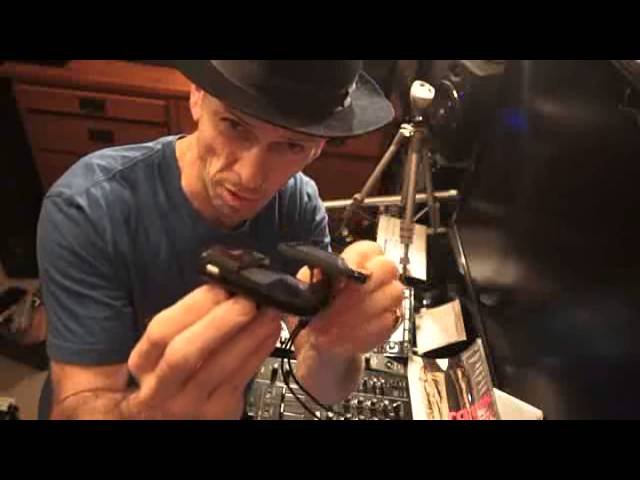
And we'll go back over to that one and have a look at you, okay? So, right there you go, sob them now, I don't care. Really, they can go and like do whatever they want here. Right, I'm going to now take this off the stand and show you this rather nice piece of kit. Now that, oops, sorry, cannot focus. That is it. In fact, I suppose I should be doing this the other way, shouldn't I? Yeah, I'll tell you what I'll do. My punk style, I'll put that back on there, stand. And what we'll do is, I'll take this off here. Right, that is it. Now, I'm going to tell you a little bit about it. I'm not going to give you all the spec and whatnot. It will do HD recording and you can set HD levels as well. So if you're like me, you've got crap connection but you still want it to be HD, you can do sort of 25p or 17p.
7:12 One great feature is the screen moves like so
So, one great feature is the screen moves like so. Now, the thing I noticed about the screen and the way it moves, it's not tacky, it doesn't feel as though it's going to fall apart, it's exceedingly sturdy. In fact, alright you don't pull it but you've really got to, not yank it, you've got to... Put a bit of pressure behind moving it. Now that's not because it's stiff, that's because they've made it like that. I like the way they constructed it. It's solid, it's big, it's bold. It says one thing, it's not going to fall apart after about two or three months. Now again, the screen is touch sensitive. It's also Wi-Fi enabled which is fantastic and as you can see you can move the screen like that. Now you'll notice on the underside here I've got...
A connection there, an adapter for a tripod. So any tripod that comes with the particular adapter, you should be able to plug in... Let me just try and find... Right, so there you go. You see? See that, right? See, if I just put that in there... Normally use something like that. Don't care. Alright, I'm going to take that out there. Okay, right. So there we go. Right, I'm just going to turn this off. And very simple, there, on and off, and that's it. As soon as you turn it off, you'll notice that the cover goes straight across the lens, which is great. And you've got a small, tiny little, it's almost like a double kind of leg that pulls out, and that elevates it slightly so you can get certain angles. You've got an area there for HDMI, also your power in.
9:39 Log in to the likes of YouTube and upload it from the software
And if we go to the other side, this particular camera came with a mini SD, fits in there, and you've also got mini USB as well. Now what you can do is you can use the Canon software, comes with software, and that will enable you to do whatever you want with the videos, you can edit it etc. If you want to though, you can go into your computer, you can find the Canon. You can download the files you've just made and then you can just sort of drag them over to your PC. So you don't really have to use a software, you can just like drag them over. So if you just want to do it really quickly and not mess around with the software, just computer, find this, find the file you've just made, drag it over onto your desktop and then you can upload it where you go. But the software that comes with it, there is a part of the software you can...
Log in to the likes of YouTube and upload it from the software. So, I mean, to be quite honest, it is what it is. It's a very small camera but what I do like about it from my point of view is I love the fact that you can get close up and get wide angle. Now at the moment I'm using a very expensive camera that probably cost me about two grand and it's... Relatively far away from the decks, but we're not getting a wide angle. Admittedly with this one I could buy a wide angle lens, but if I wanted to buy a wide angle lens for this camera it would be the equivalent of probably buying one of those. So for the sake of a lens you can buy a complete camera. And of course, for someone like me, or maybe you, if you do DJ tutorials, or if you want to do mixes and get people to see your mixes, you don't have to have the camera about 20 foot away. You can have it literally there. It was two feet away from the decks, and you've got a good image. The one feature I would have liked to have seen on this, but again, could be in the Legra 2, sorry, Legria 2, is...
Thank you for watching.
This transcript was produced automatically from the audio of the video and may contain mistakes.





