 2:28
Stanton Da Scratch SCS.3d video 1
Contents of the video
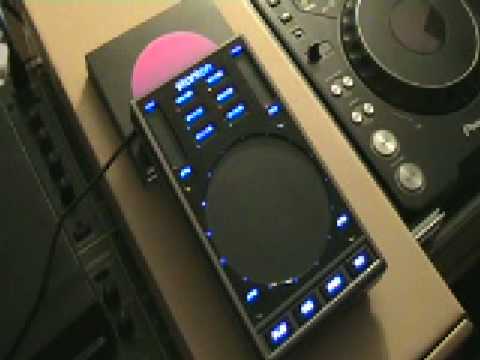
Alright folks, what we're looking at here is a PC program known as Traktor. What we can do using this particular program is we can mix the music from the computer. Alternatively, we can maybe use music from an external music source like an external hard drive or a flash drive. We can bring the music into this program and we can form a bit of a mix using the two virtual turntables and the mixer in the middle. Now this is video number one explaining this guy here. This is from a company called Stanton and it's known as Da Scratch. Now first of all, it's quite similar to the likes of a chaos pad because we've got no knobs, no dials. What we've got are touch sensitive areas and by moving around using our finger on the touch sensitive areas, we can manipulate the music from the likes of Traktor or Serato.
Now basically what we can do is we can increase, decrease pitch, we can use the effects, we can change the EQ, we can loop, we've got vinyl mode, we can increase and decrease the volume. Now this area here is not dissimilar to the likes of a jog wheel on let's say a CD player. Also it's near enough exactly the same as let's say the platter on a vinyl turntable. Okay so what we've got here, we've got presets for Traktor Studio 3.4 and Serato. We've got transport controls for play, cues, sync and tap. Sliders for gain and pitch. We've got four touch sensitive trigger buttons. Touch sensitive area providing linear and rotary controls as well as trigger points. So in a sense what we're looking at here is if we're going to be using the likes of say Traktor instead of just using the mouse what we can do we can almost use this instead of the mouse so we've got in a sense
Not necessarily we've got more control over the PC program, but it's almost you've got more hands-on. Alright, video number one on this guy here. It's from a company called Stanton. It's known as Descratch and in a couple of weeks we'll be looking slightly more in depth and we'll be seeing exactly what we can do with this. Practice and enjoy.
This transcript was produced automatically from the audio of the video and may contain mistakes.





