 5:50
What a MIDI controller is
On YouTube this video is called STANTON SCS.3M.... What is a midi controller?
What this lesson teaches
People ask him what MIDI controllers are for, and the answer is simpler than the mystique around them - but you have to get one thing straight first.
It makes no sound
A MIDI controller produces no audio whatsoever. Turn its volume knob and nothing physically changes in any signal, because no signal is passing through it. The knob sends a message that says a particular control has moved to a particular position, and the software decides what that means.
All the sound happens in the computer.
This is the opposite of a mixer, where the audio genuinely flows through the box and the fader is physically in its path. The controller is a remote control with good ergonomics.
Which is why it is many-to-one
Once you have that, his next point stops being strange. You could have ten different pieces of hardware all able to control one piece of software, because they are all just sending messages. And one controller can drive different programs, because the messages are a common language.
The piece worth adding is mapping. A control does whatever the software has been told it does. The dial marked FX1 is only an effects dial because the mapping says so, and in another program - or after ten minutes in a mapping editor - it is something else. That is why the same controller can be used wildly differently by two people, and why a controller "made for" one program will often work with another.
The durability argument
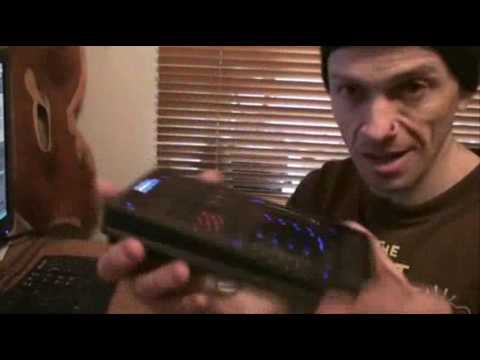
He makes a point about this unit that is easy to skate past: the faders and the jog area are touch-sensitive pads rather than mechanical controls, so there is far less to seize, to wear, or to let a spilled drink into.
Set that against conventional gear, where the moving parts are precisely what fails - crossfaders get scratchy, jog wheels develop play, buttons stop responding. His answer to "how long will it last" is honest: one week or thirty years, depending on how you treat it. But a device with nothing that slides has one whole category of failure removed.
The trade is feel. A touch strip gives you no resistance and no sense of where you are without looking, which is why most DJs still want a real fader under a finger. Worth knowing both sides before you decide.
The real argument for one
His closing point is the practical one. If you are not in a position to buy decks and a mixer, a controller and a laptop go in a bag and you can work without reaching for a mouse.
That last part matters more than it sounds. Mixing with a trackpad is possible and horrible - one pointer, one control at a time, when the job constantly needs two hands at once. A controller does not make the computer more capable; it makes it playable.
Contents of the video
0:33 It at its very basics
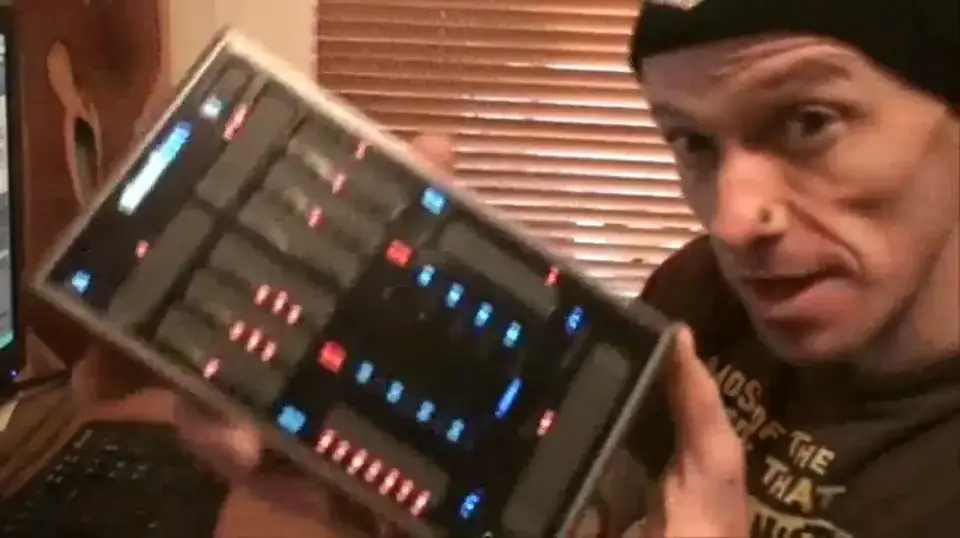
Here we've got this guy from Stanton. It's the SCS-3M. First of all, this is a MIDI controller. I'm just going to pause the track. Now, a lot of people are always asking questions about MIDI controllers. What do they do? What are they for? That kind of stuff. Well, let's look at it at its very basics. Let's imagine we've got a piece of hardware here with all the knobbly bits. For example, say, a mixer. And we've got some software over here. This, in a sense, is the controller for the software. So this is like the MIDI controller. Now this particular item could be just a normal mixer, like a two-channel mixer. But if it can become a controller, in other words you are able to use this as a controller, then this is the controller for the software. So in other words, this is like a MIDI controller.
1:55 Day, one week
This is where it doesn't necessarily get really difficult, but if you can understand this, hopefully it'll open your mind to realise exactly what MIDI controllers and that kind of stuff is about. But for example, you could have say 10 pieces of hardware, different pieces, and one piece of software. Now theoretically, all of those bits of hardware should be able to control the software if they're capable of doing that. So it's not just a case of one piece of hardware controlling one piece of software. It's a case of 20 pieces of hardware should be able to control that one piece of software. Now, that guy there can control this software here. Now, one quick question. People have asked me, a few people said, how long will something like this last? Well, who knows? It could last one day, one week. It could last 20 or 30 years. That is up to you. It depends on how you look after it. But, one thing about this...
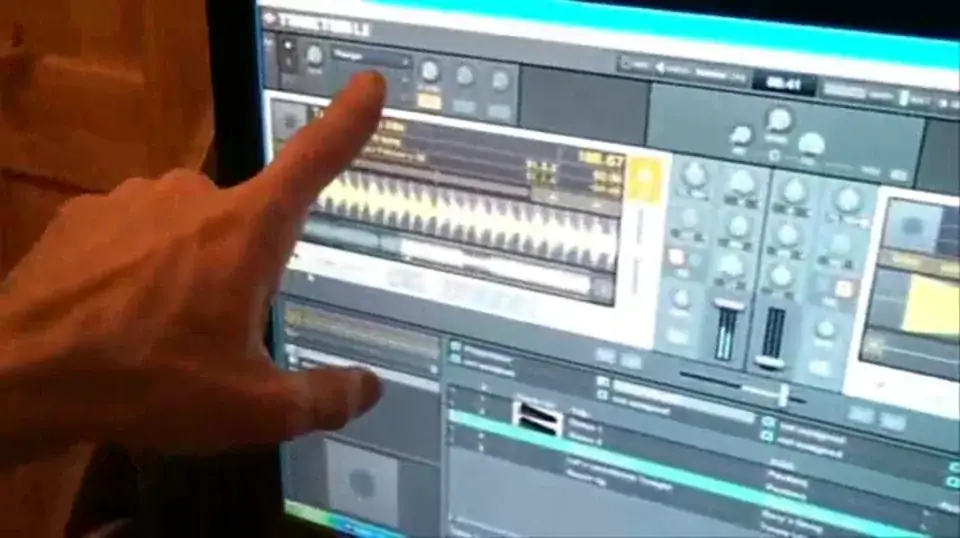
There's no moving parts. And what we're doing there is we're taking out of the equation, let's say a moving part for example, all of a sudden stopping working or something seizing up. Nothing's going to seize up in this because there are no moving parts. You're literally just sliding your finger up and down a touch sensitive pad. And that's it. So what I'm going to do now is pause the camera. I'm going to explain what I'm doing here and then you'll be able to see what's happening with the program. Right, here we go. Just to let you know as well, the track I'm using is a bit of a classic Enzyme Black track entitled Take It. Now, what I'm doing now is I'm going to be turning up the volume on the one channel. Here we go, I'll have a quick look there, down there. Now the crossfade, and if we look top left-hand corner up there, you can see the effects. At the moment we've got the flanger, so at the moment now, if you can see, we've got two...
4:11 It gives you a general idea
Two ways of setting up this area here, just for the moment. One is effects, the other one's EQ. So if I just go, hold on let's have a look, right, the moment now we're on EQ. So if I just turn it up, right. Now what I want you to watch is these guys here, low, mid and high. So basically, the whole idea of this MIDI controller is I'm able to control the software, and this is Traktor by the way, like so. Down here, onto effects. If we look top left hand corner now, just turn it up a little bit. So it gives you a general idea. So basically what we've got here now, I'm able to control a lot of the functionality of the software here. So for example, if let's say you have got a PC program like this and you're not in a position to get decks and a mixer etc. Something like that can...
Basically, be chucked inside a bag with your laptop and you're able to control the music without having to use the mouse. Now again, there is a lot more to this than meets the eye and I'm slowly but surely getting through it. Believe me, the likes of using things like this, it's not difficult. Then again, it's not easy for someone who's a bit of a newbie. And to be quite honest, I am a bit of a newbie. So there you go, another video on a bit of Traktor here and also... This guy from Stanton is known as the SCS.3M and that guy, shit sorry, jumping all over the place here, you can use with these guys as well, these are known as Discratch. Practice and enjoy.
This transcript was produced automatically from the audio of the video and may contain mistakes.
This video is part of
Related videos
-
WHY Vinyl and WHY Is Now the Time to Go Old School
He admits at the start that this one might annoy people, and some of it should be argued with. The practical half is excellent. The claim…