 5:50
Style flip.I'm pimping up my CDJ's and Mixer
Contents of the video
0:00 What I'm going to do, I'm going to pimp up the CDJ-800M2s I've got
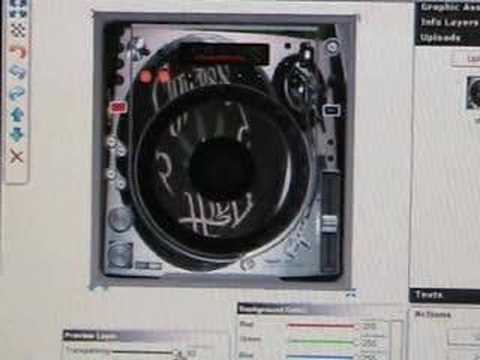
Alright folks, I've just uploaded a picture ready now to put on some CD players I've got. What I'm going to do, I'm going to pimp up the CDJ-800M2s I've got. And the funny thing is, I'm going to put a picture of a Technics turntable on the CD players. So that's what I'm going to do with these two and then I've got the Pioneer mixer and I'm going to pimp that up as well. So I'm going to chop this particular video up and take you through the process. I don't know if you can see there where the mouse is, but I've clicked the picture over there and I've added it there. Now what I've got to do is drag it. So if I click up here on there, double click, then I should theoretically now... Oh, I can drag that now. Hold on. I'm getting used to this as well. There we go. Right. Can you see that icon there? Now what I need to do is I need to drag that up to the corner. Well, let's have a look.
I take it up to about there and drag that out, say to there like that. There you go. That looks pretty cool actually. Yeah, I might have to change it about a little bit but I like that because you've basically got a vinyl turntable on a CD player. Alright, I might have to mess around with that a little bit but I'm going to go with that because that looks rather funky. Alright, hold tight. Okay, we're at a slightly different page now. What I did is, literally 10 minutes ago, I took a picture of one of the turntables I've got. I put that picture onto the hard drive on the PC. Then I got to this page here and I got through to this section here where I can upload that picture. So if I click here now, upload, what's happening now is it's uploading that identical picture so I'm going to do exactly the same thing.
1:57 It's about having a bit of fun isn't it?
On this CD player and then the mixer, I don't know what I'm going to do yet but if you know me it's going to be something outrageously silly but there you go. It's about having a bit of fun isn't it? Okay we've got that picture again so I'm going to drag and drop that onto the CD player. Okay if you look now when I put the mouse over the picture it just says click to add so click that and there it is. So up here again. I think you've got to double click it. Yeah, there you go. Right. So what I can do is put that right in the corner up, say about there. And then if I pull this down like that, and there you go. It's on there again. I like that. That's pretty cool actually. Transparency. There you go. So there you go. So I've done my two turntables now. What I do then is click over here to save.
3:37 This very briefly
And it's saving it. Click OK. That's done. And that is what it looks like. I mean, a lot of people would think, er, what's that for like that? But I just think it's mad. I think it's just pretty wacky actually. It's about just experimenting, having a bit of fun. There you go. Everyone always complains, oh, you know, you want to use vinyl. And I agree, vinyl is bloody good. So in a sense, I've got best of both wheels here. Right, add to cart. Okay, there you go. So I've now got my two CD players and I'm going to find a wacky picture for the mixer now. Just show you this very briefly. When you click upload, you'll come to something that looks like this. What you need to do is find where your files are and then scroll down and then click on one. It should be that one there. That'll come into this area here and then click open and then here, upload.
And that's it, just leave it. Alright, what I'm going to do is I've got a whole bunch of DJ magazines down there so that is going to be the picture for the mixer. So I'm going to take a picture of that then bug it on the web. There you go, that should be interesting. Okay, there's my picture. I'm going to put that on the web now and then we'll drag that onto the mixer. Right, it was literally just a few clicks. It was take it from my folder. Or should I say no, I didn't actually take it from the folder, it was in my folder anyway. All I did was clicked over here to upload new, I had this little box come along, then click browse, you get that folder, you find the file, you click on the file, it ends up coming in that box there, you click upload and then that is it. Right, there it is. Don't ask me why I've got half a chair there, I think I accidentally got that so I'm going to put that over there now. So if I click on it, hold on.
Click Add. There it is. So, what we need to do is drag that up to the corner and then pull it across possibly and then pull it down like that. Bingo! There you go. Done it. Right, so I'm going to keep that. OK, so I'm up my cart now. I've got a couple of the 800s and the DJM800 as well and I've got to go to the checkout and then there you go. So all being well, in a couple of weeks or so I'll be able to stick them on for you. And by the way, practice and enjoy.
This transcript was produced automatically from the audio of the video and may contain mistakes.





