 5:33
SVM1000 MIXMASH RETRO CHIC, The rest is up 2 u!
Contents of the video
0:00 I've got one of those punk style videos
Alright folks, I've got one of those punk style videos. I've got this guy here from Mix Mash and it's the Retro Chic DVD but it's like visuals not audio. Well actually it is audio but it's got like a click, click, click, click, click. I'm going to incorporate this into a tune and show you sort of how you can put the two together. This particular video is exceedingly basic. But, if you sort of try and expand your mind, please do so in life in general, you'll get on a lot better. You'll realise that there's far more to this than meets the eye. Right, so, pay attention. What I'm going to do now... Sorry, the microphone's on. Right, what I'll do, I'll just wang the camera down here. First of all, I'll show you exactly what's going on.
Bearing in mind this is punk TV style, and I say bollocks to editing. Right, okay, here we go. Well, I do edit sometimes, but not today. Right, can you hear that? I've got a click. Look at the screen. Okay, like that. Alright, no, no, again! Right, very basic video giving you a general sort of idea. Okay, listen to this. Oh, sorry. Bloody volume up for a start. By the way, this is JX, a track entitled Son of a Gun, okay?
1:41 Hopefully it won't get blurred
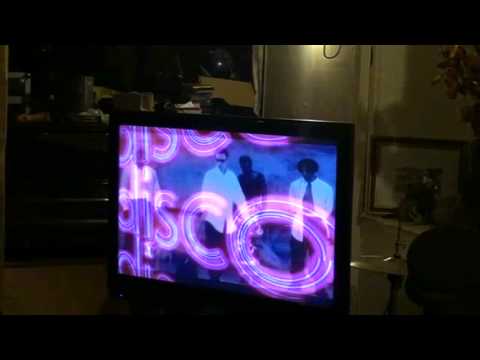
Right, what I'm going to do now, I'm going to just sort of go forward to the TV screen over there. Hopefully it won't get blurred. And here we go. It's going to get blurred, isn't it? Bloody hell. Right, OK, so, never mind, we'll go down to here. See, punk style! That's how we like it. Right, here we go. And... Now, hopefully you'll get a general sort of idea. Now, you've got that click, so what you have to think of... Let's say, for example, the video is playing. What you can do is you can get the visual effect ready, you can beatmatch it by using the click, then take away the audio and just have the video. So again, if we look at the mixer here, what we've got is we have low, mid, high, we have audio trim. Now have a listen. Sorry, press play. Take away audio, but we've still got video. See? It's still there.
So, all you've got to do is beatmatch it, take away the audio, you've still got the video. So I'm going to try and do that for you right now. So we go back to 46, like that. Right. Shall I try the TV again? No, forget it. Okay. So, without further ado dudes, what I'm going to do, I'm going to play JX Son of a Gun. I'm going to incorporate the visual effects on top of the video from JX. And you will hear the click initially, but then I'll take away the click so we'll just have the video. Now again, think about it. This is the first step. Press play, let the visual carry on until it finishes and stop. But maybe the next level is maybe some hot cues, maybe some loops, and then maybe some effects, etc., etc. So, you know, I mean, the mind boggles basically as to what you can do. Here we go. TV over there.
3:58 Let's take away the click now
Alright, I'm going to try it so I don't get blurred. Alright, here we go. Right, let's take away the click now. I'm going to take away the audio because I've got a video. Now use vinyl mode and scratch. Practice and enjoy.
This transcript was produced automatically from the audio of the video and may contain mistakes.





