 4:15
Traktor Kontrol S4 from Native Instruments Video 4
Contents of the video
0:00 Video number 4 on the Traktor Kontrol S4
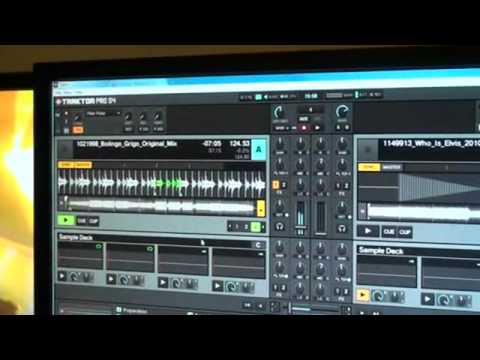
Alright guys, video number 4 on the Traktor Kontrol S4. Bit of the hardware I've got on my lap. You're looking at the software. The hardware as well comes with the Traktor Pro S4 DJ software. That's included. Now, in video number 4, first of all, all these particular videos are short, sweet, straight to the point. Not there to blow your mind away. In video number 4 we're going to look at the top left hand side of the screen. Sort of a platter here, almost like a vinyl turntable, a little bit smaller, also like the CDJ. If I put my hand on the top, acts exactly like a CDJ. Touch sensitive platter at the top, and then around the sides, clockwise, speed it up, anti-clockwise to slow it down. But again, it will only speed up and only slow down when you're moving it. As soon as you stop doing that, it'll go back to its original speed.
A lot of people know that, but one or two can't work it out. And believe me, when you realise, you'll go, ah, I get it now. Right, let's have a look up here. OK, what I'm going to do as well, I've got the sync icon on as well. Now, I don't normally like to use this. I like to use the pitch. But I will be very honest with you, if you like to use some effects and you like to try and sort of twist and tweak it... Probably a good idea to use the sync because it means then you've got more time and you can concentrate more on getting the effects perfect. Now if we have a listen to that particular loop, I mean it sounds alright, not much going on, but check this out, we can really twist this about. You know we're almost getting that deep, well not deep sorry, sort of twisted high electro kind of feel. Okay so let's go into mix.
2:38 Let's bring that effect in what we've got, the sound we got earlier on
I haven't got any headphones on so I'm just going to cue this up using the mouse for now and let's see what happens. Right, let's bring that effect in what we've got, the sound we got earlier on. You'll notice the mixer in the middle, the two volumes, that's what I'm doing, all the hardware. Using the bass on the controller. Using the effects, trying to control S4. I'll put a clickable link, even a lickable clink if you like it, in the description. And we'll take you to the Native Instruments website. Alright, nice one. Practice and enjoy. This is DJ Juke.
This transcript was produced automatically from the audio of the video and may contain mistakes.





