 4:34
TRAKTOR KONTROL S4 Video 1 . What's in the box?
Contents of the video
0:00 Video number one on this from Traktor is the Control S4
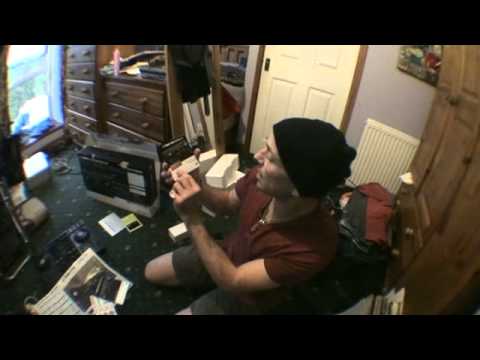
Right guys, video number one on this from Traktor is the Control S4. Now maybe you do or maybe you don't know but there are loads and loads of controllers out there but there aren't really that or there are not as many companies that delve in the software so I mean without being an expert I would have thought quite logically that if you have a company that manufacture Let's say an item, a controller and also make the software as well, then they're bound to work in tandem perfectly. So here it is. And very light. My God, it's gone. It's over here. Right. One thing I do like about this, even without looking at it yet, is on the back, it clearly states drink half a bottle of vodka before... No, just kidding. Drink a quarter bottle of... Just kidding. Right.
1:26 Comes in the box, you have
Intuitive design, ready-made sample content and tutorial videos. So in other words, it'll show you how to use it. Marvellous, eh? But what I'm finding with a lot of things like this now, they're relatively easy or they're getting easier to work with. In other words, years ago it was like you used to plug it in and you used to have to spend about six years trying to map the damn thing. Now, you plug it in, you put your program in and off it goes. And also, if I just show you what comes in the box, you have this guy here. Now, I'm sorry, but if you lose that, then I suggest you need to take your brain out and go and change it for a better one because it's about as big as a wall chart. That is almost like very basic instructions on what bits do. Very easy to follow, etc. You get some stickers that you can stick places if you really want to.
You get your manual in about six gajillion different languages, including Martian, I believe. You can get your software. Now it comes with Traktor Control S4. What's the software? It's the Traktor Pro S4, beg your pardon, which is pretty decent. And let's have a look. Keyboard shortcuts. Delve into that later. And also from Beatport, a gift card. Here it's got $10. There you go. You have your USB plug. You have your power adapter. There you go. And you have some sort of stuff. Really good actually. What you could do with these is you can stand on them like this and you could use them as stilts. See? Like that. There you go. And you have the baggy thing. Also what you could use this for. You see?
3:05 Let's say you were going to have an accident
Let's say you were going to have an accident. I don't know if you've seen certain videos. Let's say you're in a vehicle, you just about have an accident and you didn't have an airbag. You could take this with you and then like that and then you'd have your own personal airbag but I've delved into it. Yeah, alright, the controller. Okay, there it is. It looks pretty decent. One of the first things I did notice with this is on the back we have input channel C, input channel D. What you can plug into this is your CD player or your vinyl turntable as well. That's pretty cool actually. So, you've got your PC, you've got all your stuff on your PC, your lovely program, and if you've had enough of that, you can plug in your vinyl turntables or your CD players as well. So, theoretically it is just a basic mixer as well. Right, video number one is just having a look at it. There you go, have a look at that. And there's the back, and there's a corner.
If you've got anything like that, then by all means do some videos and post them as video responses. I will put a lookable link in the description that will take you to the site where you can get more information. Video number one, practice and enjoy. Thank you.
This transcript was produced automatically from the audio of the video and may contain mistakes.





