 6:29
UDG GEAR Creator Laptop Controller Stand Aluminium Black video 1
Contents of the video
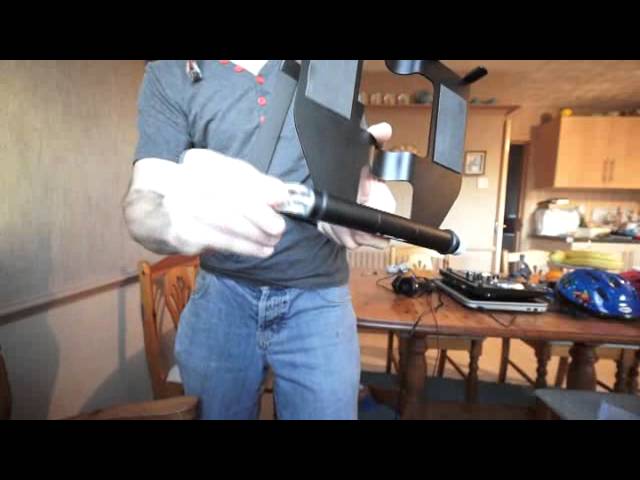
0:01 You have in front of you the UDG Creator laptop stand
Alright ladies and gentlemen, you have in front of you the UDG Creator laptop stand. It's all set up, ready to go, and to answer a few questions, that is the Wego 3 that got thrown out of my van in that UDG case there, and it's working. So if I just click there and press play...
You can hear in the background. By the way, the track you're listening to is Main Deep Mama. It's a Kenny Hectic remix. Okay, so the UDG stand is very stable. Takes a tiny bit of getting used to to get the right tension so you can set it up but I'll show you exactly what to do there. This area here, if I move that plate... That's great for, say, putting an effects unit and easily removable and easily put back in a ball. So I'm doing it one-handedly as well at the moment which is slightly more difficult. So there you go. So what I'll do, if I'm not going to pause the camera or anything like that, I'm just going to put the camera there and turn the screen so I can see what I'm doing. Alright, let's unplug my headphones and let's close the laptop. Put that down there.
And move the working Wego 3. By the way, I did say in one of the videos that the Wego 3 needed an external power supply. Well, it has got one but it also can be bus powered. So, anyway, the stand, that is removable. And then if you're familiar with bicycles, many years ago if you need to change the wheel of a bicycle or take the wheel off... It was a nightmare. You had to have numerous spanners and whatnot, and if you were stuck in the middle of a field, you were basically stuffed. What UDG have done is exactly the same sort of bicycles. Now they've got this, okay? So all you need to do is turn that to remove the tension, and that is pretty much it. So the only thing you have to get used to is to work out the exact tension there. Hello Blaze.
2:29 We'll move that like that
My little boy. There. So we'll move that like that. What do you think, Blaze? What have you got? Have you got some transformers? Good man. There. And then move that. That fits in like that. And that is pretty much it. Okay, so it's very flat, it's very compact. Does it transform? Hey, do you know what, Blaze? This is like a transformer as well. Look. It's flat. See? It's flat like a pancake, but then it can transform into a stand. So if I just move that like that, hold on, and make that tight there, like that. Oh, I've got to bring that up first, haven't I? Bring that up there, and then move it like that. And then move this around like that. Then I have got my own stand. My own transformer. How does that look? Is that cool? Yeah? There you go. Couldn't have cued that better, eh? Turn that, turn that like that. Comes in your own bag. So, that small plate will fit there. But you can do it like Bumblebee. Do you reckon I could do it like Bumblebee? And then this fits in the bag like so. That one in there, that one in there.
4:15 Blaze, would you say practice and enjoy?
I've got some good help here. You want it to be Bumblebee? And that's pretty much it, there you go. Okay, so if you want any more information on this stand, check out the link in the description. Blaze, would you say practice and enjoy? Enjoy. Yes! Let's have a look, what have you got there mister? What's that, is that Bumblebee? Yeah? Is he cool? We went to a car boot sale. We got loads of Transformers, didn't we? We got loads and loads of Transformers. So there it is. And him as well. There is the stand. Very sleek and very pro. A bot shop, what's that? What's Transformer Bot Shop? Have lots of Transformers on the back and the back. Oh, lots of Transformers. Do you think Father Christmas will be getting you a Transformer? What are you going to get for Christmas? Optimus Prime with a trailer, yeah? Uh-huh. Oh, wow. I need the white one. I got the white one. You get the white one as well, okay. Alright, so there you go.
Like I said, it's good enough to put your controller underneath or on top, your laptop of course on top, and then a small little plate you can put, I mean for example, a little EFX or a core chaos pad or something like that. Alright, you know, you get used to it, you can pretty much get it out the bag and set up within less than a minute. Info in the description, thank you very much to UDG, practice and enjoy. Thank you, Blaze.
This transcript was produced automatically from the audio of the video and may contain mistakes.





