 4:10
Use Top Club Standard Kit and Be a DJ in VR with Tribe
Contents of the video
0:00 This is through Oculus and this is Virtual Reality DJing
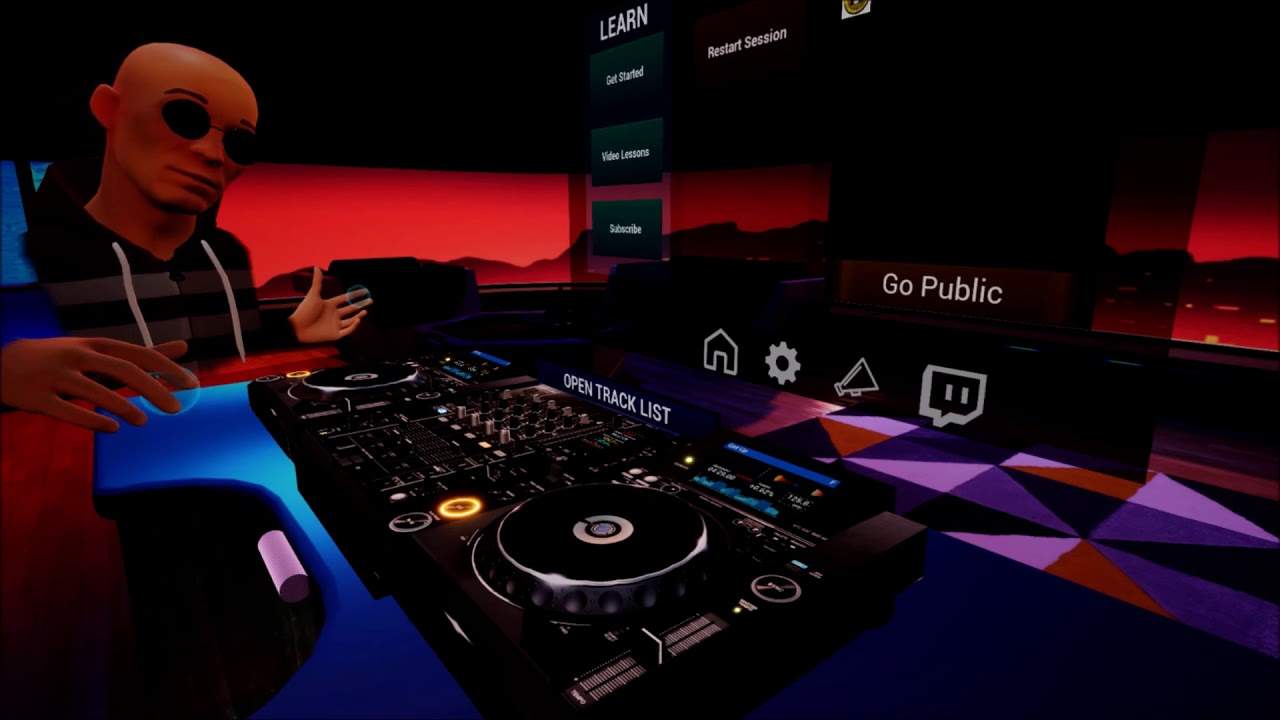
Alright guys, welcome to Tribe. This is through Oculus and this is Virtual Reality DJing. Now I'm going to give not so much a lesson but just a little bit of like a demonstration in Virtual Reality. Now first of all, if you are an aspiring DJ, you live in the middle of nowhere, you're not in a position to get your hands on some DJ kit, but you do indeed have a Virtual Reality setup, then you can DJ. Using virtual reality. Now, there's a lot more to it than this. I don't really want to baffle you with science, but I'm going to destroy your brain a little bit because what you can do if you've got a Twitch account, you can live stream via Twitch. Okay? So you can live stream virtual reality to your friends and right in front of you, you can have a little screen there with all the messages they send. They can send emojis and you can have loads of fun.
1:23 In front of me now, I've got my screen
Now, if you haven't got many tunes, maybe you don't have one track, but you still want to have a go. Well, don't worry, because believe it or not, there is a list right there. OK, maybe you can't. Maybe you can. Maybe you can't see it. But in front of me, there is a list with some tracks. I'm just going to drop a track on the right deck. Let's close that up. OK, so what have we got? In front of me now, I've got my screen. I can go public if I want to. I can go through to Twitch. I can get some video lessons, get started. I can also subscribe. Now, the great thing about Tribe is you get to use Club Standard DJ Kit. Two CD players, mixer in the middle. It's a four channel mixer. But you know what? Two decks, you just get to use two channels. It doesn't matter. You never know in the future, you could have four decks, maybe even some effects as well. All right, so the turntables, what do they do? Let's have a quick look. Let's press play on this track. It's entitled Get Up. Okay, you should be able to hear that. All right, so guess what? We have vinyl mode. You can also do needle search. So I'm just going to do a bit of a needle search. You can hear skipping through the track.
2:47 We can form a loop
There. Play, pause, cue. Now we've got a new cue point, exactly like a real CD player. Press play. Okay, master tempo on, slow the track down, speed it up. Disengage master tempo and now we can slow the track down, speed it up and decrease and enhance the key of the track. We have sync feature as well. If we want to, we're in quantized mode. We can form a loop. One, two, three, four. One, two, three, four. So we've got a loop. Come out of the loop. Let's use some effects. We've got the filter engaged, up-faders and crossfade as well. We can also add some effects if we want to. So we're on master.
Okay, so we have tunes already in the library, but you can add your own tracks as well. There is so much to do here and like I said, if you do have your own virtual reality setup, guess what? You don't have to have the kit. You dip into virtual reality through Tribe and you get to use the kit and when you take your headset off, you're back in... In your own space, alright? A little bit of an insight here. There will be a link in the description to Tribe and all I can say is practice and enjoy. Thank you.
This transcript was produced automatically from the audio of the video and may contain mistakes.





