 4:23
Video 2, a small look at the faders , X fade on the DJM-600
Contents of the video
0:00 These particular functions on this mixer
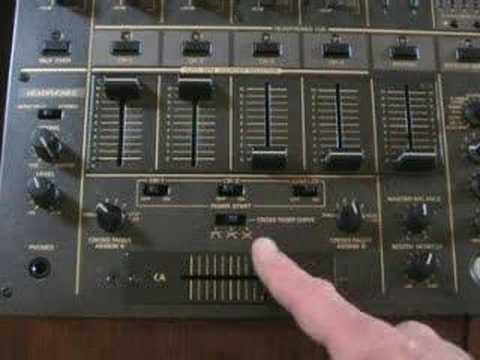
Alright folks, Jonathan here. This is video number two in a selection I'm doing on the DJM600 mixer. In video number two we're going to be looking at the volume controls and the crossfade. Bearing in mind this is just a very basic look at these particular functions on this mixer. Now then we have one, two, three, four channels on this mixer and we also have a master volume control. Now above the five controls here we have some buttons 1, 2, 3, 4 and 5. Now basically if you press the button above each individual channel you have a light that lights up. Now that means now that I can listen to this particular channel through the headphones. When I press that again the lights off. That means that I can't listen to that channel now through the headphones. And again you can listen to 1, 3...
1:50 BPM, channel 2, channel 2
All five at any one given time, just so long as the light is shining above each individual channel. Now what we have here now that I do like with this mixer, we've got this function here. If I just pan a little bit closer, you've got crossfader assign A and crossfader assign B. Now then, on these particular dials you can see something called through. One, two, three, four, We'll deal with sampler in a future video, but 1, 2, 3 and 4 basically mean channel 1, channel 2, channel 3 and channel 4. Exactly the same on the other one. We just have 1, 2, 3, 4 and through as well. Now if I pan out again, when these dials here are set to through, what it means is the crossfade has been disengaged. The crossfade won't be in use at all. But if we then set this one here, crossfader sign A to number 1 and crossfader sign B to number 2, what that means now is that channel 1 and channel 2 will be used on the crossfade. So A, A, B, B. That means A, channel 1, channel 1.
3:18 This side, side B, crossfade assigns
BPM, channel 2, channel 2. So now the crossfade is being used on these two channels. But also what we can do, we can set this maybe to channel 2 and to channel 3. So now we're utilising these two channels. So the crossfade is set to side A. This dial here is side A. So side A is on number 2 which is on channel 2. And the opposite here. Side A now is still on side A, but this particular dial here has been set to channel 3. So we're going side A, channel 3 to channel 3. So now this crossfade is on this channel. And when I go to this side, side B, crossfade assigns side B to channel 2. So we're going B, channel 2 over to this side. So the crossfade has been turned around and that is quite a good idea for some turntablist as well.
And also here we have crossfade curve. Basically that will just change the sound coming in and out of this crossfade, dependent on how you want it. Number 1, 2 and 3. So there's a basic idea for you on the functions of the volume controls and also a nice feature on this guy here which is crossfade assign. I do like this quite a lot actually. Anyway, once again this is a small... Thanks for watching, practice and enjoy.
This transcript was produced automatically from the audio of the video and may contain mistakes.





